...
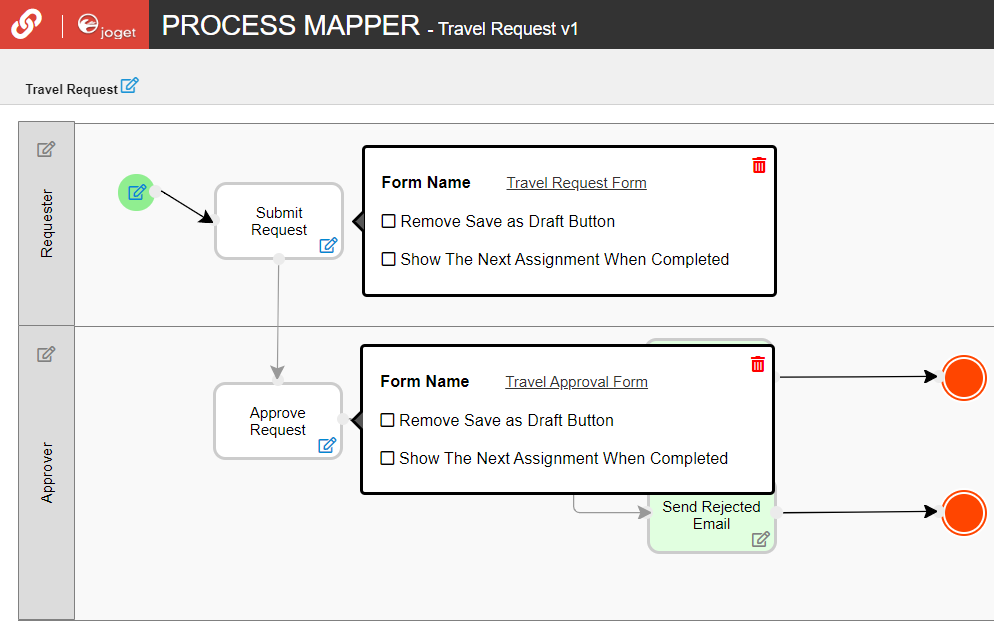
In the Process Mapper, click on an Activity to open up the Mapping to Forms.
Thai ใน Process Mapper คลิกที่กิจกรรมเพื่อเปิด Map Activities to Forms
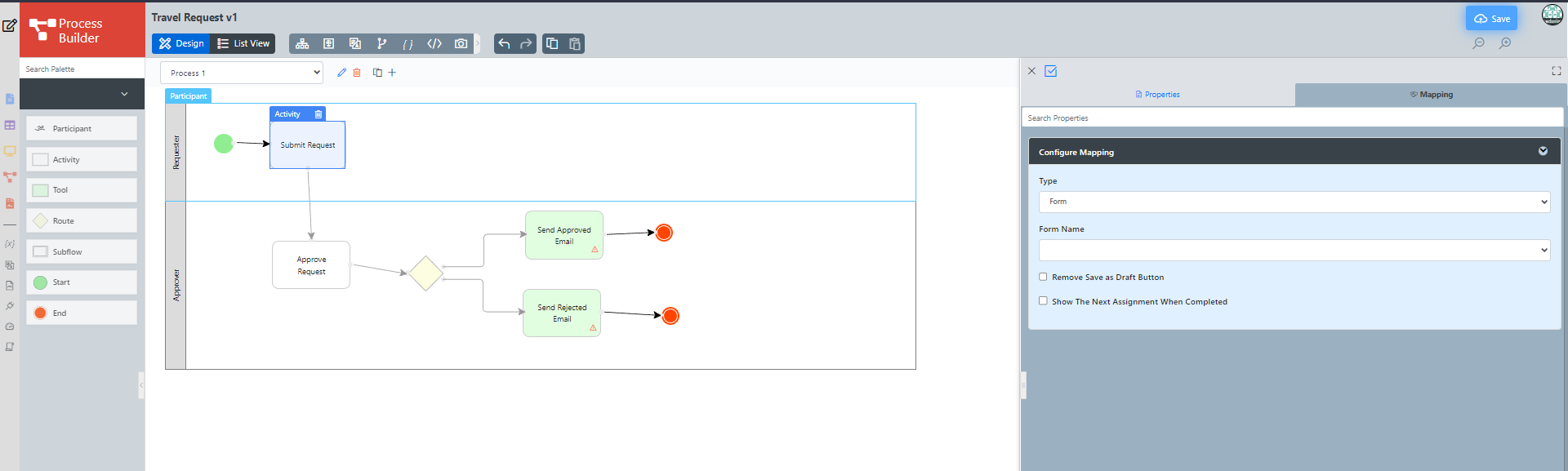
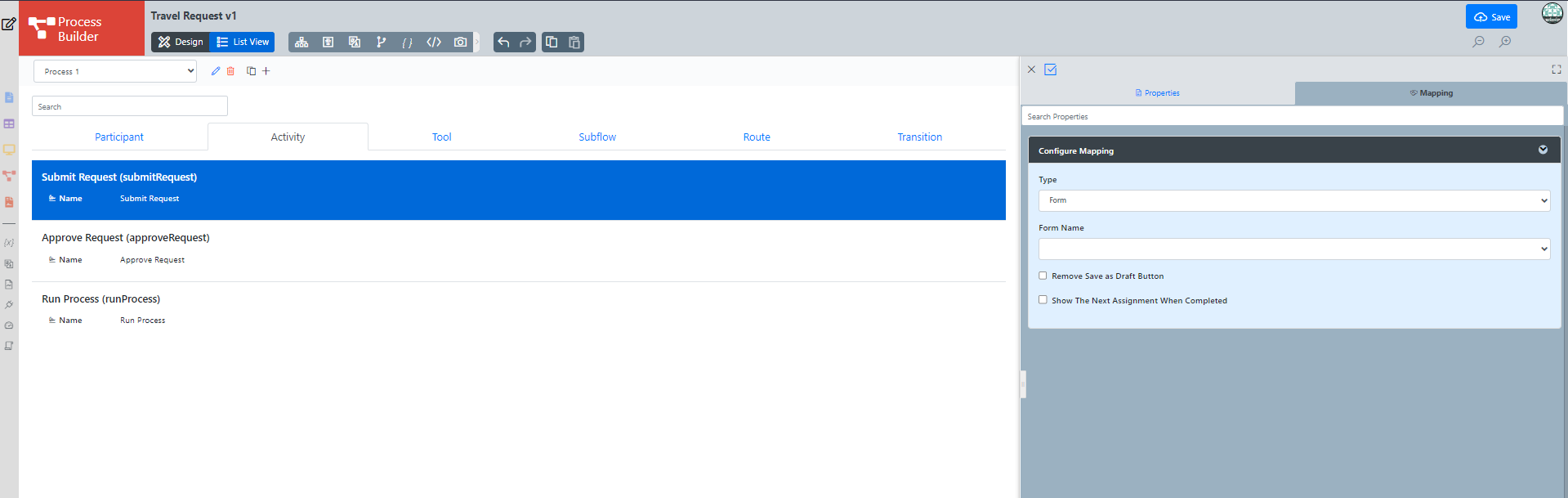
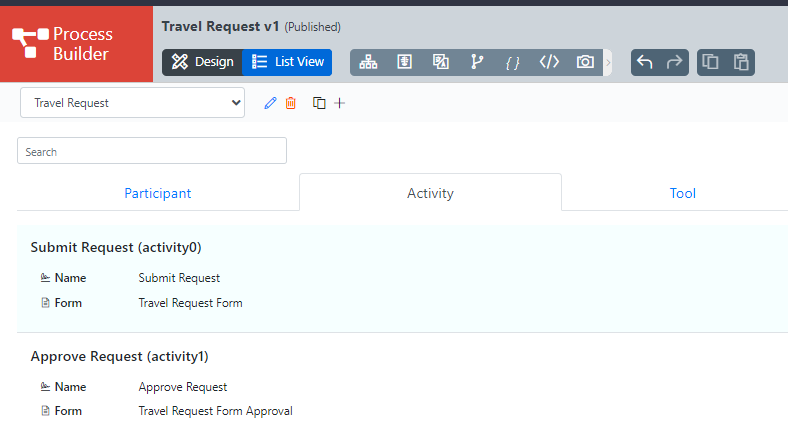
Go to List View and choose Activity, select any activity to do the Mapping to form.
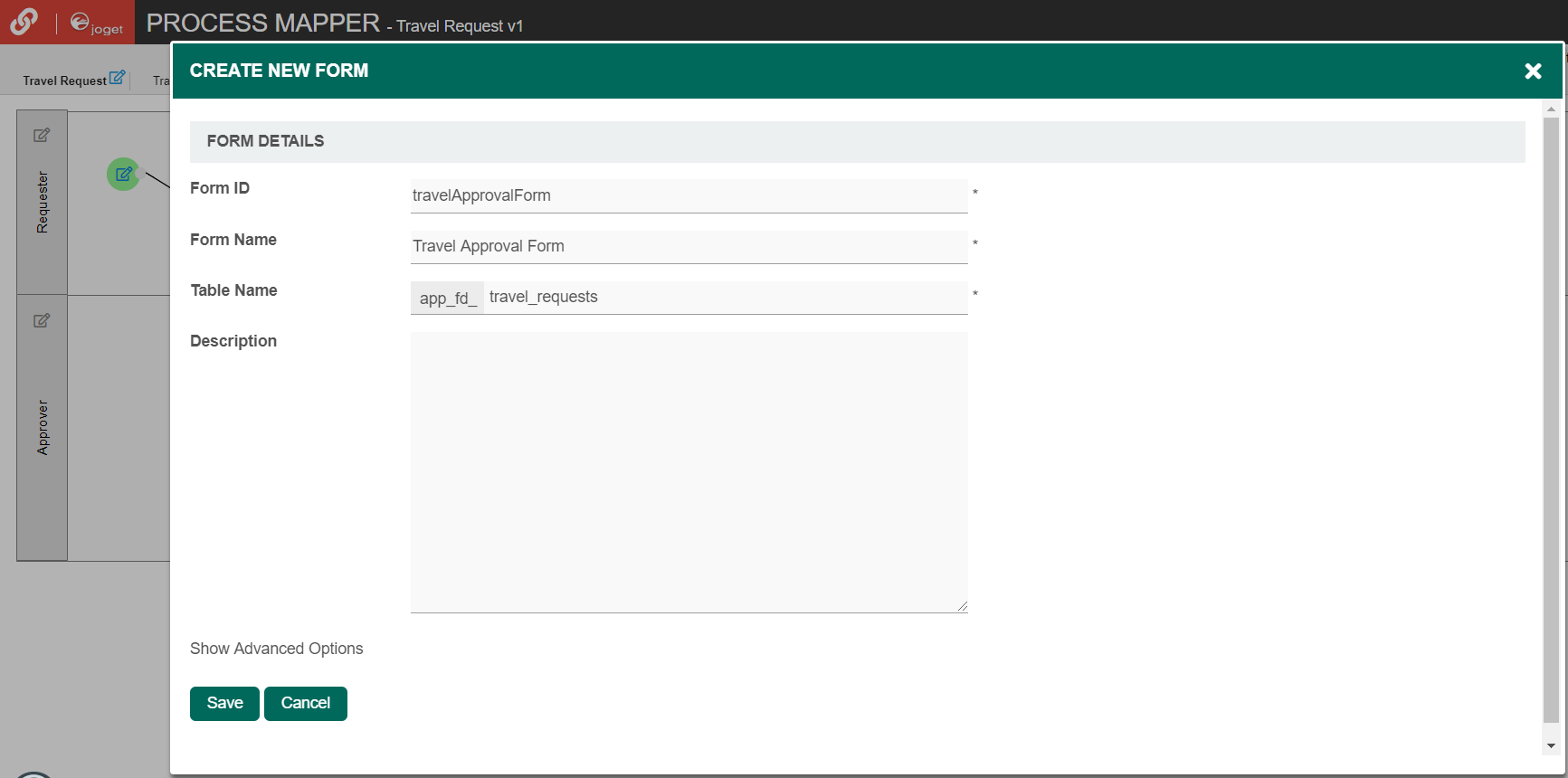
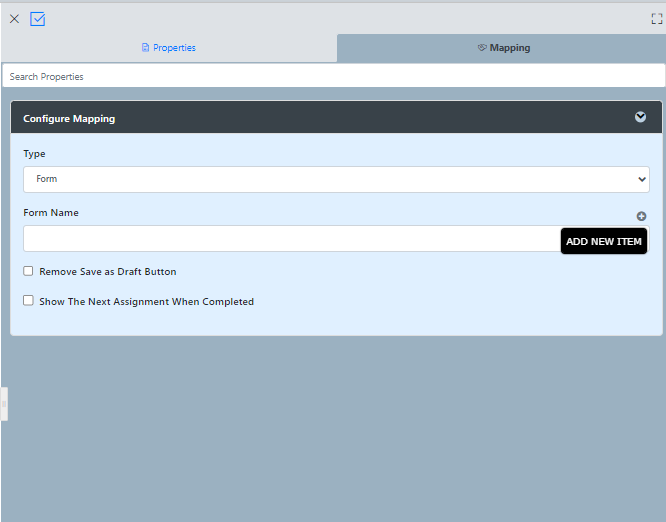
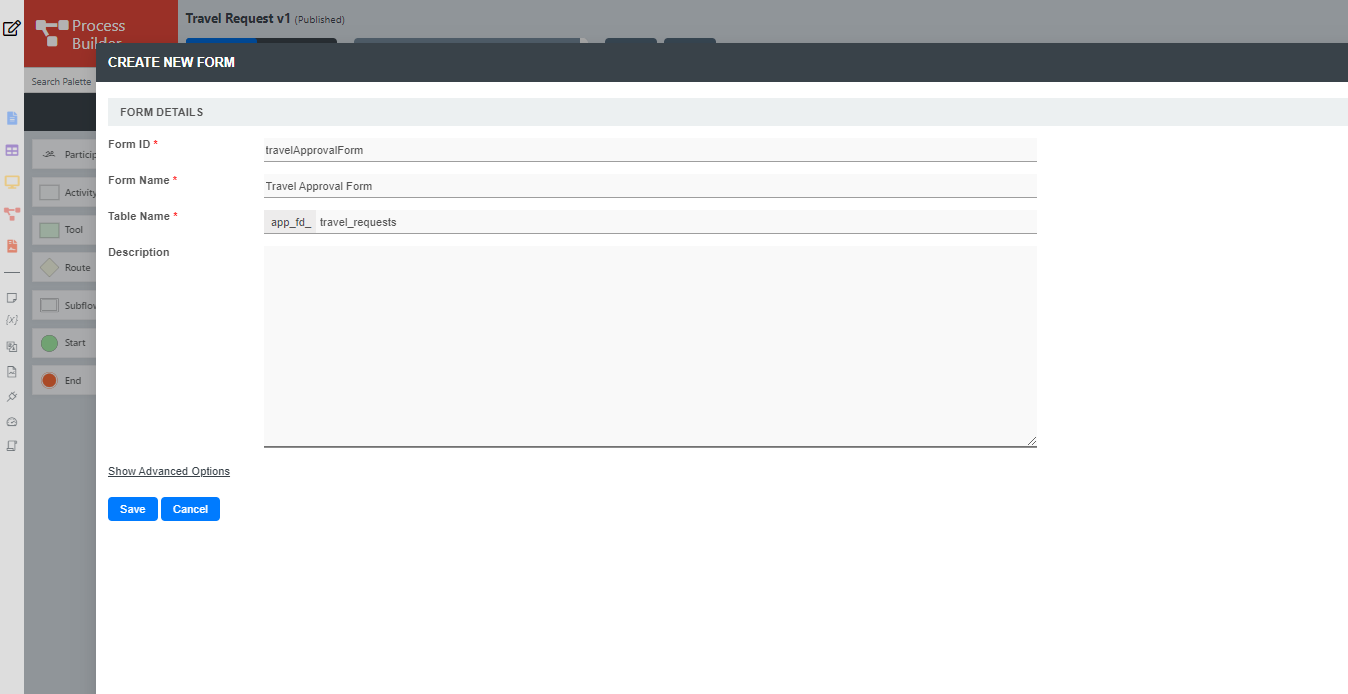
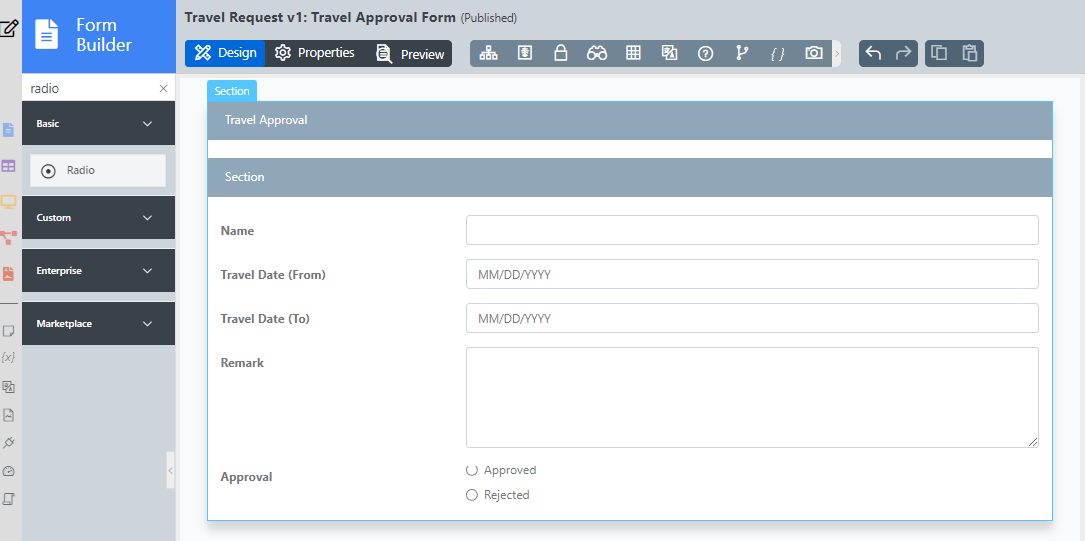
As an example to handle an approval process, click on Create New Form to create a new Travel Approval Form. In this new form, add a Subform that displays the original submitted form, and radio buttons to capture the approval status.
Thai เป็นตัวอย่างในการจัดการกระบวนการอนุมัติคลิกที่ Create New Form เพื่อสร้างแบบฟอร์มอนุมัติการเดินทางใหม่ ในฟอร์มใหม่นี้เพิ่มฟอร์มย่อยที่แสดงฟอร์มที่ส่งเหมือนเดิมและปุ่มตัวเลือกเพื่อจับสถานะการอนุมัติ
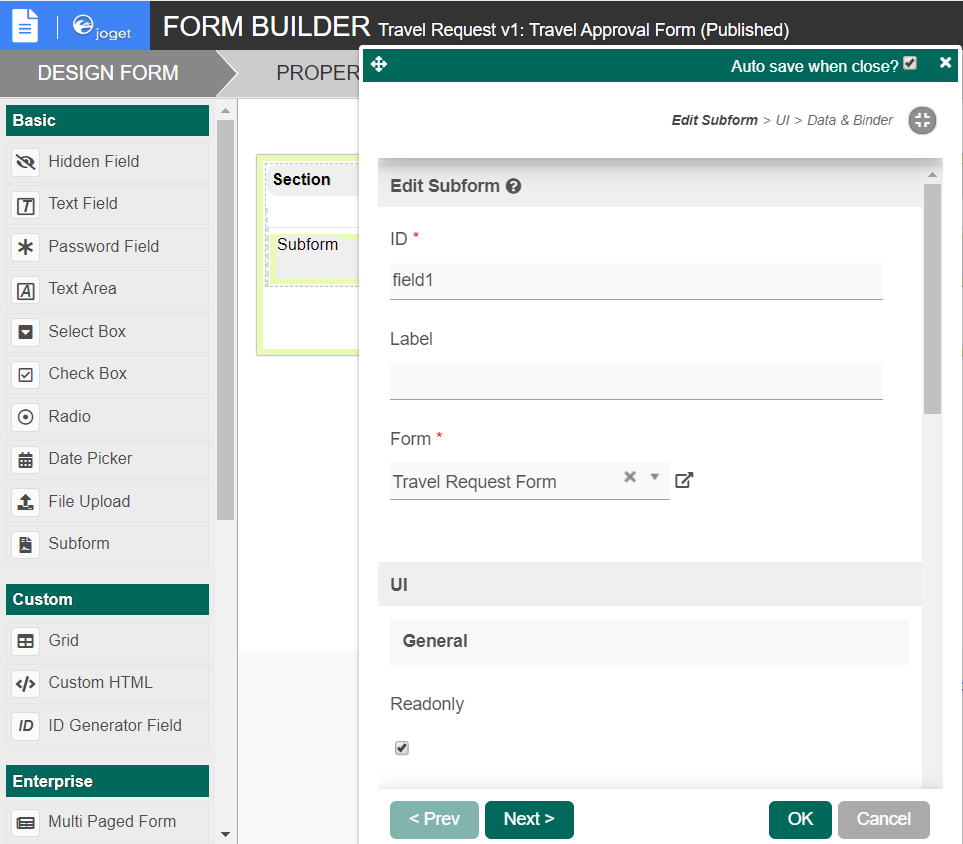
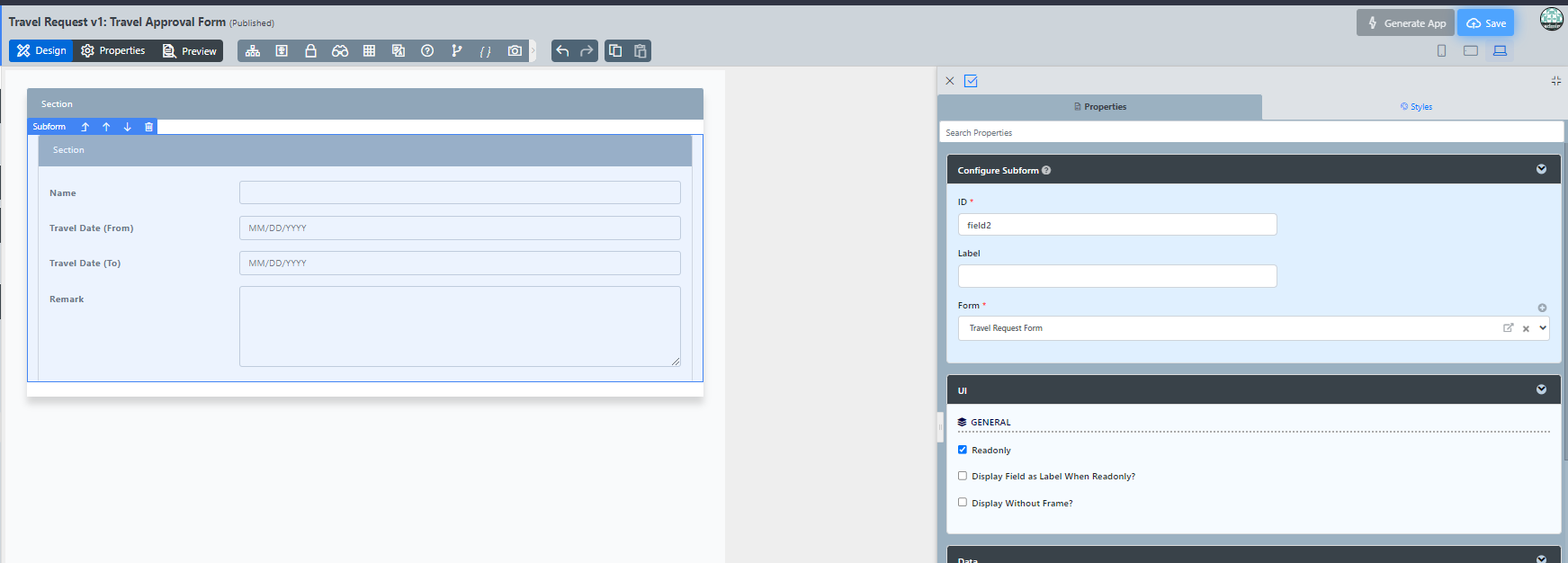
Configure this Subform to select the original request form.
Thai กำหนดค่าฟอร์มย่อยนี้เพื่อเลือกแบบฟอร์มคำขอต้นฉบับ
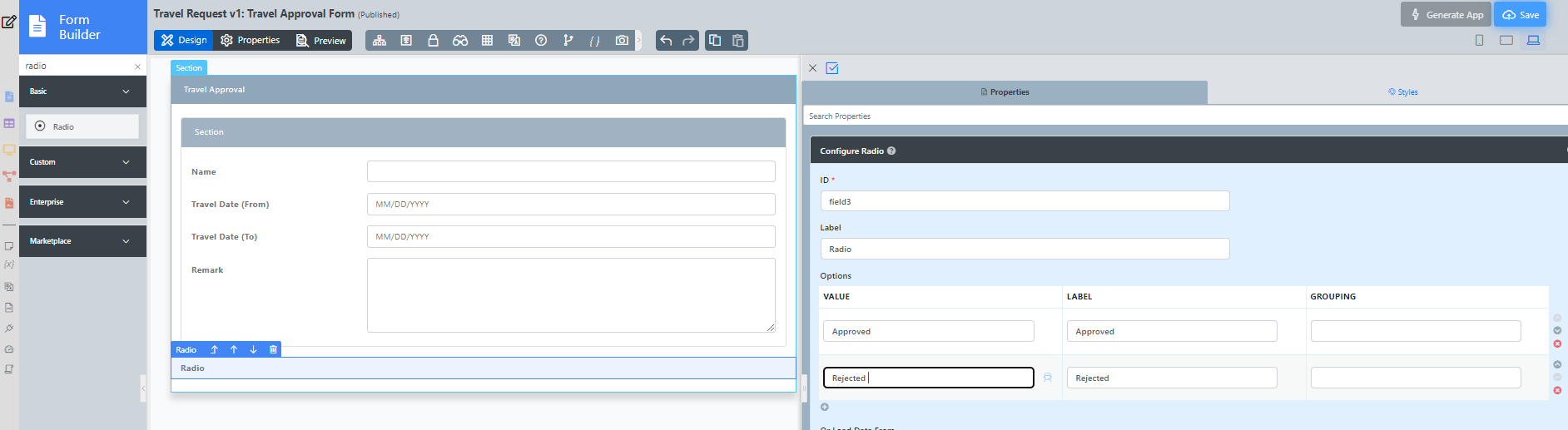
Configure the status radio button to have Approved and Rejected options.
Thai กำหนดค่าปุ่มตัวเลือกสถานะให้มีตัวเลือกอนุมัติและปฏิเสธ
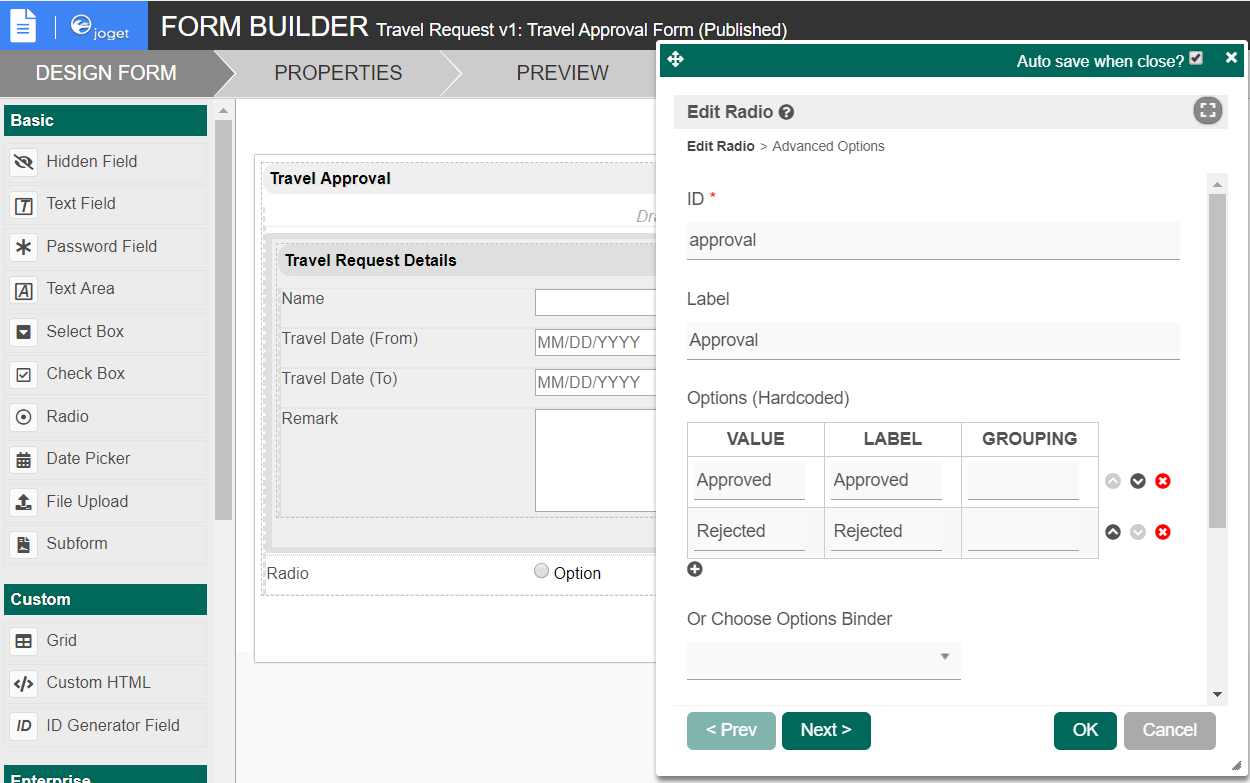
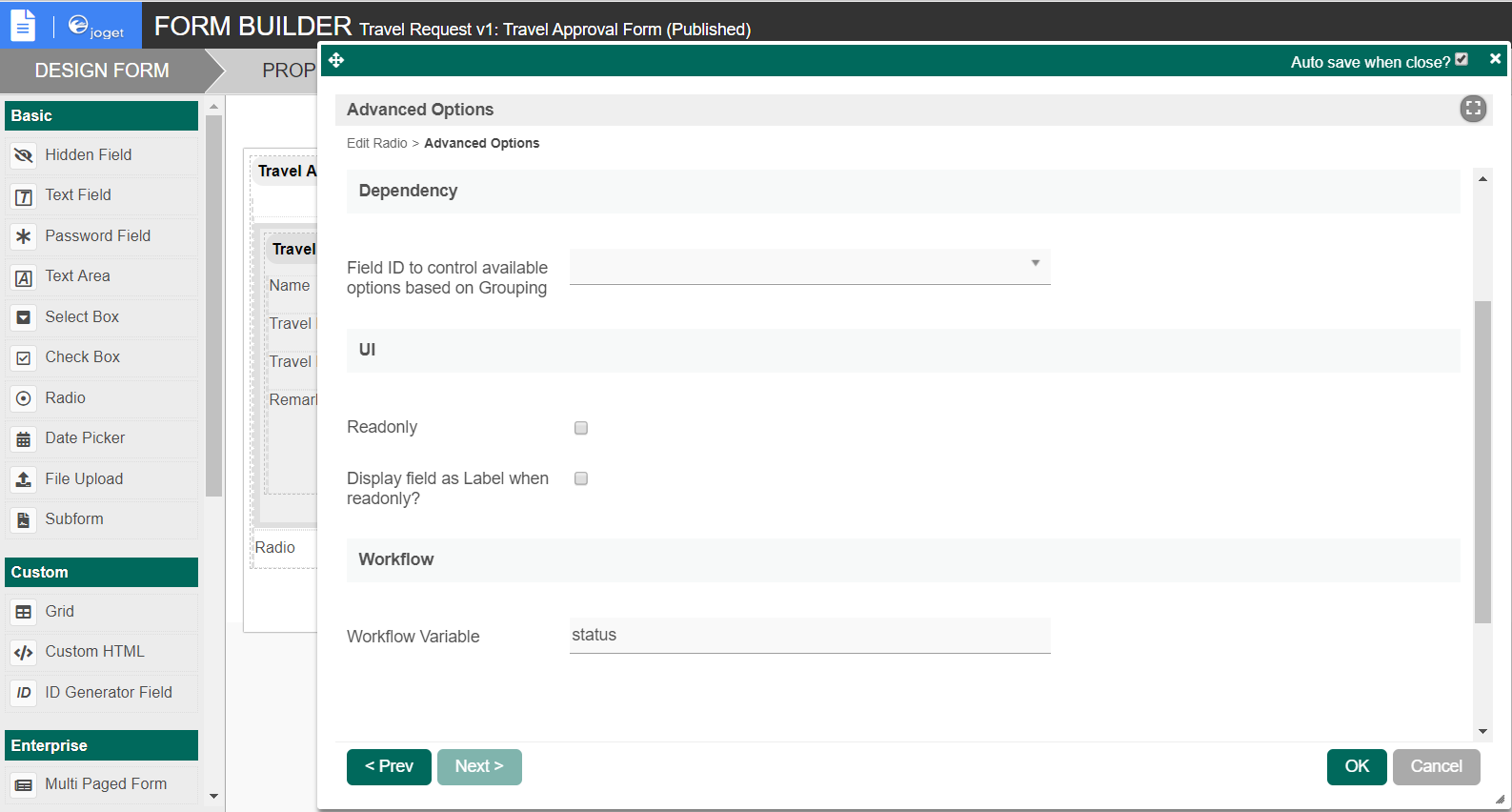
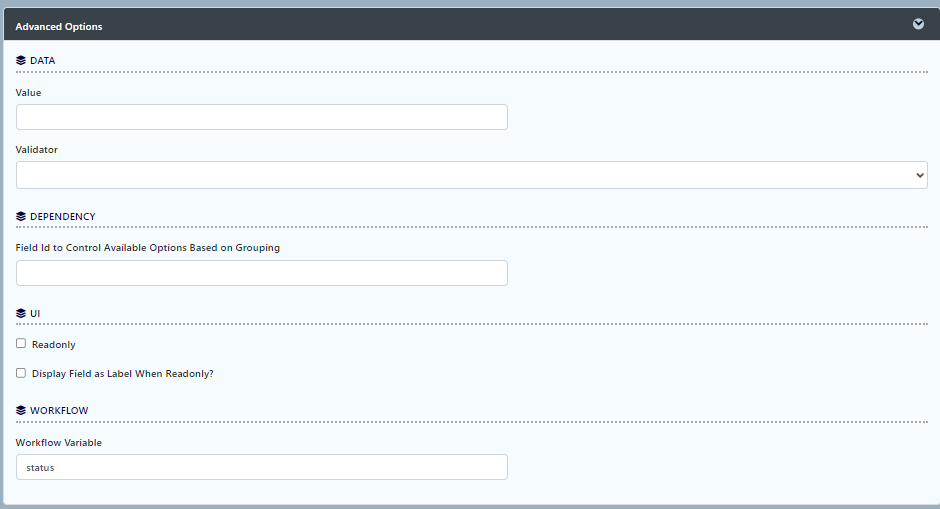
For routing purposes, an important setting in the radio button is the mapping to a workflow variable under Advanced Options. In this case, setting the mapping to status means that the value will be stored in the status workflow variable.
Thai สำหรับการกำหนดเส้นทางการตั้งค่าที่สำคัญในปุ่ม radio button คือการแมปไปยังตัวแปรเวิร์กโฟลว์ภายใต้ตัวเลือกขั้นสูง ในกรณีนี้การตั้งค่าการจับคู่กับสถานะหมายความว่าค่าจะถูกเก็บไว้ในตัวแปรสถานะเวิร์กโฟลว์
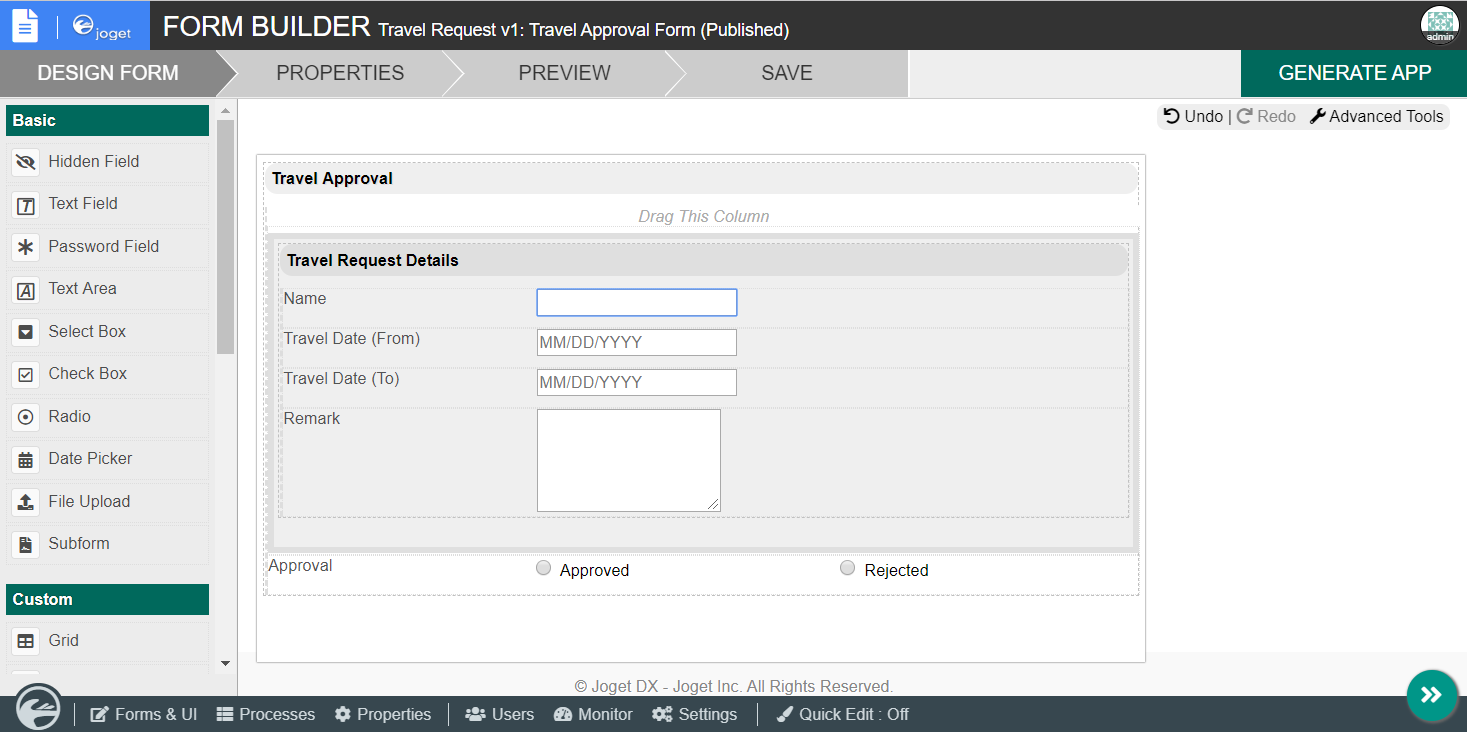
After all the configuration, the new approval form should look similar to the following screenshot:
Thai หลังจากการกำหนดค่าทั้งหมดแบบฟอร์มการอนุมัติใหม่ควรมีลักษณะคล้ายกับภาพหน้าจอต่อไปนี้:
Ensure the Activities are mapped accordingly.
Thai ตรวจสอบให้แน่ใจว่ากิจกรรมถูกแมปอย่างเหมาะสม
Mapping Tools to Plugins
By clicking on a Tool in the Process Mapper, it will open up the Map Tools to Plugins.
Thai โดยการคลิกที่เครื่องมือใน Process Mapper จะเปิดเครื่องมือ Map Tools to Plugins
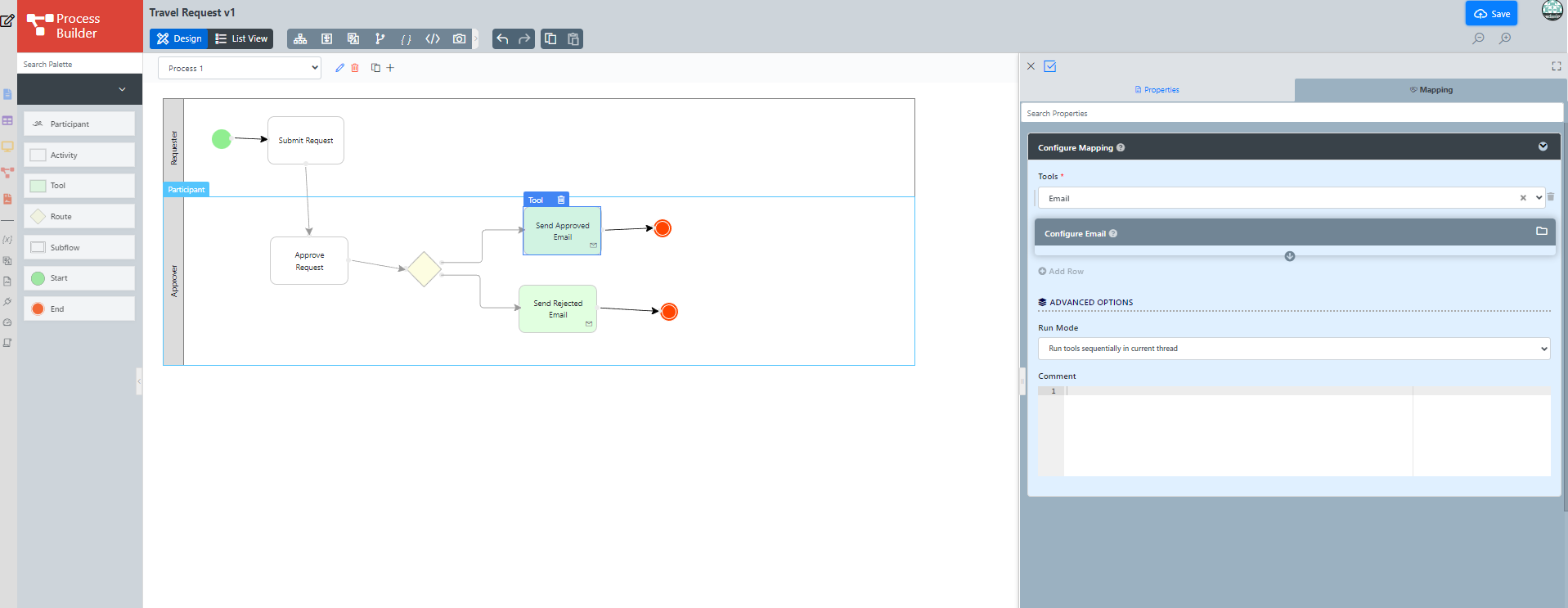
In the Map Tools to Plugins, you can map tools defined in the process to plugins. For each tool, select a Plugin and perform the necessary configuration.
Thai ใน Map Tools to Plugins คุณสามารถแมปเครื่องมือที่กำหนดไว้ในกระบวนการเพื่อปลั๊กอิน สำหรับแต่ละเครื่องมือให้เลือกปลั๊กอินและดำเนินการกำหนดค่าที่จำเป็น 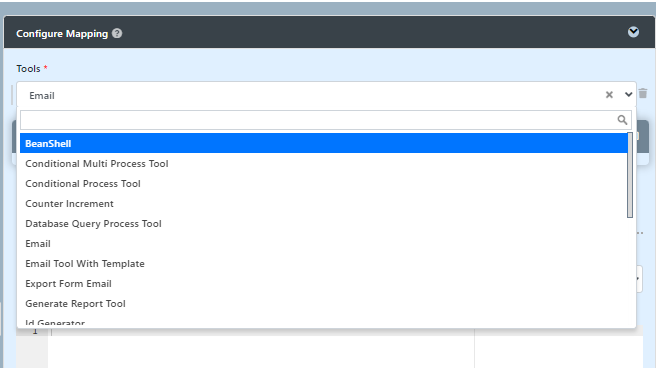
- Another approach is by clicking on the list view button then choose tool then click on a mapping tools to plugin.
...