...
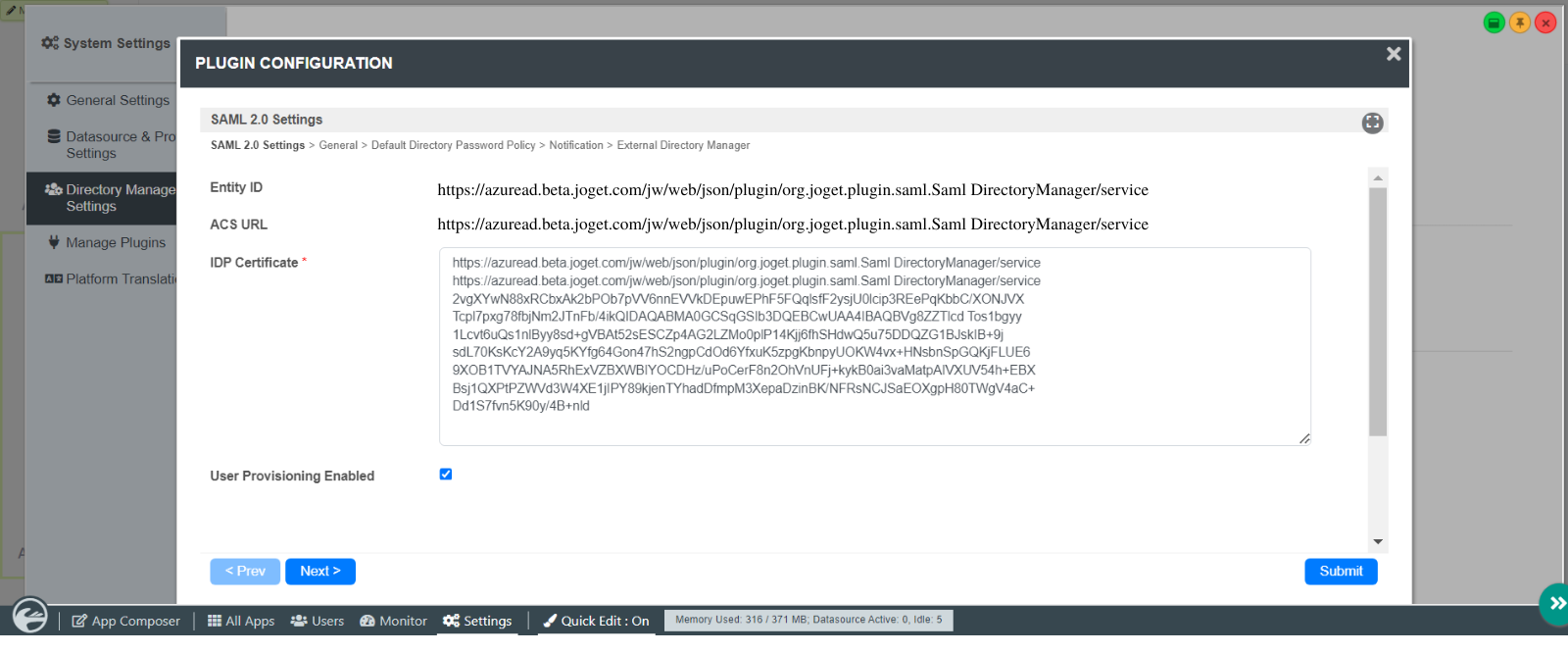
- Open the downloaded certificate file and copy the contents into the IDP Certificate field in the Joget SAML Plugin configuration (NOTE: copy without the -----BEGIN CERTIFICATE----- and -----END CERTIFICATE----- lines)
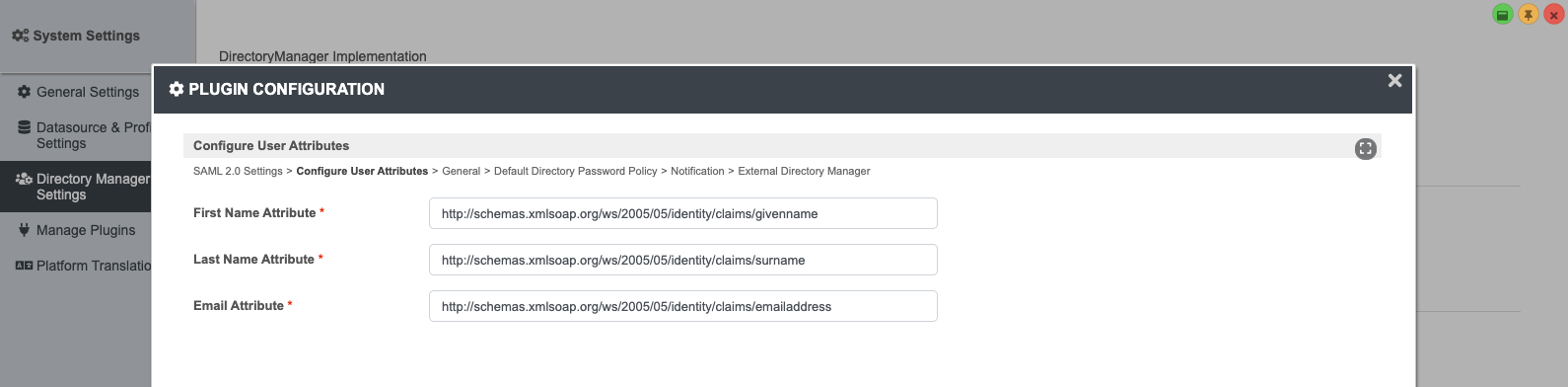
4. Configure Custom User Attributes
- Key in the values of the user attributes
5. Test the SAML SSO
- Access the Azure My Apps Portal, click on the application, and select the user to perform the SSO.
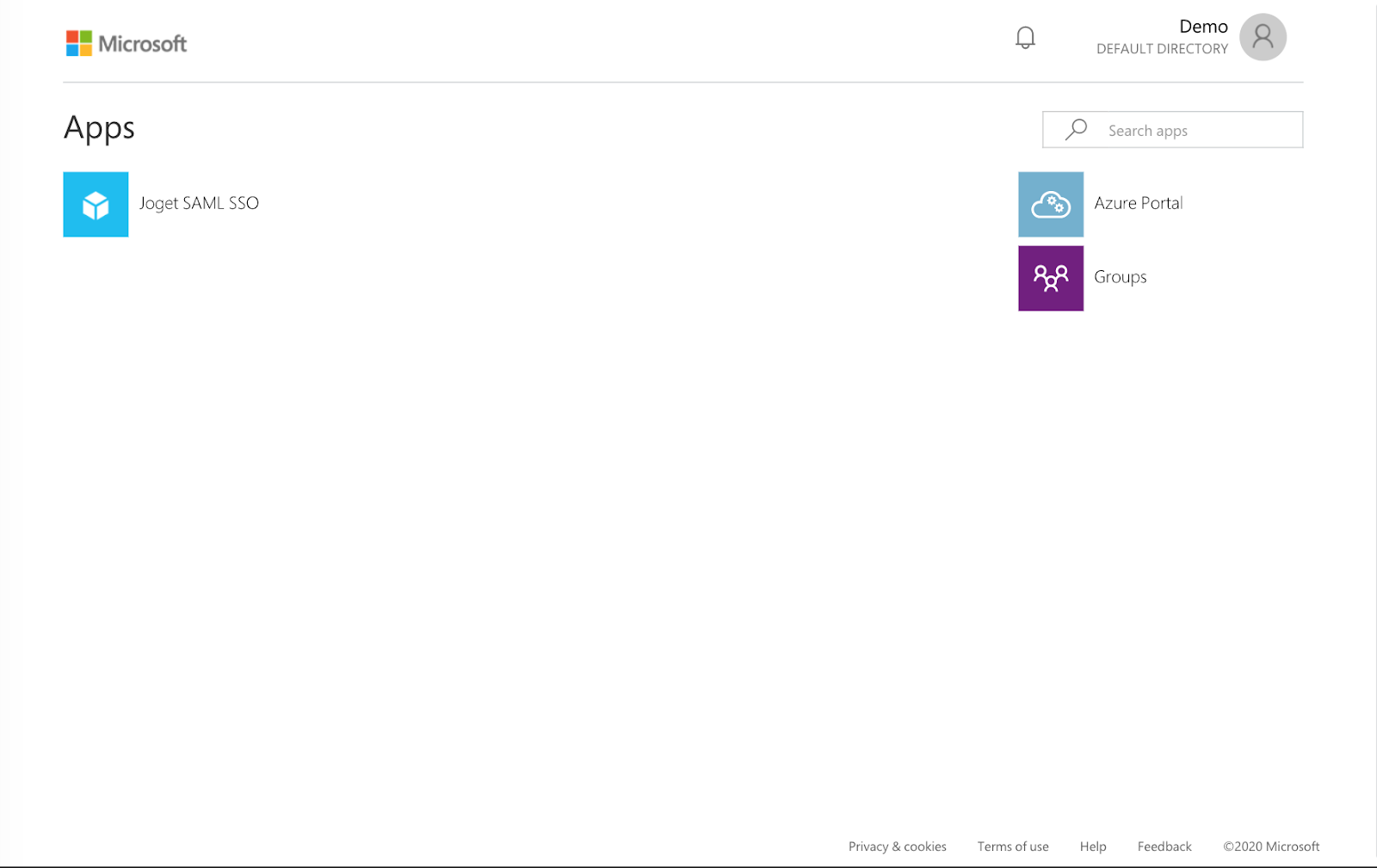
- If the SSO configuration is correct, the current user will be logged into Joget.
...