| English |
|---|
| This article provides a tutorial on deploying, running and scaling Joget on Google Kubernetes Engine (GKE). GKE is a managed Kubernetes service offered by Google Cloud. |
| Info |
|---|
| If you are not familiar with Kubernetes, refer to Joget on Kubernetes for a quick introduction. |
Table of Contents
Deploy Joget on Google Kubernetes Engine (GKE)
...
With the prerequisite database and persistent storage available, you can now deploy Joget.
Download the joget-dx7dx8-tomcat9-gke.yaml file below, and modify the PersistentVolume to match the Filestore settings for the path (file share name) and server (IP address).
View file name joget-dx7dx8-tomcat9-gke.yaml height 250
...
| Code Block | ||
|---|---|---|
| ||
kubectl apply -f joget-dx7dx8-tomcat9-gke.yaml |
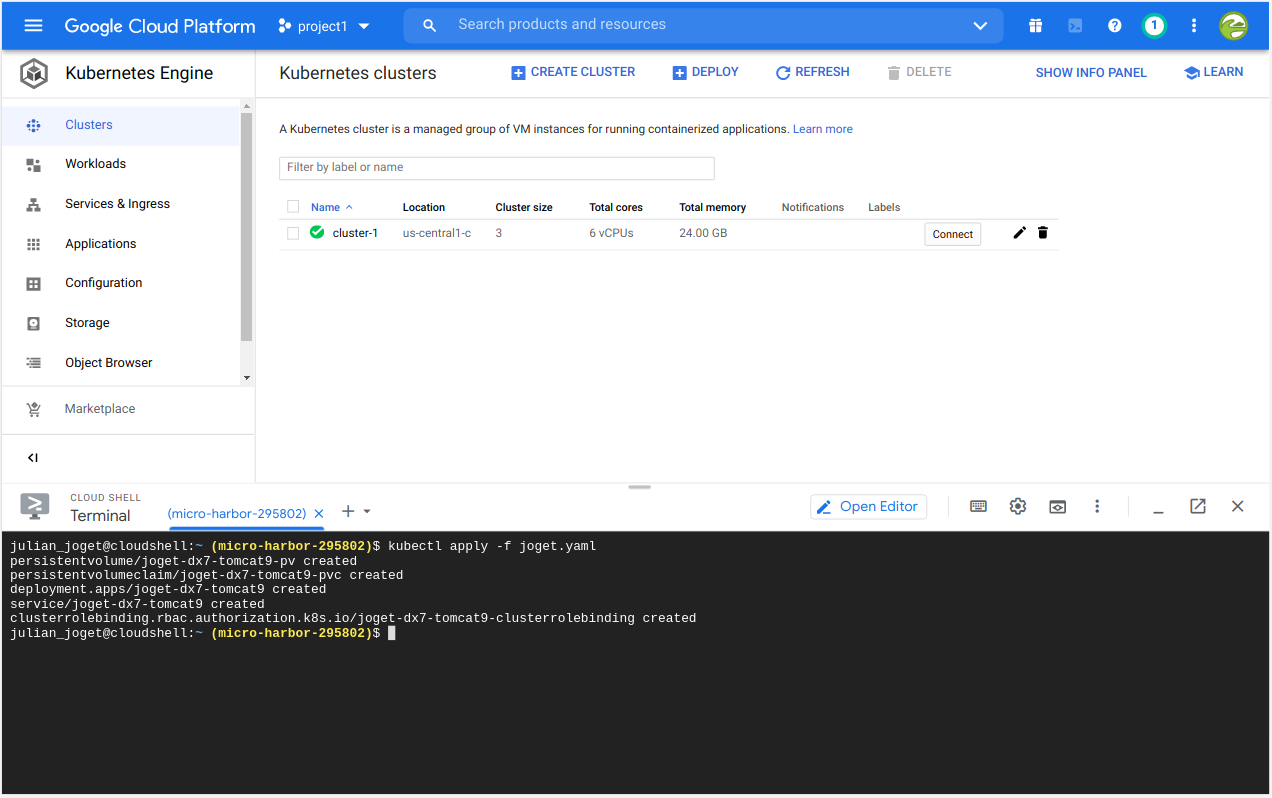
Wait for a few minutes while the required Kubernetes objects (Deployment, PersistentVolume, PersistentVolumeClaim, Deployment, Service and ClusterRoleBinding) are created for the Joget deployment.
...
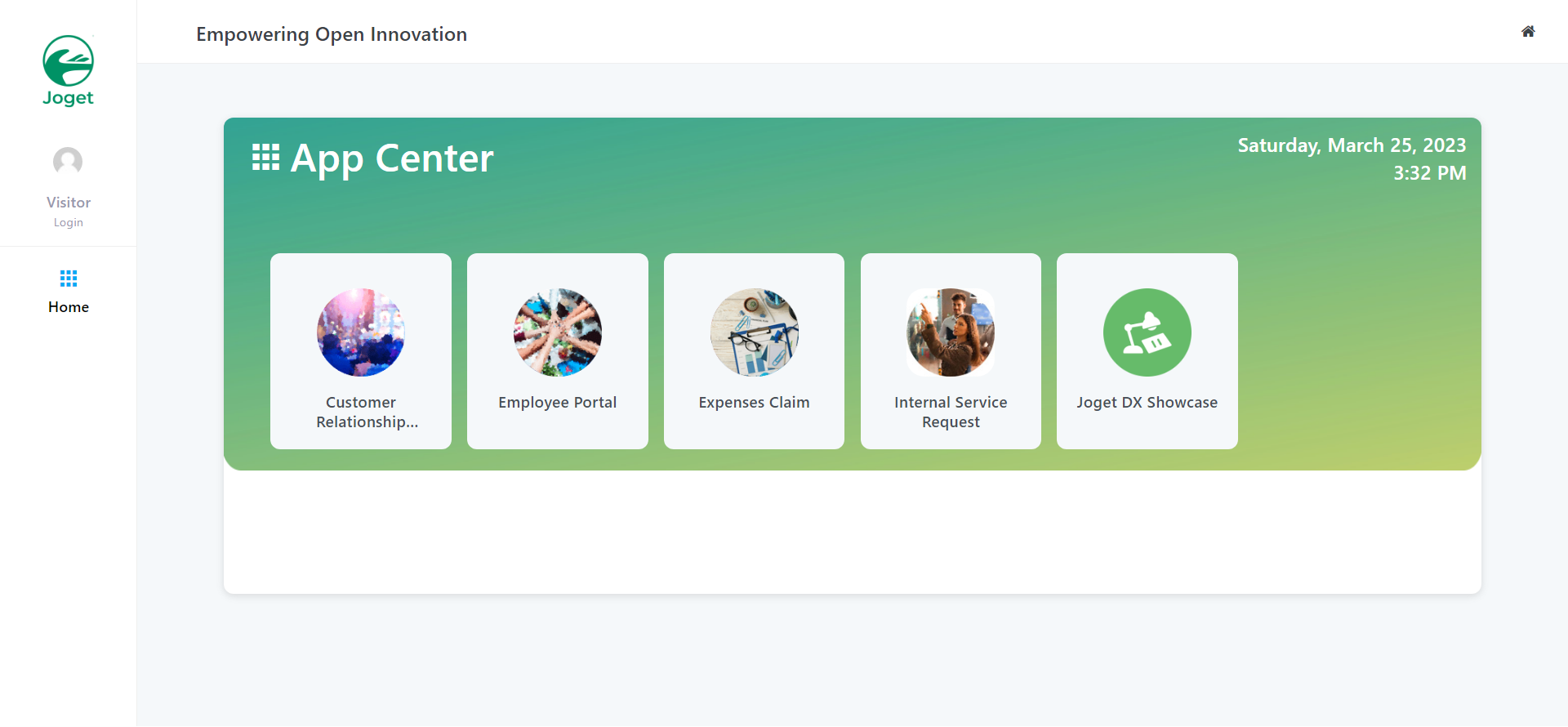
Once the setup is complete, click on Done and you will be brought to the Joget App Center.

6. Scale Deployment
...
| Code Block | ||
|---|---|---|
| ||
# Example YAML for Google Kubernetes Engine (GKE) deployment using Google Cloud Filestore as persistent volume
# https://cloud.google.com/filestore/docs/accessing-fileshares
---
apiVersion: v1
kind: PersistentVolume
metadata:
  name: fileserver
spec:
  capacity:
    storage: 1Ti
  accessModes:
  - ReadWriteMany
  nfs:
    path: /volume1 # change to match the Filestore instance file share name
    server: 10.145.99.42 # change to match the IP address of the Filestore instance
---
apiVersion: v1
kind: PersistentVolumeClaim
metadata:
  name: joget-dx7dx8-tomcat9-pvc
spec:
  accessModes:
    - ReadWriteMany
  storageClassName: ""
  volumeName: fileserver
  resources:
    requests:
      storage: 100Gi
---
apiVersion: apps/v1
kind: Deployment
metadata:
  name: joget-dx7dx8-tomcat9
  labels:
    app: joget-dx7dx8-tomcat9
spec:
  replicas: 1
  selector:
    matchLabels:
      app: joget-dx7dx8-tomcat9
  template:
    metadata:
      labels:
        app: joget-dx7dx8-tomcat9
    spec:
      volumes:
        - name: joget-dx7dx8-tomcat9-pv
          persistentVolumeClaim:
            claimName: joget-dx7dx8-tomcat9-pvc
            readOnly: false
      initContainers:
        - name: init-volume
          image: busybox:1.28
          command: ['sh', '-c', 'chmod -f -R g+w /opt/joget/wflow; exit 0']
          volumeMounts:
            - name: joget-dx7dx8-tomcat9-pv
              mountPath: "/opt/joget/wflow"
      containers:
        - name: joget-dx7dx8-tomcat9
          image: jogetworkflow/joget-dx7dx8-tomcat9:latest
          ports:
            - containerPort: 8080
          volumeMounts:
            - name: joget-dx7dx8-tomcat9-pv
              mountPath: /opt/joget/wflow
          env:
            - name: KUBERNETES_NAMESPACE
              valueFrom:
                fieldRef:
                    fieldPath: metadata.namespace
---
apiVersion: v1
kind: Service
metadata:
  name: joget-dx7dx8-tomcat9
  labels:
    app: joget-dx7dx8-tomcat9
spec:
  ports:
  - name: http
    port: 80
    targetPort: 8080
  - name: https
    port: 443
    targetPort: 9080
  selector:
    app: joget-dx7dx8-tomcat9
  type: LoadBalancer
---
apiVersion: rbac.authorization.k8s.io/v1
kind: ClusterRoleBinding
metadata:
  name: joget-dx7dx8-tomcat9-clusterrolebinding
roleRef:
  apiGroup: rbac.authorization.k8s.io
  kind: ClusterRole
  name: view
subjects:
  - kind: ServiceAccount
    name: default
namespace: default |
...