1
0
-1
1 answer
- 210
Hi Vicky, I would suggest using IntelliJ IDEA or Eclipse instead of VS Code as these IDEs offer better Java debugging and Maven integration and yes you can attach your debugger to the listening port of your tomcat instance and debug your code. See Building from Source for more information.
The webservice URL format is: {Context Path}/web/json/app/{App Id}/{App Version}/plugin/{Plugin Class Name}/service , For syntax errors, implement proper error handling: Add try-catch blocks in your code and use LogUtil to track the execution and check Tomcat logs for error details. Refer: LogUtil
Additionally, you can refer the below existing plugins which are similar to what you are trying to implement:
https://github.com/jogetoss/sample-api-authentication
https://github.com/jogetoss/sp-saml-directory-manager
https://github.com/jogetoss/openid-connect-authentication
https://github.com/jogetoss/uae-pass-directory-manager
Hope this helps!- vicky tan
Hello Varrna,
Thank for the reply. The url related question, i cannot the plugin to any apps, that why i using http://localhost:8080/jw/web/json/plugin/org.joget.abcsso.abc-sso/service?_username=admin to do testing. i put this url in F12 console tab, am i acting correct ?
my code is very simple for now, but i not able to see any log in System log.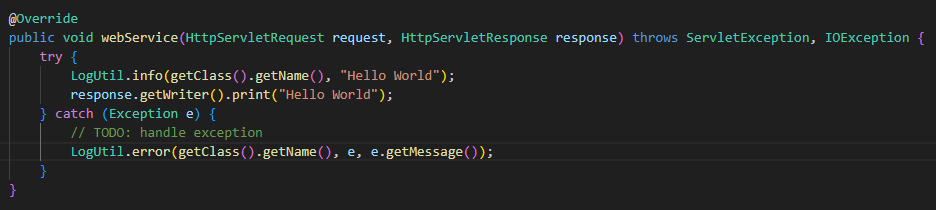
can you help me on this? Many thanks. - Varnaa
Hi Vicky! Here's how to test your plugin:
- Build and deploy:
- Run "mvn clean install" to generate your jar file
- Upload the jar to your Joget instance
- Testing options:
- Use Postman (recommended)
- Test directly in browser by pasting the webservice URL without any username parameters
- No need to use F12 console tab
Please note:
- Web service URL has no default authentication
- Verify your plugin is properly registered in Activator.java
- Ensure PluginWebSupport is implemented in your Plugin class
Let me know if you need help with any of these steps!
- Build and deploy:
- vicky tan
Hi Varnaa,
I tried to call via web browser and postman, i got 404 as below: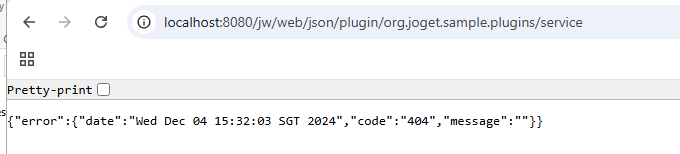
Can you help to check on my Activator: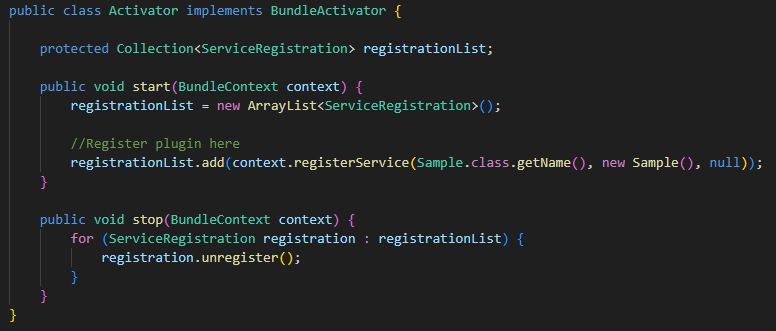
My Sample Class: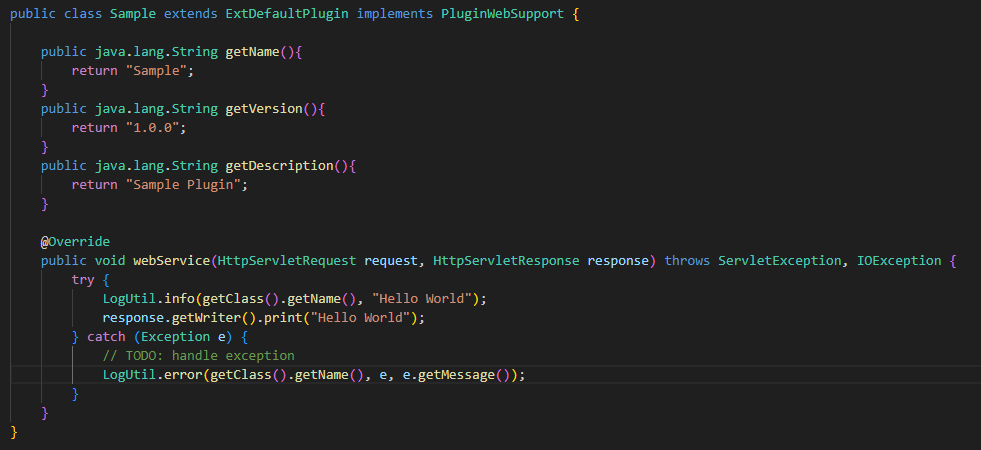
which part i need to change? - Varnaa
404 error suggests Joget is not able to find the requested API. Can you check whether you have enabled whitelisting? Settings → General Settings and set the below fields as *
As for your Activator and code it looks fine.
- vicky tan
my whitelist is same as yours.
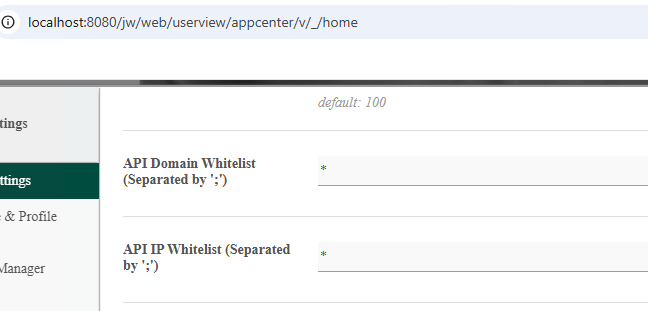
- Varnaa
I just realised the URL is wrong. you didnt include the class name. it should be /packagename/className/service
- vicky tan
Thanks Varnaa, finally something appeared!!
http://localhost:8080/jw/web/json/plugin/org.joget.sample.Sample/service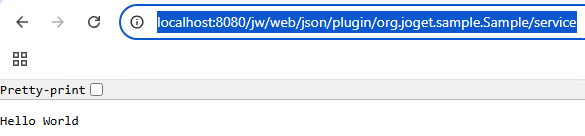
- Varnaa
Glad it worked! Kindly Accept the answer :)
Feel free to reach out if you have further questions.
Add your comment...
I'm trying to build dx7 sso custom plugin Single Sign On - SSO - Knowledge Base for DX 7 - Joget | COMMUNITY.
Let me what info is needed?