Problem Statement
mysql> describe custom_table \G
*************************** 1. row ***************************
  Field: id
   Type: varchar(255)
   Null: NO
    Key: PRI
Default: NULL
  Extra:
*************************** 2. row ***************************
  Field: name
   Type: varchar(255)
   Null: YES
    Key:
Default: NULL
  Extra:
*************************** 3. row ***************************
  Field: address
   Type: varchar(255)
   Null: YES
    Key:
Default: NULL
  Extra:
3 rows in set (0.00 sec)

mysql>
How to use the demo app?
- Key in the custom table name into the text field.
- Click Generate
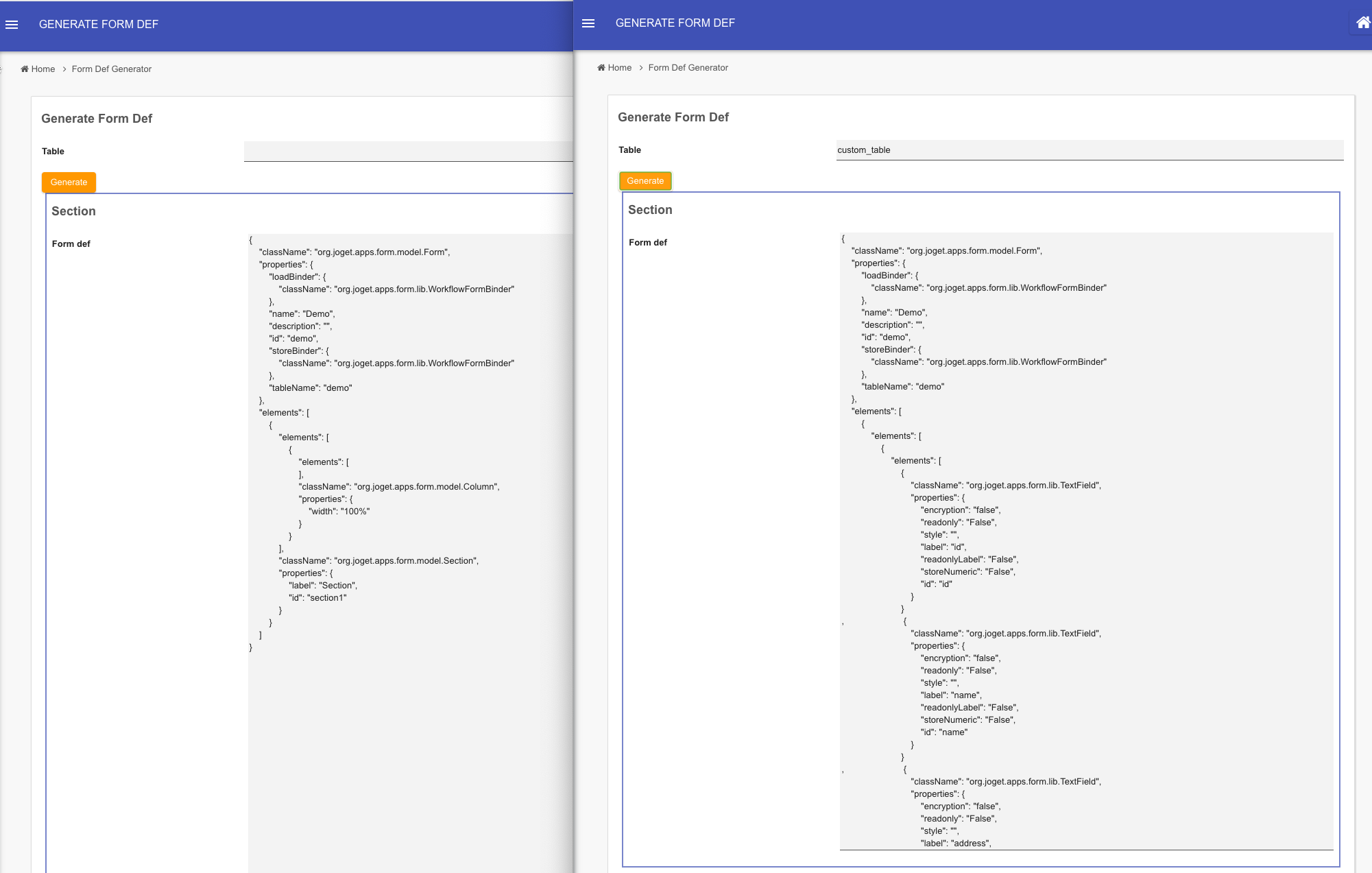
Figure 1: Screenshot Showing Form Definition Generated from the Custom Table Name - With the form definition generated, copy its content.
- Create a new form or open any existing form.
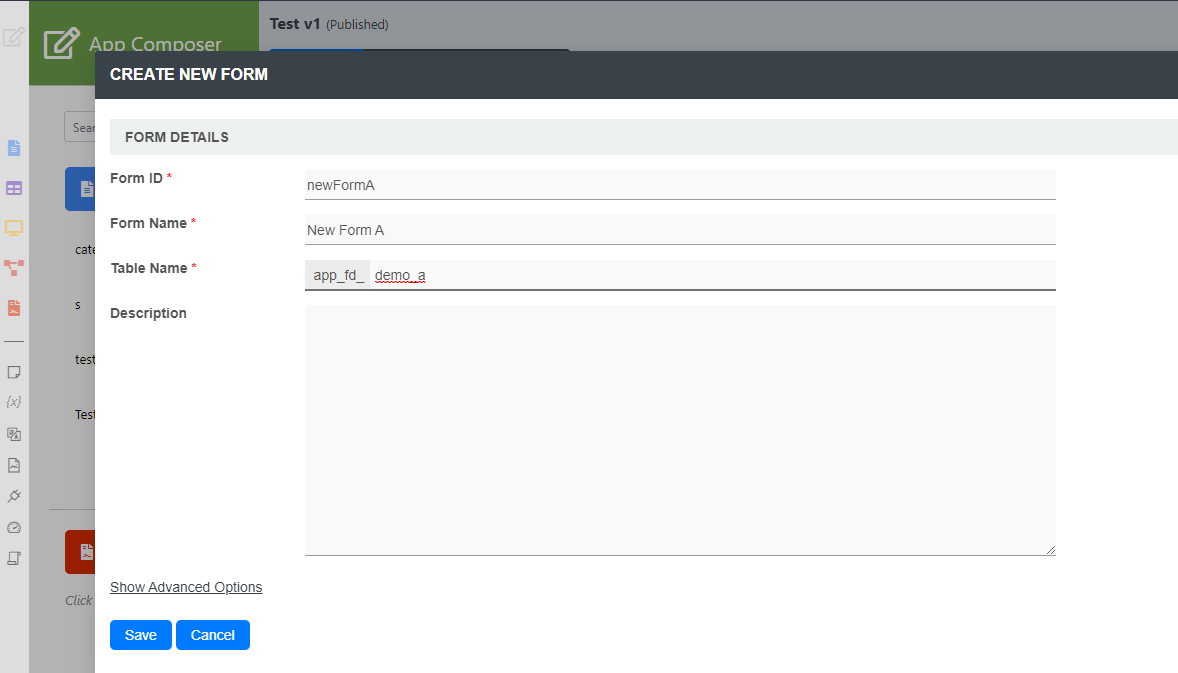
Figure 2: Create New Form - In the form builder, go to Form Builder > Advanced Tools > JSON Definition, paste the definition earlier, then click Update.
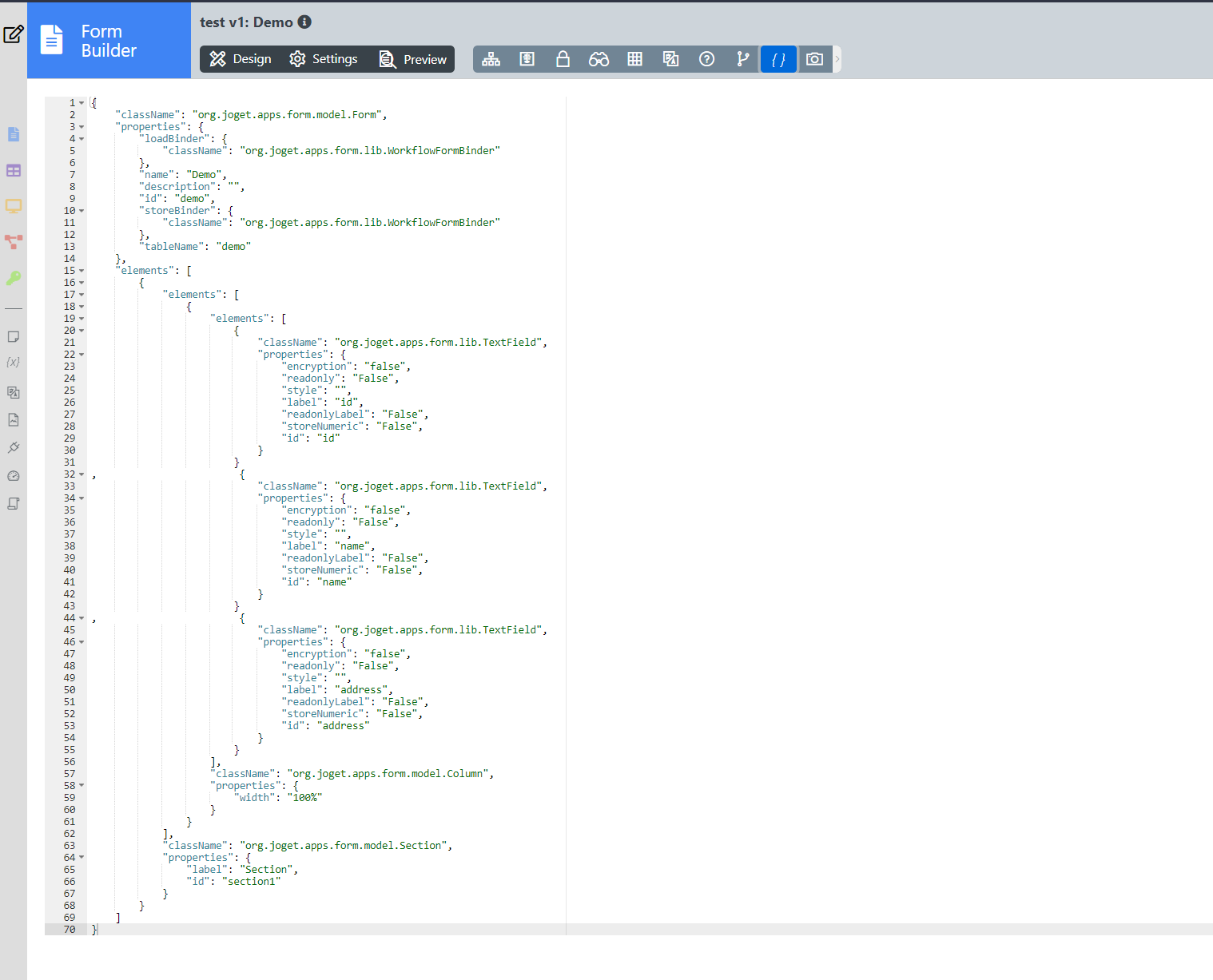
Figure 3: Paste JSON Definition of the Form into Form Builder - Verify the form design, then click Save.
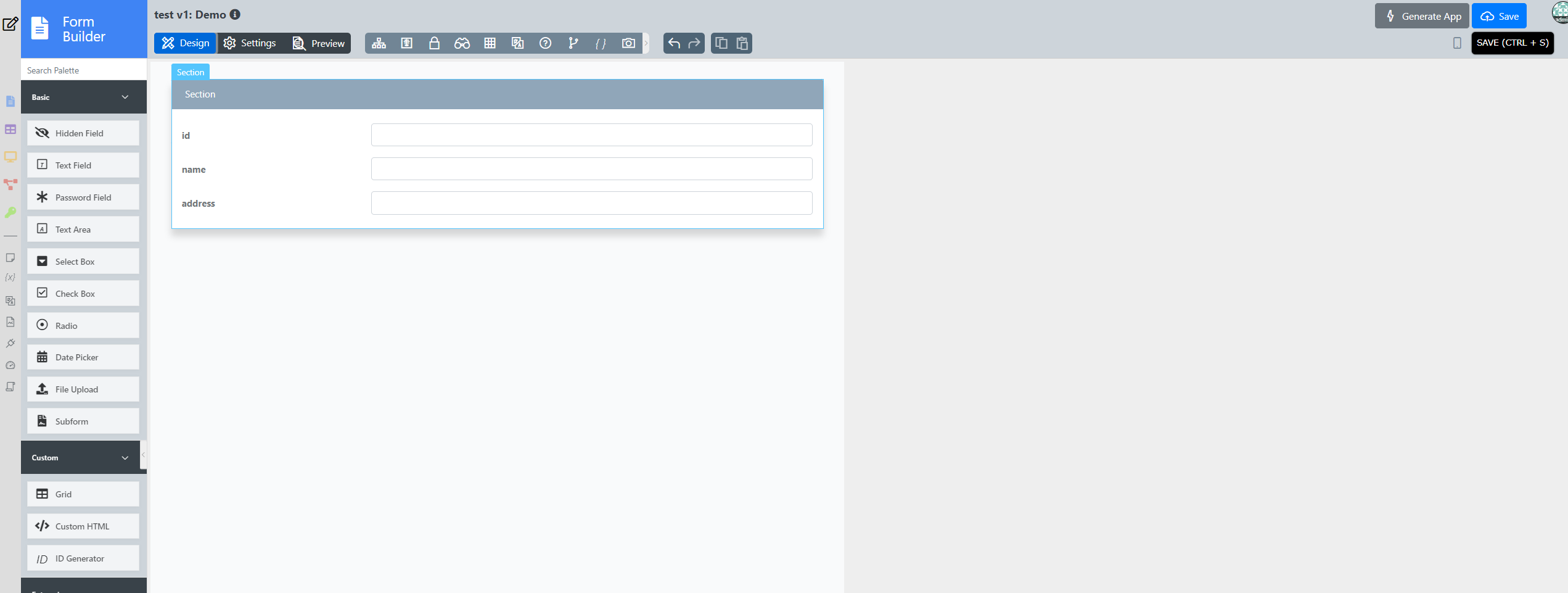
Figure 4: Form Design from the Generate JSON Definition.
Customization
Feel free to check out the generation script for the form definition by navigating to form builder for "demo" within this app and navigate to the store binder.
import java.sql.Connection;
import java.sql.PreparedStatement;
import java.sql.ResultSet;
import java.sql.SQLException;
import javax.sql.DataSource;
import org.joget.apps.app.service.AppUtil;
import org.joget.apps.form.model.FormRow;
import org.joget.apps.form.model.FormRowSet;
import org.joget.commons.util.LogUtil;

//String tableName = "custom_table";
String fields = "";

// retrieve connection from the default datasource
DataSource ds = (DataSource) AppUtil.getApplicationContext().getBean("setupDataSource");
Connection con = null;

try{
    con = ds.getConnection();
    // execute SQL query
    if (!con.isClosed()) {

        PreparedStatement stmt = con.prepareStatement("describe #requestParam.primaryKey?sql#");
        //stmt.setObject(1, tableName);
        ResultSet rs = stmt.executeQuery();
        while (rs.next()) {
           String field = "                        {\n" +
                "                            \"className\": \"org.joget.apps.form.lib.TextField\",\n" +
                "                            \"properties\": {\n" +
                "                                \"encryption\": \"false\",\n" +
                "                                \"readonly\": \"False\",\n" +
                "                                \"style\": \"\",\n" +
                "                                \"label\": \"" + rs.getString("Field") + "\",\n" +
                "                                \"readonlyLabel\": \"False\",\n" +
                "                                \"storeNumeric\": \"False\",\n" +
                "                                \"id\": \"" + rs.getString("Field") + "\"\n" +
                "                            }\n" +
                "                        }\n,";
                fields += field;
        }


    }

}catch(Exception ex){
    LogUtil.error("T319", ex, "Error query");
} finally {
    //always close the connection after used
    try {
        if(con != null) {
            con.close();
        }
    } catch(SQLException e) {/* ignored */}
}

if(!fields.isEmpty())
    fields = fields.substring(0, fields.length()-1);

String formDef = "{\n" +
                "    \"className\": \"org.joget.apps.form.model.Form\",\n" +
                "    \"properties\": {\n" +
                "        \"loadBinder\": {\n" +
                "            \"className\": \"org.joget.apps.form.lib.WorkflowFormBinder\"\n" +
                "        },\n" +
                "        \"name\": \"Demo\",\n" +
                "        \"description\": \"\",\n" +
                "        \"id\": \"demo\",\n" +
                "        \"storeBinder\": {\n" +
                "            \"className\": \"org.joget.apps.form.lib.WorkflowFormBinder\"\n" +
                "        },\n" +
                "        \"tableName\": \"demo\"\n" +
                "    },\n" +
                "    \"elements\": [\n" +
                "        {\n" +
                "            \"elements\": [\n" +
                "                {\n" +
                "                    \"elements\": [\n" +
                                        fields +
                "                    ],\n" +
                "                    \"className\": \"org.joget.apps.form.model.Column\",\n" +
                "                    \"properties\": {\n" +
                "                        \"width\": \"100%\"\n" +
                "                    }\n" +
                "                }\n" +
                "            ],\n" +
                "            \"className\": \"org.joget.apps.form.model.Section\",\n" +
                "            \"properties\": {\n" +
                "                \"label\": \"Section\",\n" +
                "                \"id\": \"section1\"\n" +
                "            }\n" +
                "        }\n" +
                "    ]\n" +
                "}";


FormRowSet rows = new FormRowSet();
FormRow row = new FormRow();
row.setProperty("formDef", formDef);
rows.add(row);

return rows;
In line 19, you can modify the connection string if you need to perform the table lookup in another database other than the default one.
In line 27, you can modify to use other form element other than textfield depending on your needs.
Download Demo App
 APP_generateFormDef-1-20220825133553.jwa