

Deploy Joget DX on Pivotal Cloud Foundry
In this example, we will deploy Joget DX on PCF Dev from Pivotal. PCF Dev is a lightweight, easy to install distribution of Cloud Foundry designed to run on a developer machine, making it easier to locally develop, test and explore Cloud Foundry.Step 1: Install PCF Dev
Install PCF Dev according to the instructions in the Pivotal Documentation.Once installed, you may download the vm image from here and start PCF Dev using the command
cf dev start -f ~/pcfdev-v1.2.0-linux.tgz -s mysql
and you should see the output:
Downloading Resources...
Progress: |====================>| 100.0%
Setting State...
Creating the VM...
Starting the VM...
Fetching VM Address...
Waiting for the VM...
Deploying the BOSH Director...
Deploying PAS...
  Done (22m38s)
Deploying Apps-Manager...
  Done (3m12s)
Deploying Mysql...
  Done (2m12s)

         ██████╗  ██████╗███████╗██████╗ ███████╗██╗   ██╗
         ██╔══██╗██╔════╝██╔════╝██╔══██╗██╔════╝██║   ██║
         ██████╔╝██║     █████╗  ██║  ██║█████╗  ██║   ██║
         ██╔═══╝ ██║     ██╔══╝  ██║  ██║██╔══╝  ╚██╗ ██╔╝
         ██║     ╚██████╗██║     ██████╔╝███████╗ ╚████╔╝
         ╚═╝      ╚═════╝╚═╝     ╚═════╝ ╚══════╝  ╚═══╝
                     is now running!

        To begin using PCF Dev, please run:
            cf login -a https://api.dev.cfdev.sh --skip-ssl-validation

        Admin user => Email: admin / Password: admin
        Regular user => Email: user / Password: pass

        To access Apps Manager, navigate here: https://apps.dev.cfdev.sh

        To deploy a particular service, please run:
            cf dev deploy-service <service-name> [Available services: mysql,redis,rabbitmq,scs]
Follow the instructions provided at the end of to connect to PCF Dev, by logging in using the admin user and choosing the pcfdev-org organization:
cf login -a https://api.dev.cfdev.sh --skip-ssl-validation
You should have output like the following:
API endpoint: https://api.dev.cfdev.sh

Your CF API version (2.125.0) is no longer supported. Upgrade to a newer version of the API (minimum version 2.128.0). Please refer to https://github.com/cloudfoundry/cli/wiki/Versioning-Policy#cf-cli-minimum-supported-version

Email: admin

Password:
Authenticating...
OK

Select an org:
1. cfdev-org
2. system

Org (enter to skip): 1
Targeted org cfdev-org

Targeted space cfdev-space


API endpoint:   https://api.dev.cfdev.sh (API version: 3.76.0)
User:           admin
Org:            cfdev-org
Space:          cfdev-space
Step 2: Create MySQL Database Service
In Cloud Foundry, all external dependencies such as databases, file systems and so on are considered services. Cloud Foundry allows administrators to provide a marketplace of services, from which users can provision reserved resources on-demand.Here, we will create a MySQL Database Service.
In the command line, search the marketplace for MySQL plans available.
cf marketplace -s p.mysql
Create a service instance with the db-small plan with the name jogetdb:
cf create-service p.mysql db-small jogetdb
More detailed information can be found at https://tanzu.vmware.com/tutorials/getting-started/connect-a-database
Step 3: Create Local Volume Service
In Cloud Foundry, a volume service provides a reliable, persistent file system. However in the latest CF Dev, it doesn't come with any volume service. Nevertheless, we should have that in production environment so Joget DX can read or write to it.For example, create a service instance using the PCF Local Volume Service with the name jogetdata:
cf create-service local-volume free-local-disk jogetdata
More detailed information can be found at https://docs.cloudfoundry.org/devguide/services/using-vol-services.html and https://github.com/cloudfoundry/local-volume-release
Step 4: Download and Deploy Joget DX WAR
Download Joget DX from https://www.joget.org/download/Install Joget DX https://dev.joget.org/community/display/DX8/Installation+Guide
Look for the Joget DX WAR file jw.war in joget_installation_directory/apache-tomcat/webapps.
Push the WAR to the Cloud Foundry space with a memory allocation of 1G and application name joget:
cf push joget -p joget-enterprise-linux-7.0.0/apache-tomcat-8.5.41/webapps/jw.war -m 1G --no-start -b https://github.com/cloudfoundry/java-buildpack.git
Note that we use the --no-start parameter to delay the start of the application because we need to set a couple of environment variables before starting up.
Step 5: Configure and Start Joget DX
Set the Apache Tomcat version to 8.5 and context path to /jw:cf set-env joget JBP_CONFIG_TOMCAT '[tomcat: { version: 8.5.+, context_path: "/jw" }]'
Next, disable the Spring auto reconfiguration. This is because the Joget DX WAR already performs the necessary initialization at startup, and the auto configuration will interfere with it:
cf set-env joget JBP_CONFIG_SPRING_AUTO_RECONFIGURATION '[enabled: false]'
Bind the volume service to mount the persistent filesystem to the Joget DX data directory:
cf bind-service joget jogetdata -c '{"mount":"/home/vcap/wflow"}'
Bind the MySQL database service:
cf bind-service joget jogetdb
Verify that the services are bound to the Joget application:
cf services
For example the output shows the services bound to the joget application:
name      service   plan       bound apps   last operation     broker                   upgrade available
jogetdb   p.mysql   db-small   joget        create succeeded   dedicated-mysql-broker
Start the Joget application:
cf start joget
Step 6: Setup Joget Database
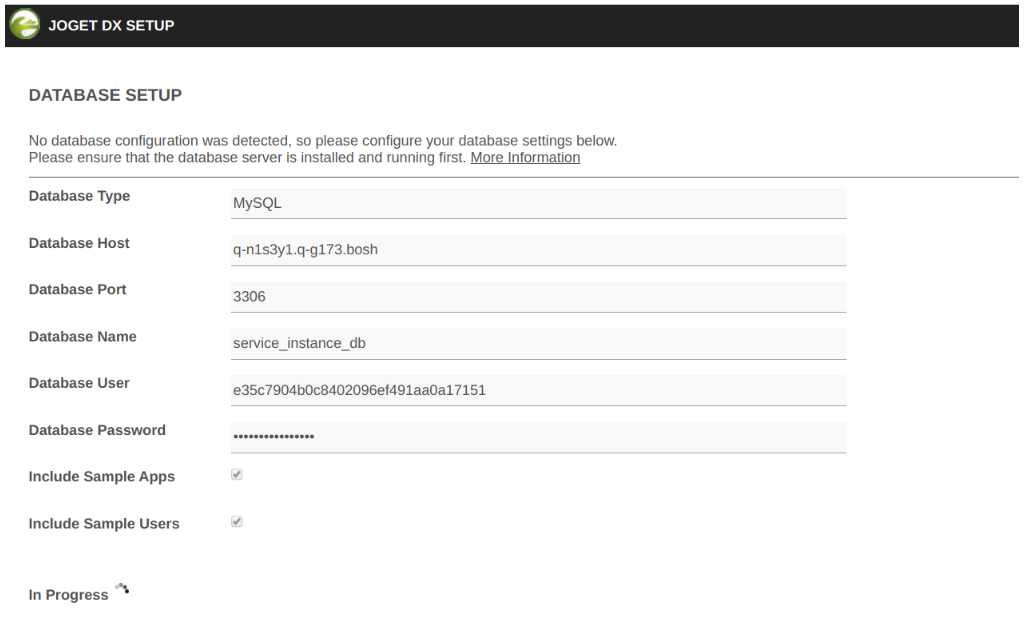
Now that the Joget platform has been deployed in Cloud Foundry, the final step is to setup the database schema, based on https://docs.cloudfoundry.org/devguide/services/migrate-db.html#single-migration.At this point, we can obtain the MySQL database service credentials by viewing the environment variables:
cf env joget
In particular, note down the p-mysql service hostname, port, name, username and password.
Getting env variables for app joget in org cfdev-org / space cfdev-space as admin...
OK

System-Provided:
{
 "VCAP_SERVICES": {
  "p.mysql": [
   {
    "binding_name": null,
    "credentials": {
     "hostname": "q-n1s3y1.q-g173.bosh",
     "jdbcUrl": "jdbc:mysql://q-n1s3y1.q-g173.bosh:3306/service_instance_db?user=e35c7904b0c8402096ef491aa0a17151\u0026password=xgd4xt398r8hkct6\u0026useSSL=false",
     "name": "service_instance_db",
     "password": "xgd4xt398r8hkct6",
     "port": 3306,
     "uri": "mysql://e35c7904b0c8402096ef491aa0a17151:xgd4xt398r8hkct6@q-n1s3y1.q-g173.bosh:3306/service_instance_db?reconnect=true",
     "username": "e35c7904b0c8402096ef491aa0a17151"
    },
    "instance_name": "jogetdb",
    "label": "p.mysql",
    "name": "jogetdb",
    "plan": "db-small",
    "provider": null,
    "syslog_drain_url": null,
    "tags": [
     "mysql"
    ],
    "volume_mounts": []
   }
  ]
 }
}

{
 "VCAP_APPLICATION": {
  "application_id": "f80eeb36-b149-4aed-a3dc-a0cca32c0e1f",
  "application_name": "joget",
  "application_uris": [
   "joget.dev.cfdev.sh"
  ],
  "application_version": "92375e68-74b1-41f6-9d11-5f196629fb4a",
  "cf_api": "https://api.dev.cfdev.sh",
  "limits": {
   "disk": 1024,
   "fds": 16384,
   "mem": 1024
  },
  "name": "joget",
  "space_id": "45d5b30a-6bb1-4ccb-99f1-e45912c40ef1",
  "space_name": "cfdev-space",
  "uris": [
   "joget.dev.cfdev.sh"
  ],
  "users": null,
  "version": "92375e68-74b1-41f6-9d11-5f196629fb4a"
 }
}

User-Provided:
JBP_CONFIG_SPRING_AUTO_RECONFIGURATION: [enabled: false]
JBP_CONFIG_TOMCAT: [tomcat: { version: 8.5.+, context_path: "/jw" }]
Access Joget DX at http://joget.dev.cfdev.sh/jw/ and you will be presented with the database setup page.
Proceed to setup the database according to the instructions at https://dev.joget.org/community/display/DX8/Setting+Up+Database
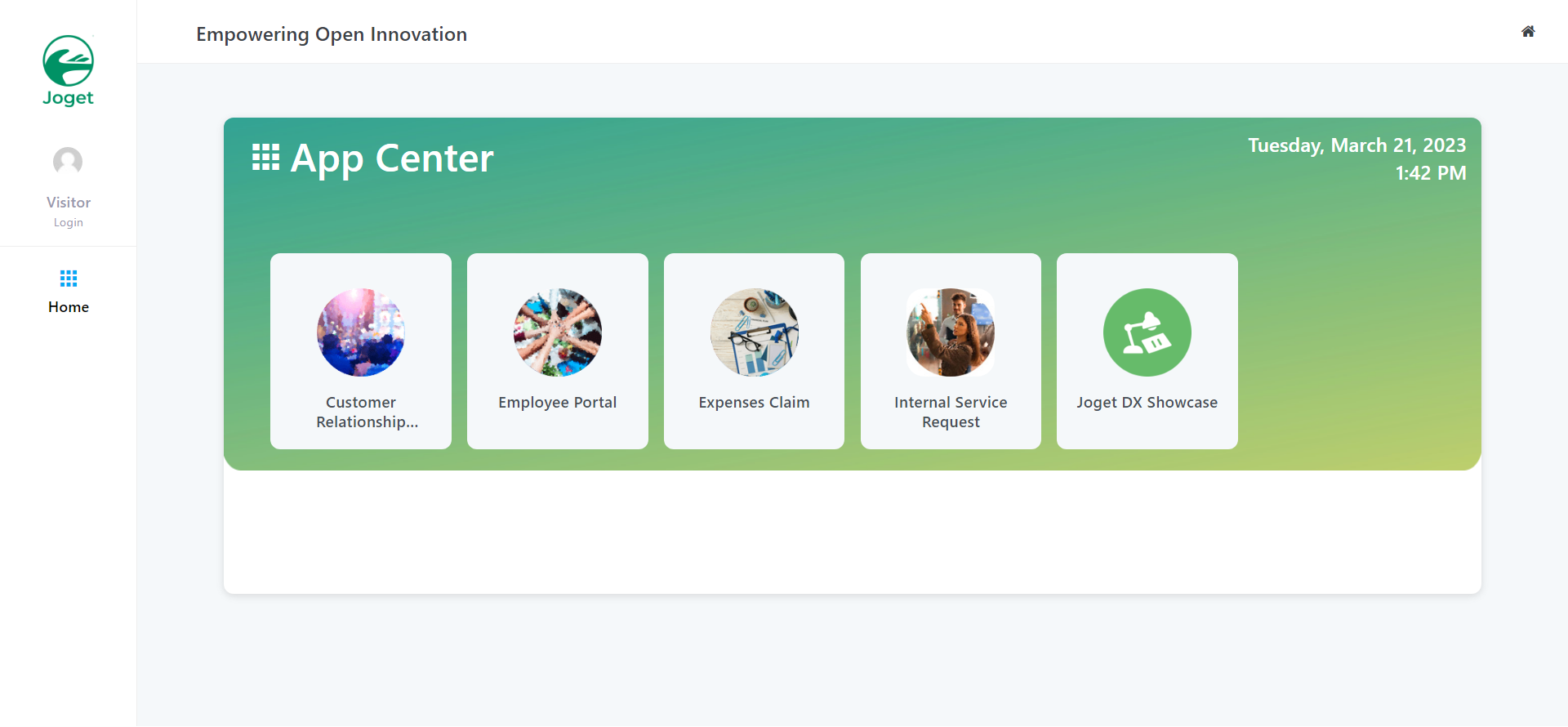
Once setup is complete, you will be brought to the Joget DX App Center.
Appendix A: Application Manifest File
Optionally, an application manifest file can be used to specify environment variables and bind services.manifest.yml:
---
applications:
- name: joget
 memory: 1G
 buildpack: https://github.com/cloudfoundry/java-buildpack.git
 path: /path_to/jw.war
 services:
   - jogetdb
   - jogetdata
 env:
   JBP_CONFIG_SPRING_AUTO_RECONFIGURATION: '[enabled: false]'
   JBP_CONFIG_TOMCAT: '{tomcat: {context_path: "/jw"}}'
However, there is a limitation that the current version of Cloud Foundry does not support specifying parameters when binding parameters, so binding of the local volume service to the Joget data directory has to be done manually:
cf bind-service joget jogetdata -c '{"mount":"/home/vcap/wflow"}'
cf restage joget
Appendix B: Useful Cloud Foundry Commands
View application logs:cf logs joget
Restage the application after modifying service bindings or environment variables:
cf restage joget
Stop PCF Dev VM:
cf dev stop
Delete the PCF Dev VM:
cf dev destroy
Uninstall the PCF Dev Plugin:
cf uninstall-plugin pcfdev
View PCF Dev App Manager:
https://apps.dev.cfdev.sh