Previous step
Introducing the new Process Builder
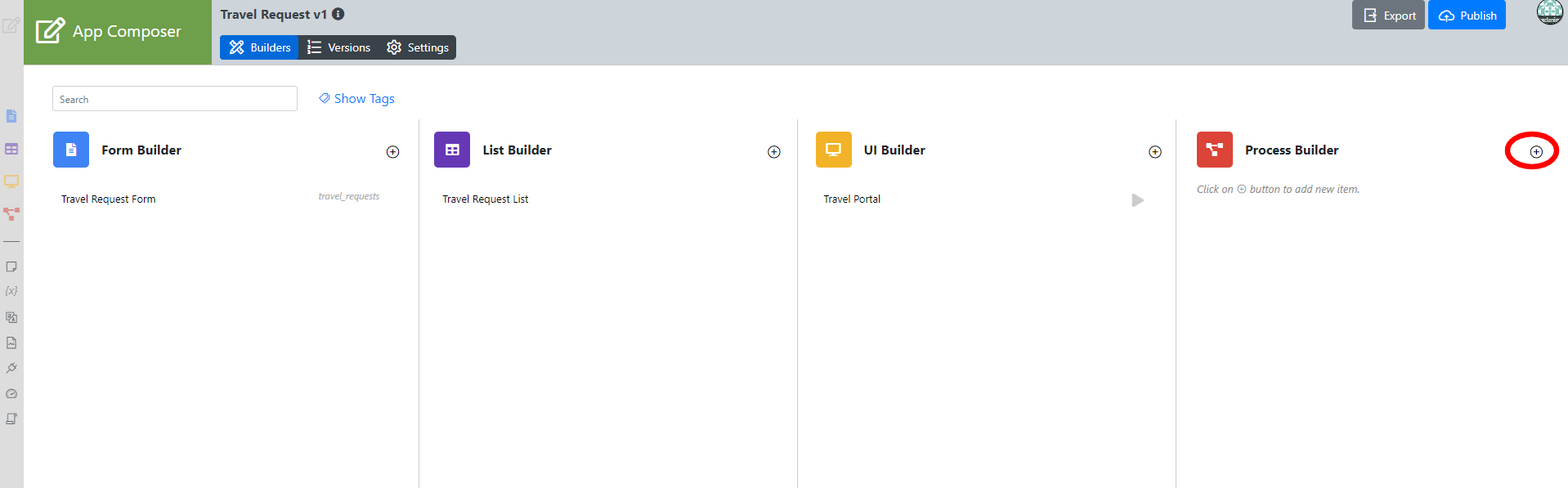
In the App Composer page, click on add new beside the Process builder.
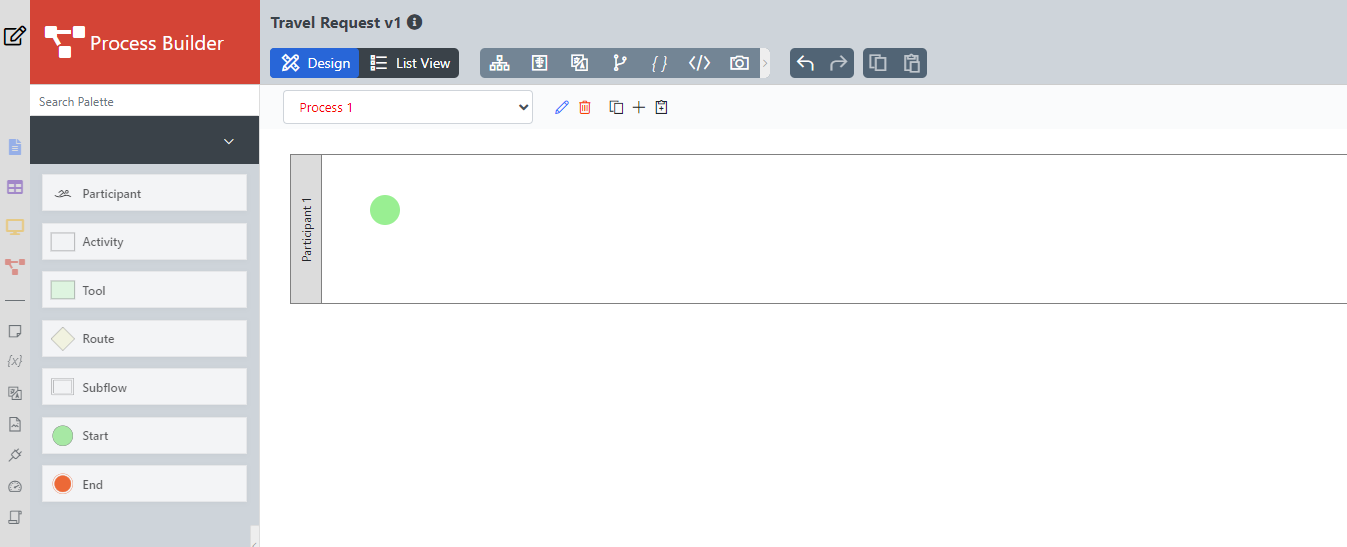
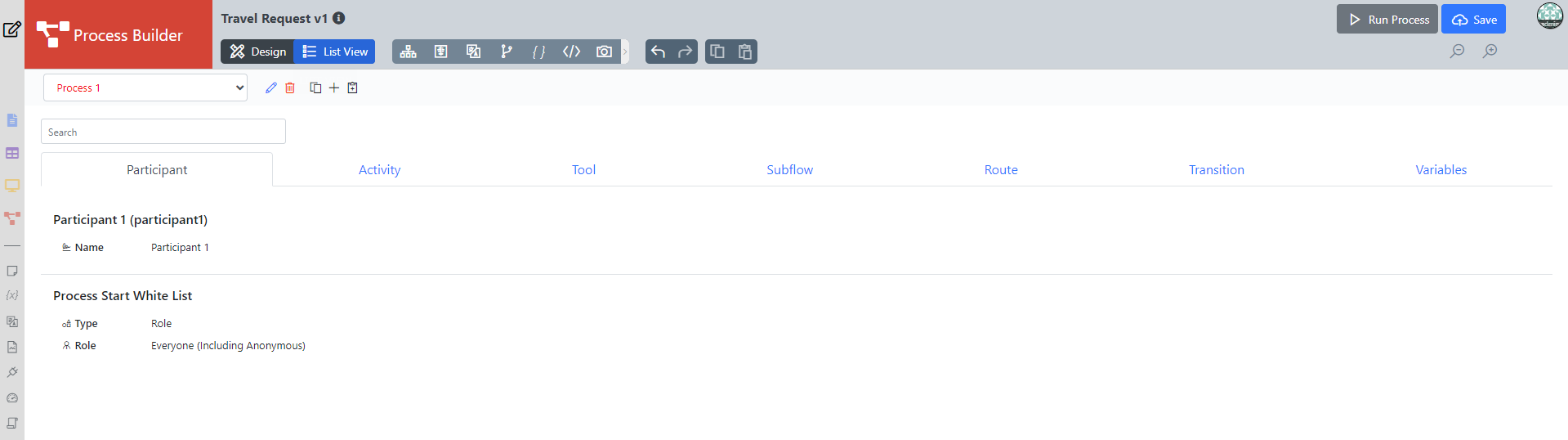
This is the Process Builder. There are 3 main areas in the Process Builder. On the top, the Navigator panel contains Design the process and List View . On the left, is where the element palette is placed by default. One can move it around to suit one's style. The main panel in the middle is the Graph area that contains the actual process diagram.
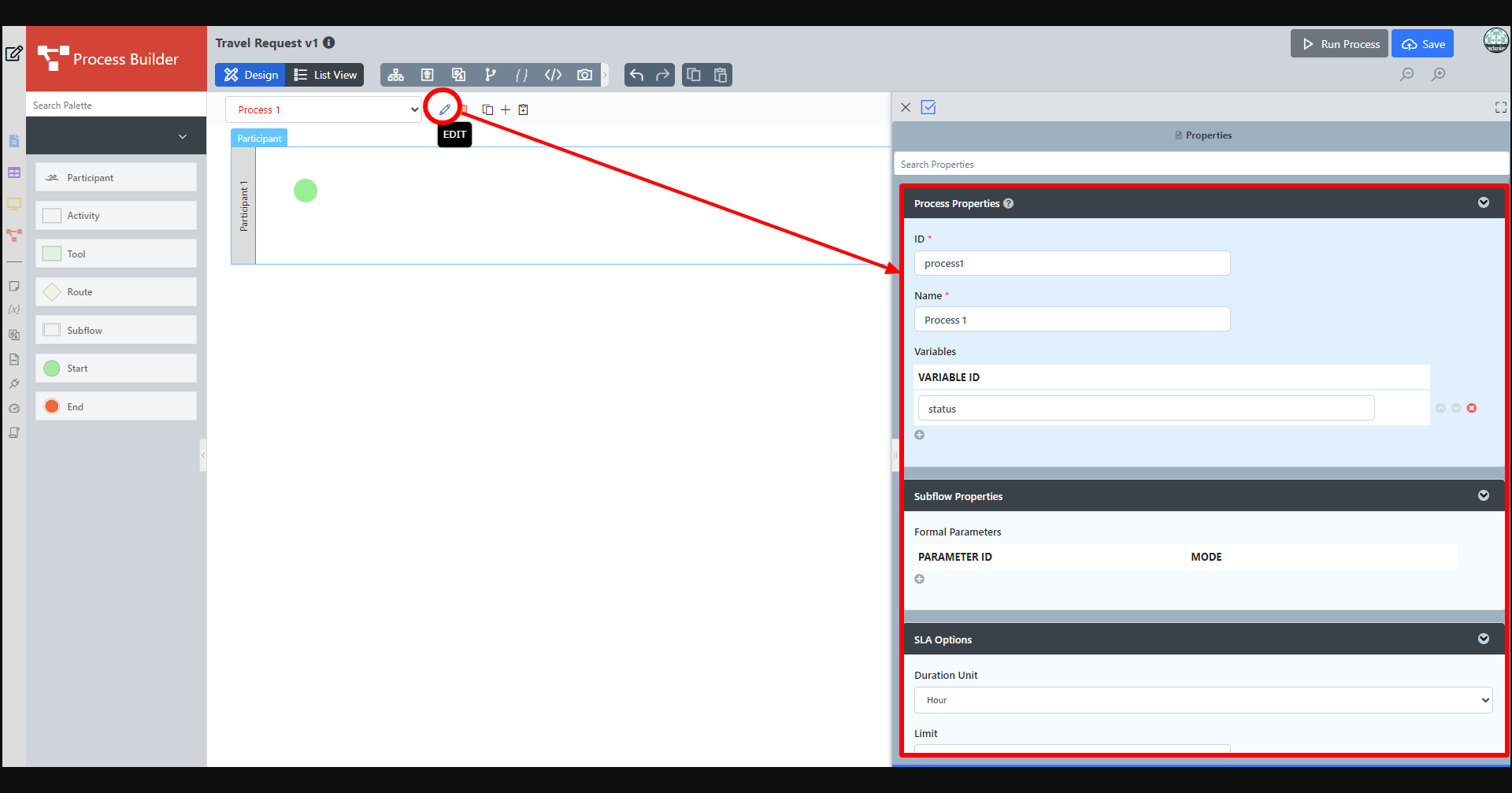
Click on the edit icon beside the process name in the Navigator. This opens up the properties dialog on the right where you can edit the process details.
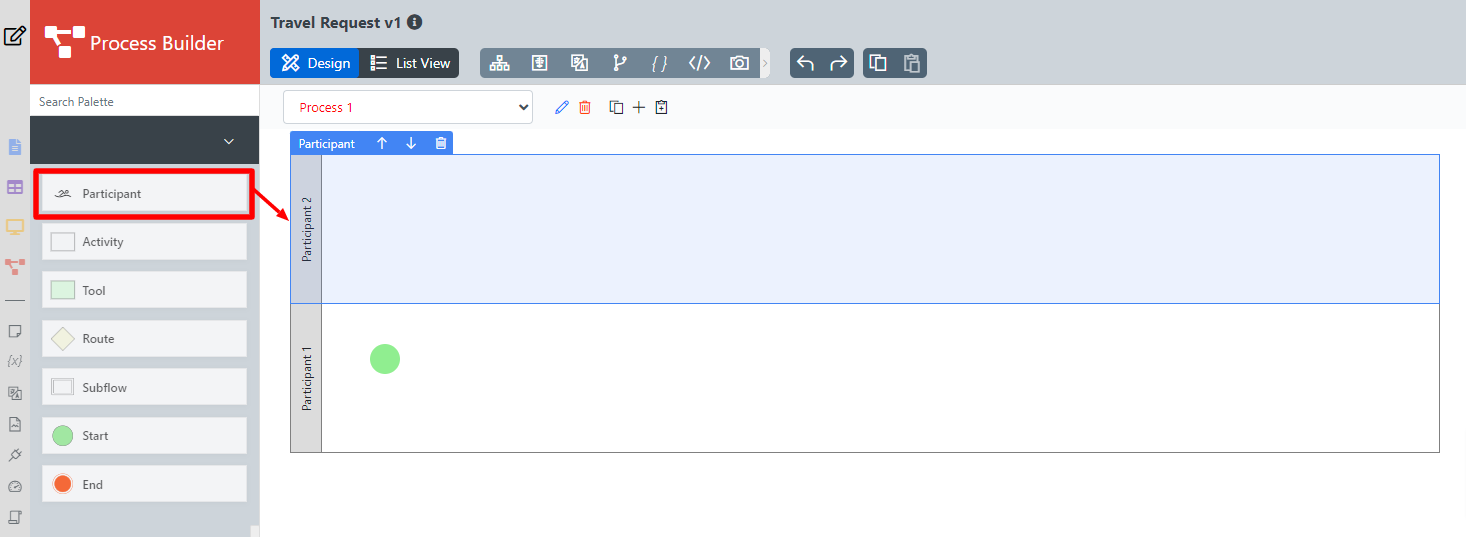
Add Participants into the process by dragging them from the left palette. Click anywhere on the participant to set its properties.
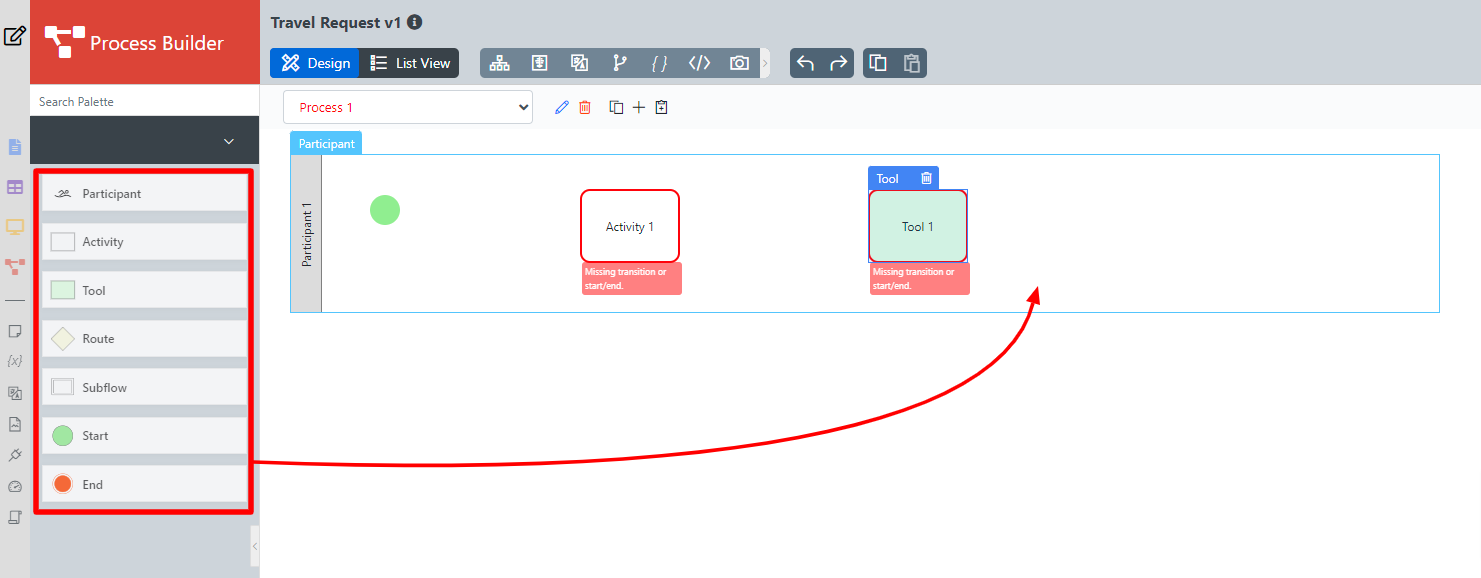
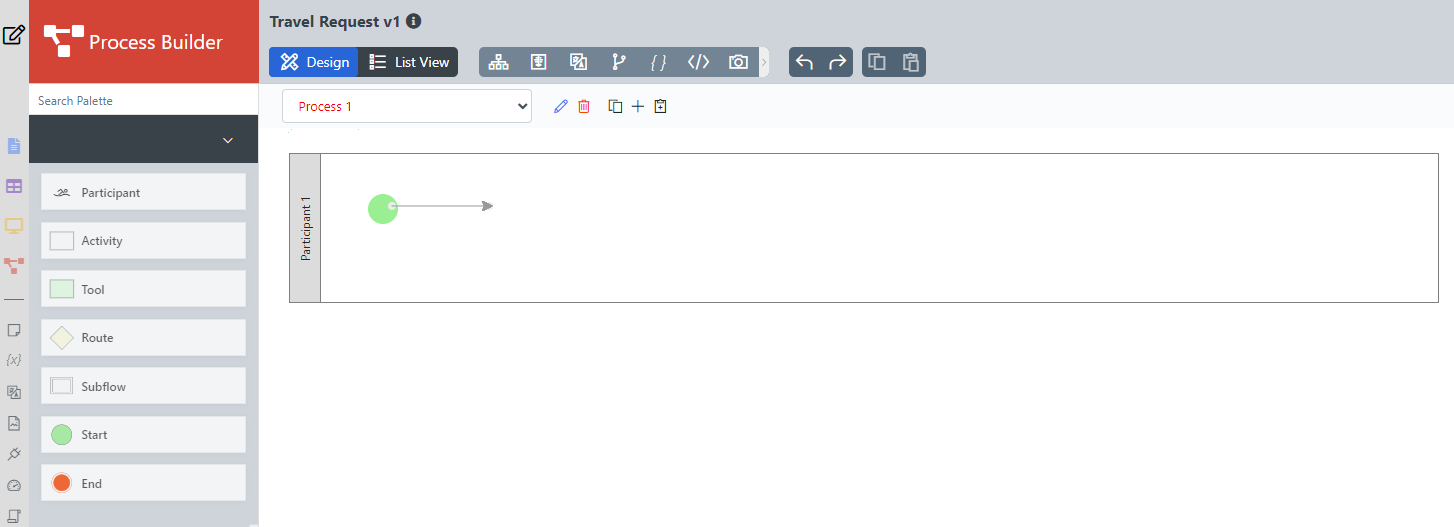
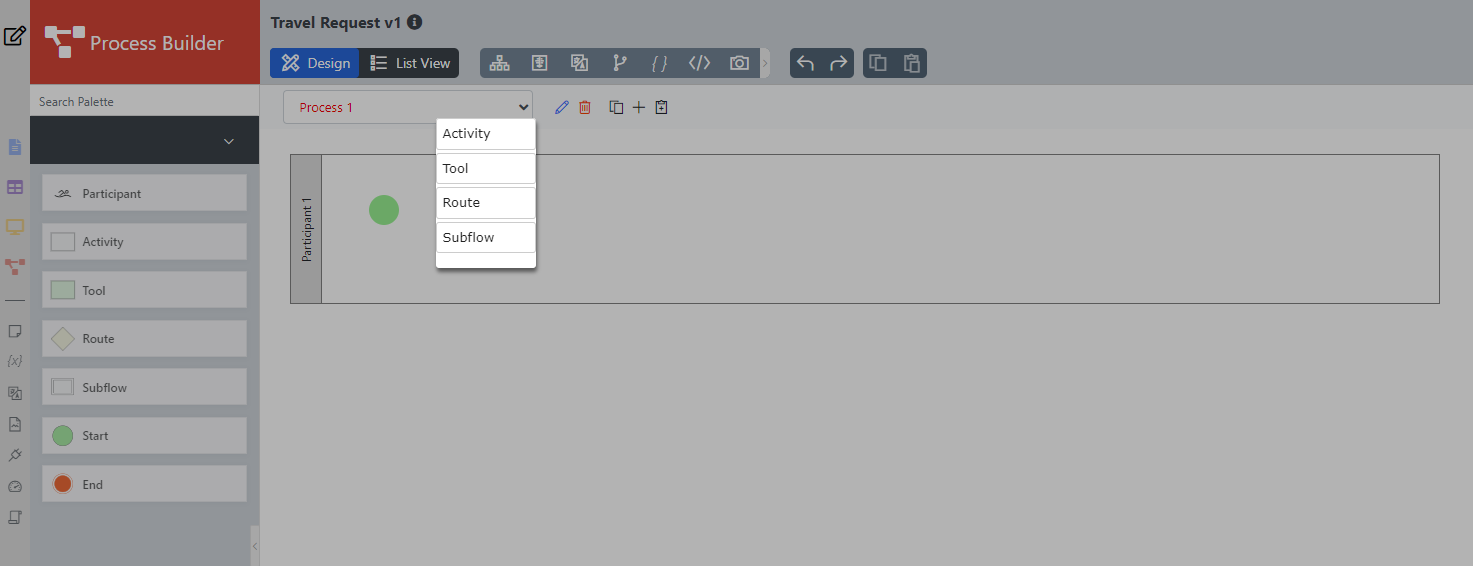
Add Activities, Tools, and Routes into the process diagram by dragging them from the left palette and then connecting them together. Another way is to drag from the end of start/activity/tool/route etc and an additional option will appear to choose from which will be automatically connected.
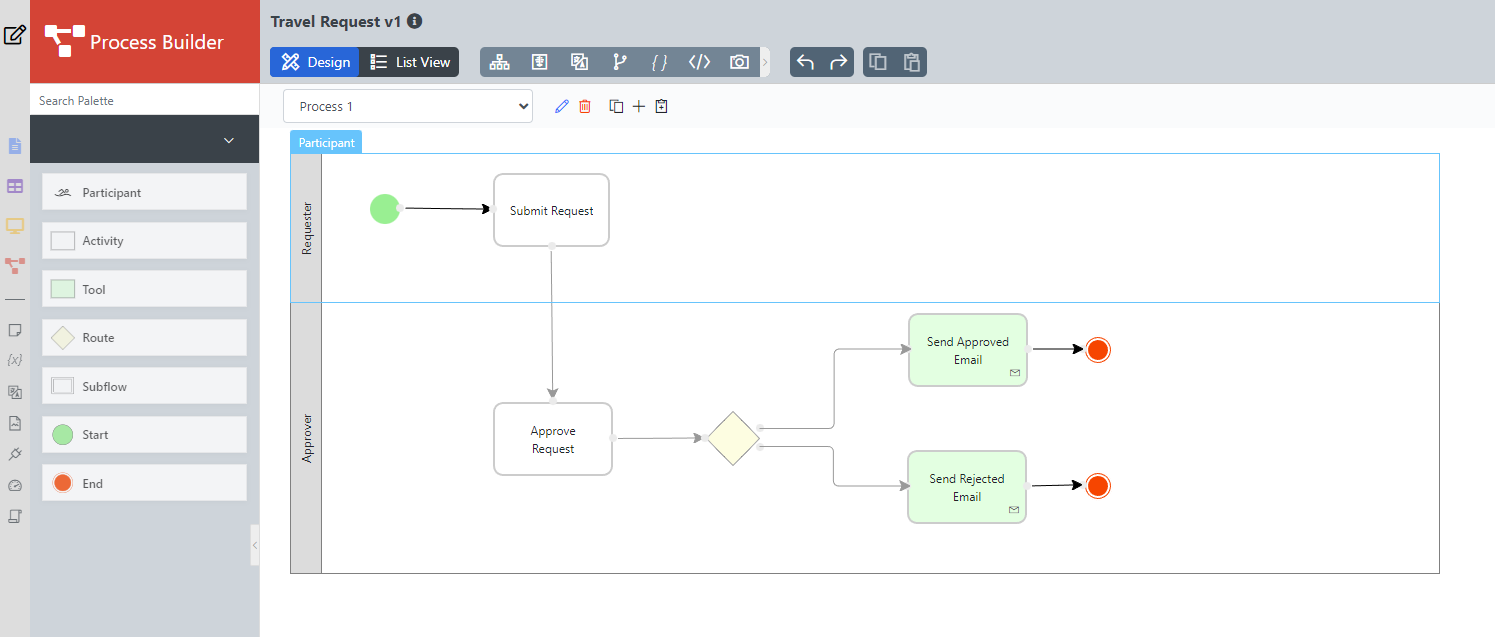
Ensure that the process has a proper Start and End. Click on Save at the top right to deploy the process to the server.
Mapping Participants to Users
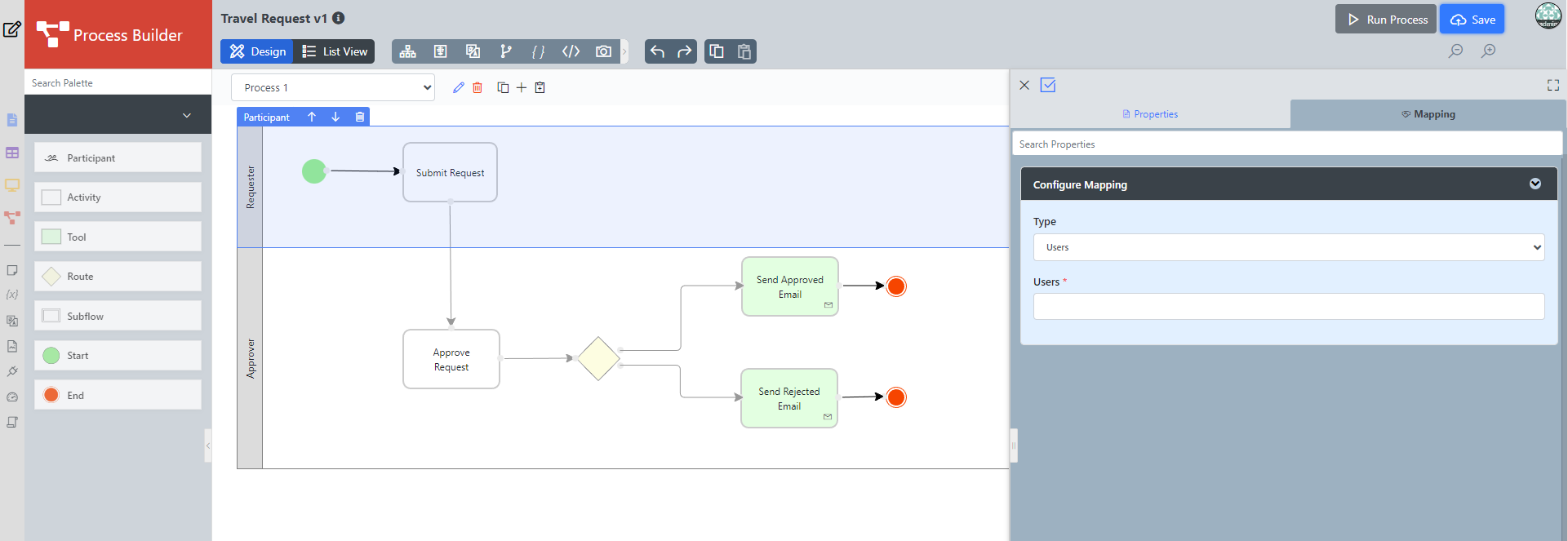
Click on any Participant to open Configure Mapping, choose type user then choose the users from Users.
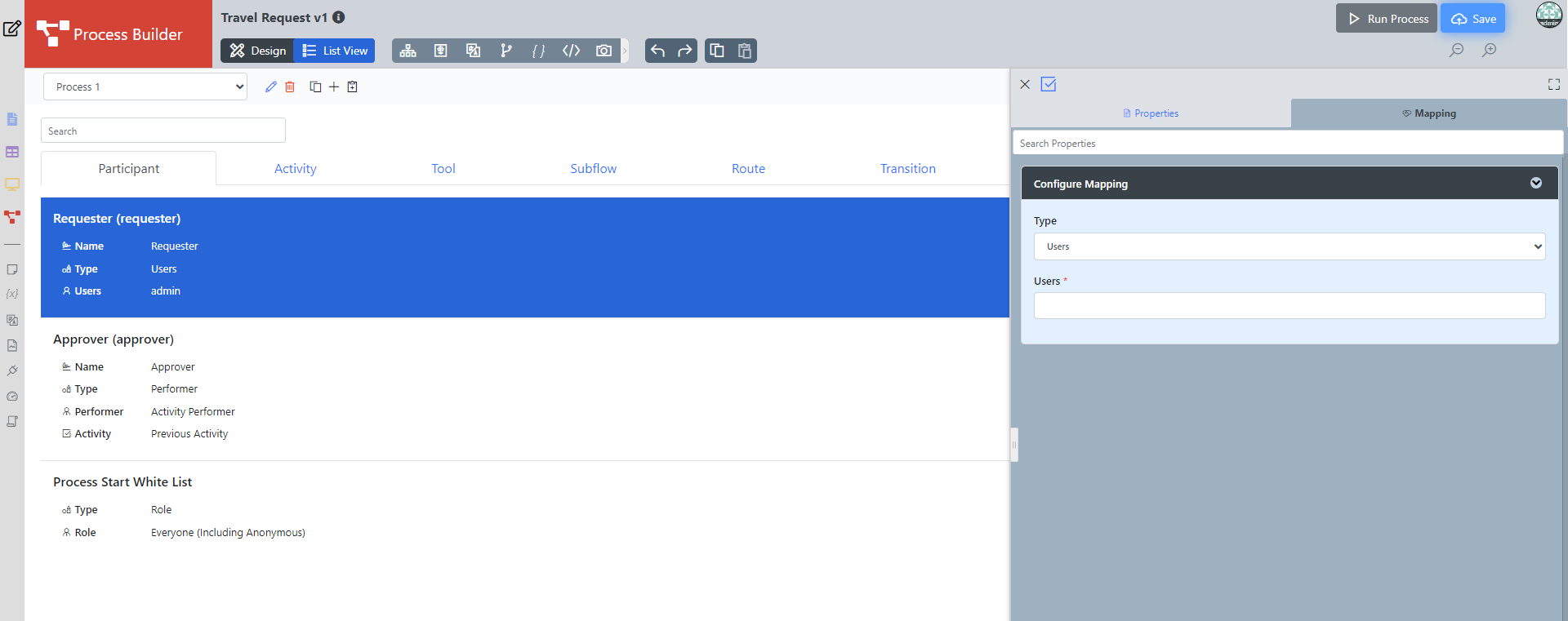
- Another approach is by clicking on the list view button then choosing a participant then clicking on a specific participant to map to users.
Mapping Activities to Forms
In the Process Mapper, click on an Activity to open up the Mapping to Forms.
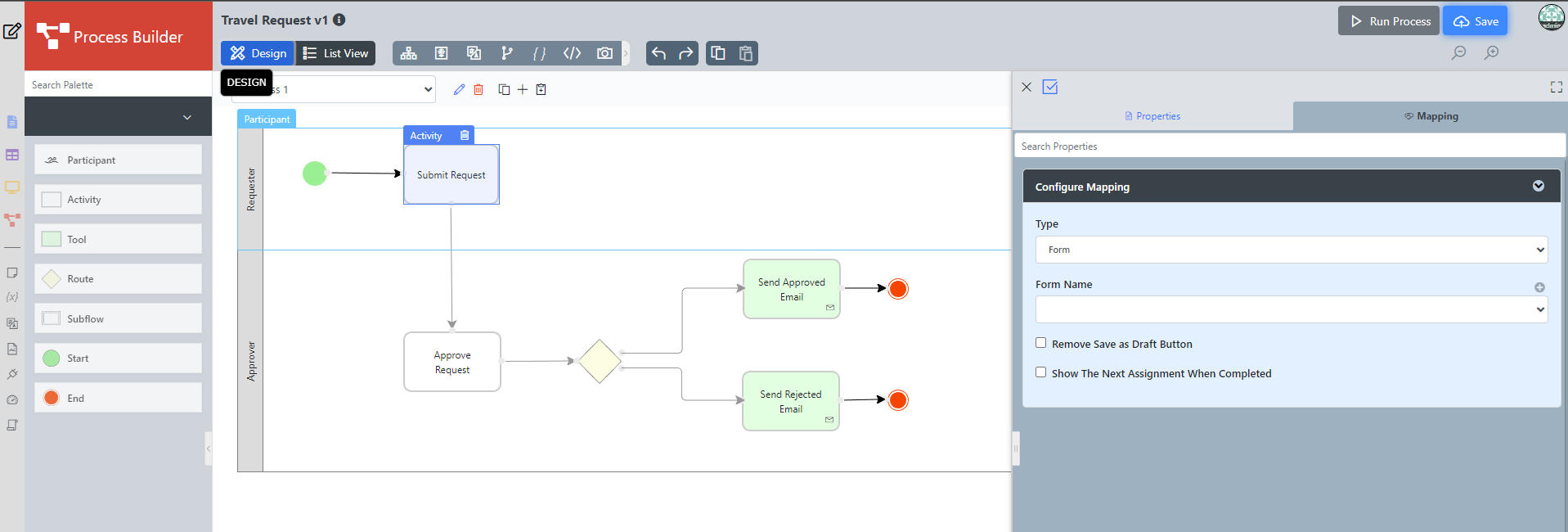
Go to List View and choose Activity, select any activity to do the Mapping to form.
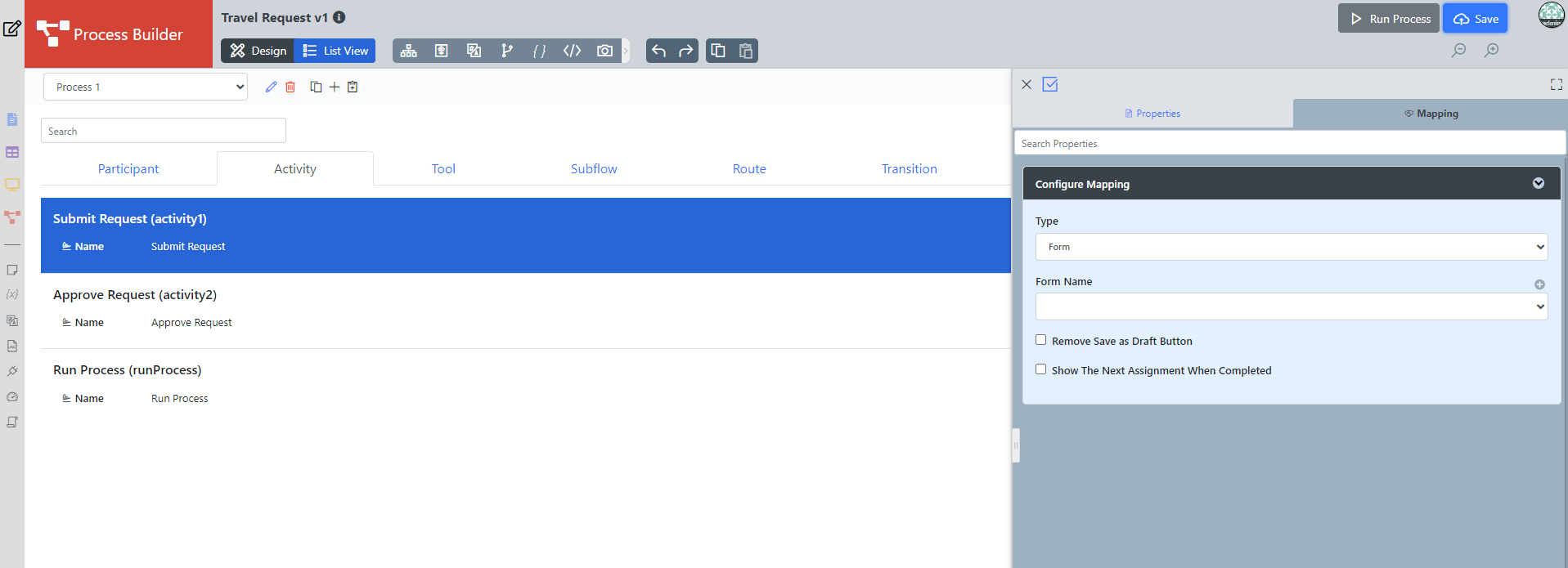
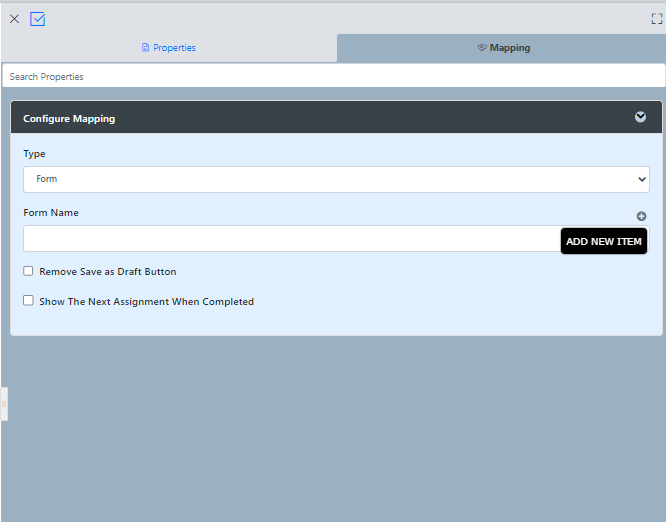
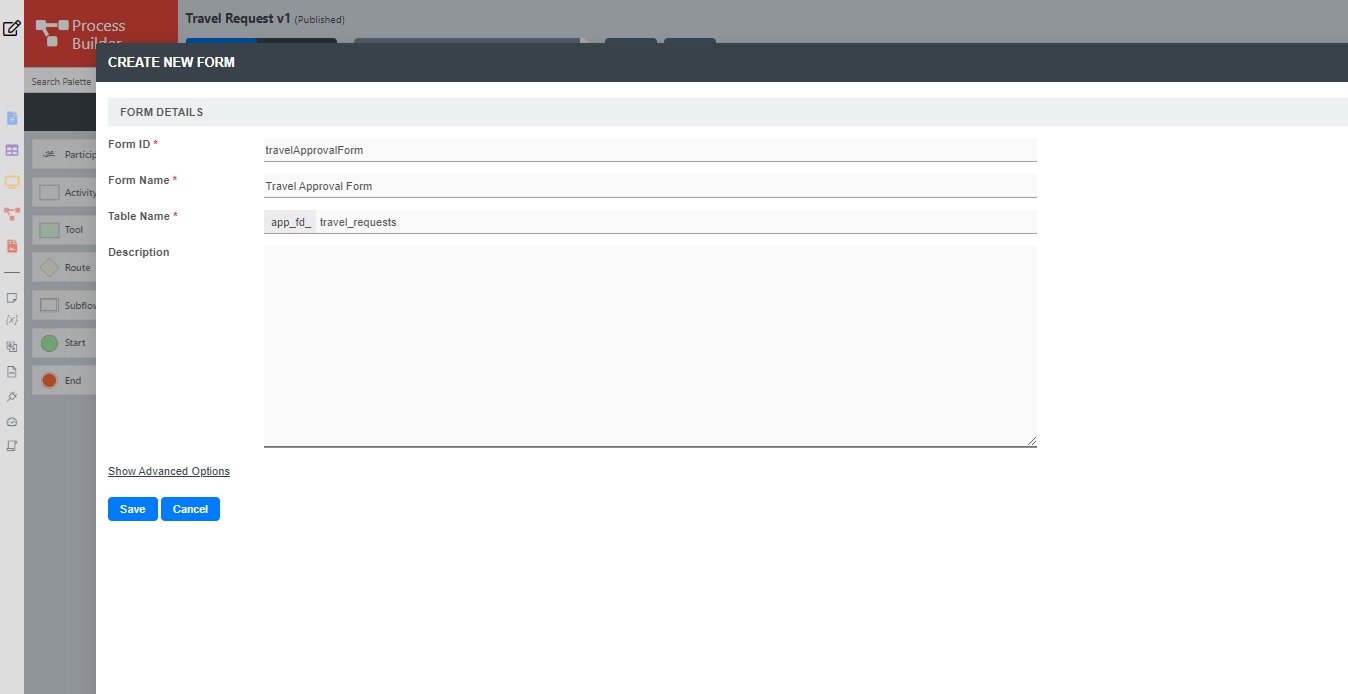
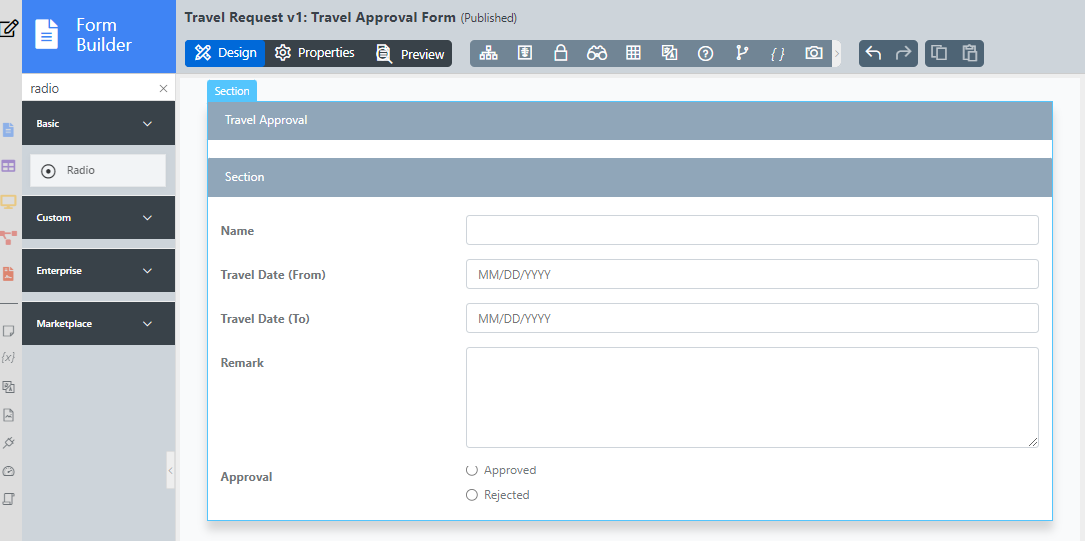
As an example to handle an approval process, click on Create New Form to create a new Travel Approval Form. In this new form, add a Subform that displays the originally submitted form, and radio buttons to capture the approval status.
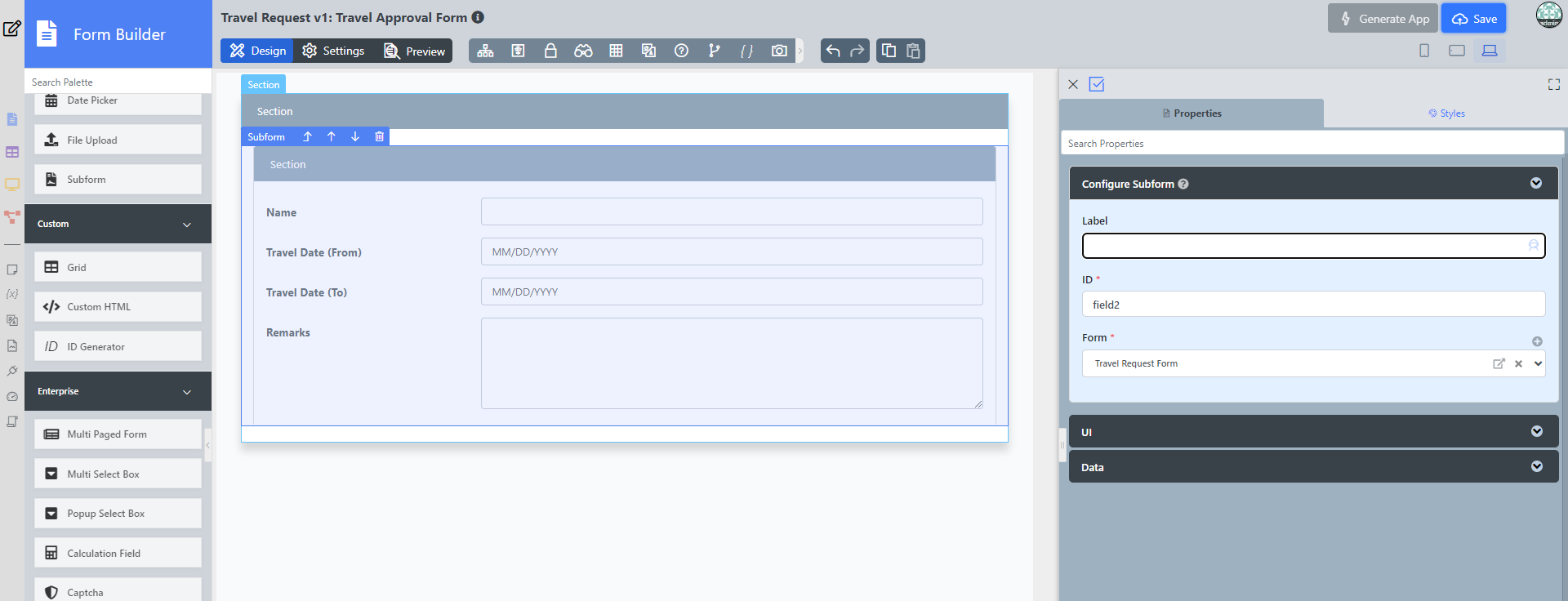
Configure this Subform to select the original request form.
Configure the status radio button to have Approved and Rejected options.
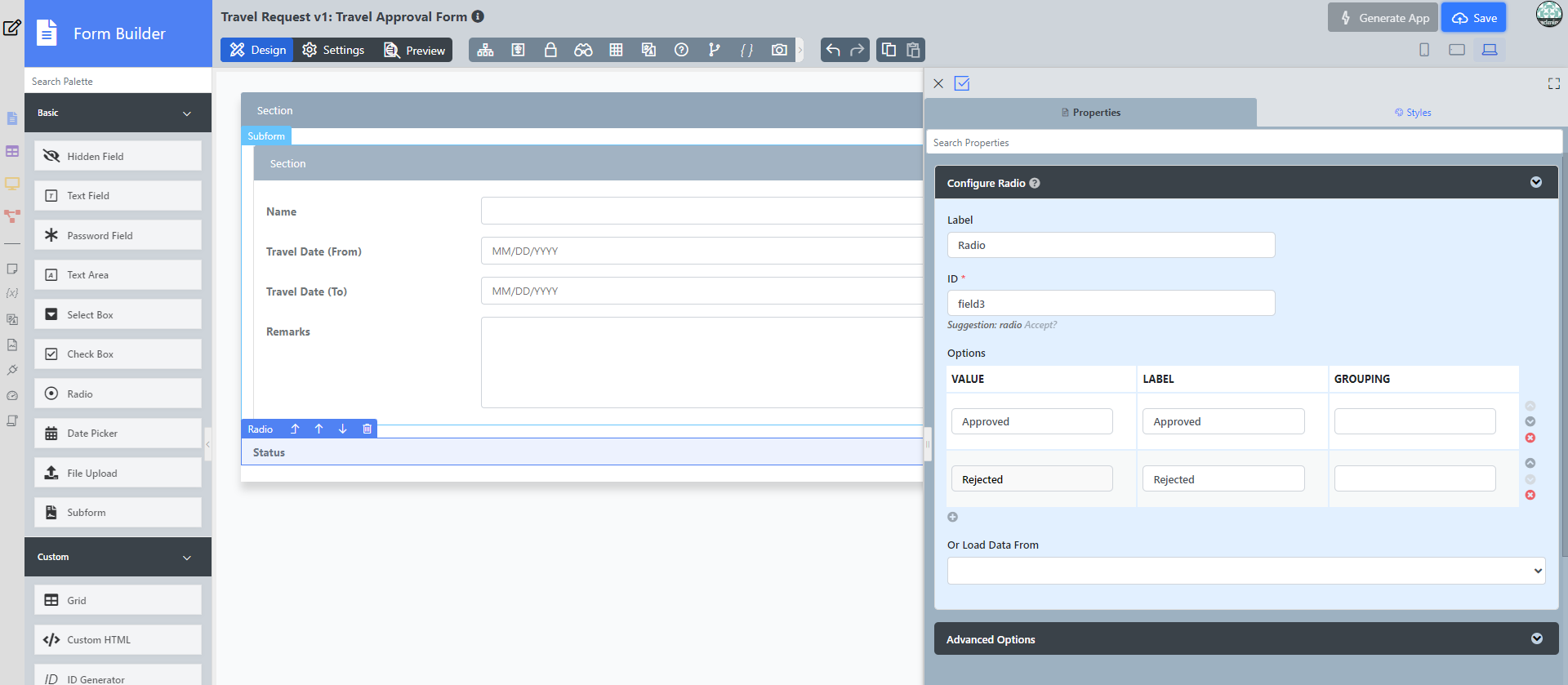
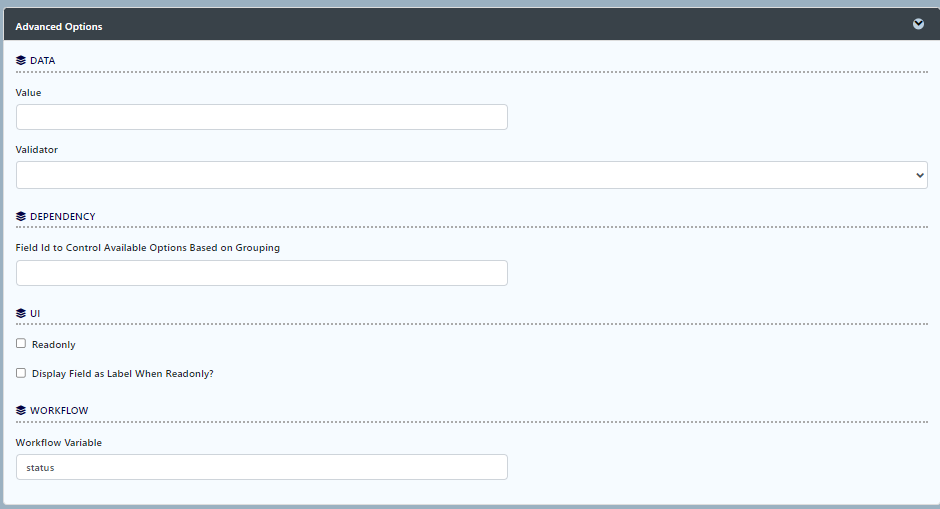
For routing purposes, an important setting in the radio button is the mapping to a workflow variable under Advanced Options. In this case, setting the mapping to status means that the value will be stored in the status workflow variable.
After all the configuration, the new approval form should look similar to the following screenshot:
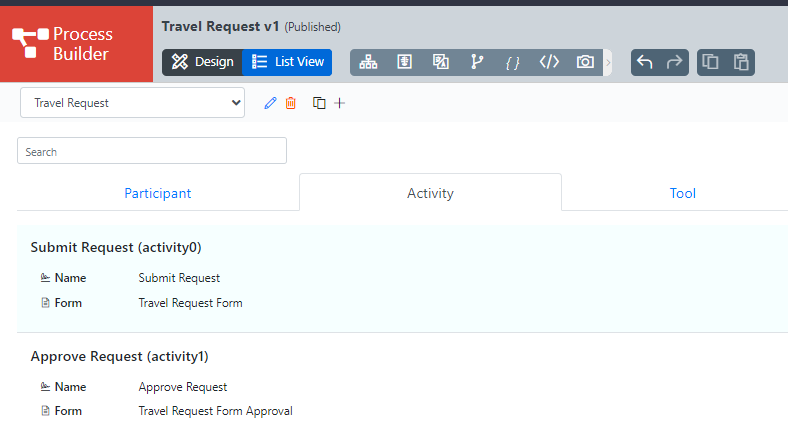
Ensure the Activities are mapped accordingly.
Mapping Tools to Plugins
By clicking on a Tool in the Process Mapper, it will open up the Map Tools to Plugins.
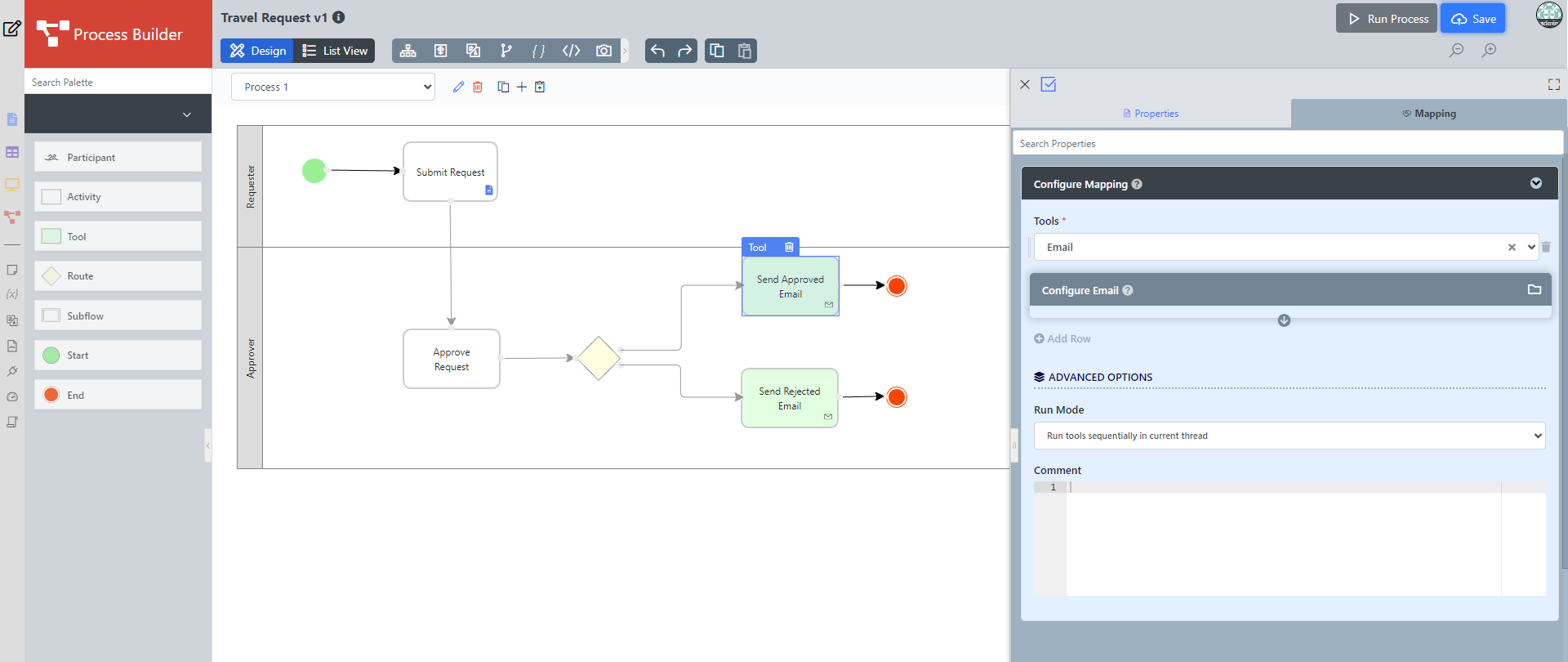
In the Map Tools to Plugins, you can map tools defined in the process to plugins. For each tool, select a Plugin and perform the necessary configuration.
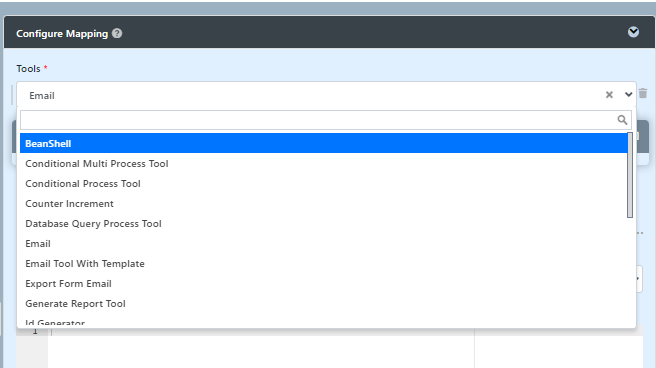
- Another approach is by clicking on the list view button then choosing a tool then clicking on a mapping tool to the plugin.
Mapping Routes to Plugins
To handle routing (for example approval conditions), use Routes in combination with workflow variables. To create a workflow variable, click on Design Process to access the Process Builder. Double-click on the process name in the Navigator to bring up the process dialog. Click on the first small icon under the Workflow variable heading, and key in the ID of the variable e.g. status.
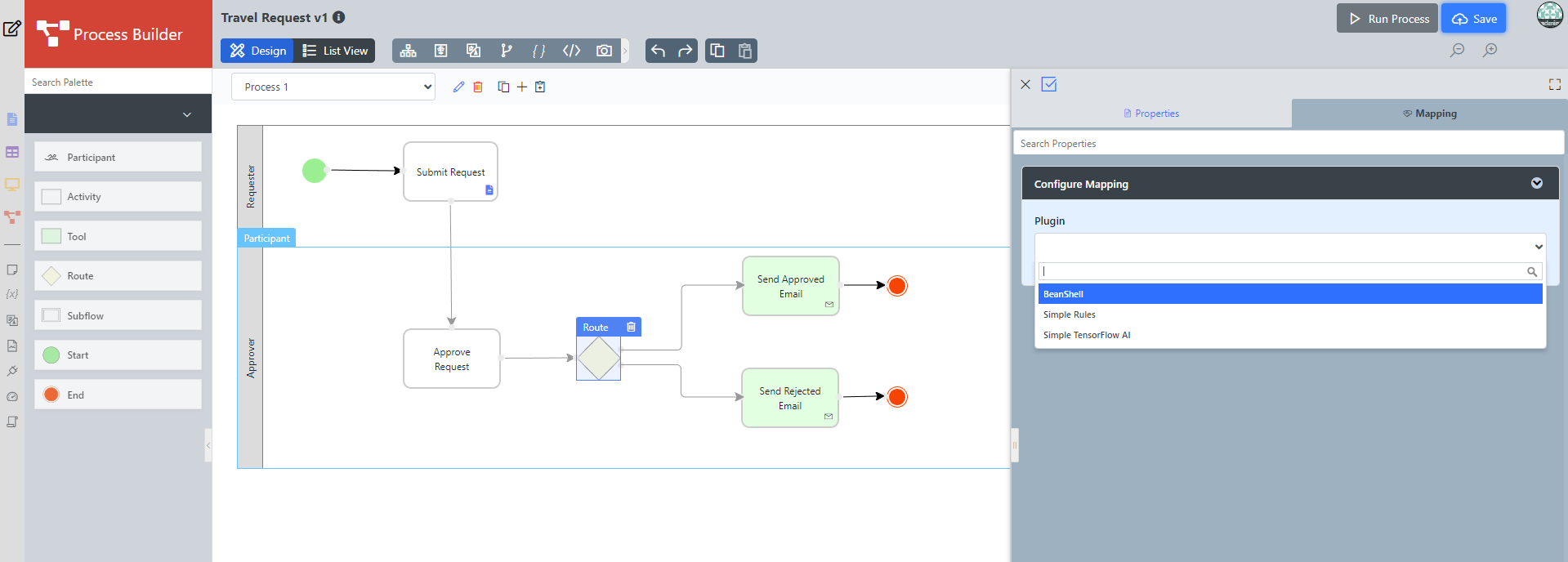
Routes
Learn more about Process Routes .
Another way is by clicking on the list view then choosing a route, then clicking on a specific route if multiple routes are available.
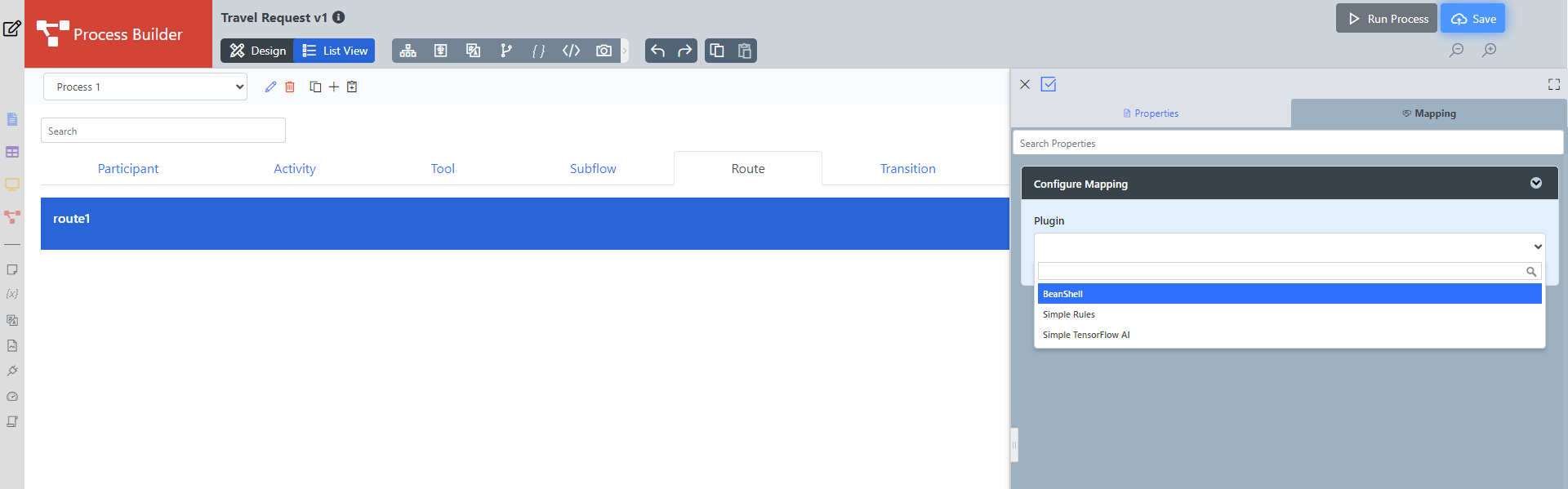
In the plugin configuration, click on Add Rule and then click Add Condition. Set the Variable field to status and set the Value field to Approved. The variable status is referring to the workflow variable.
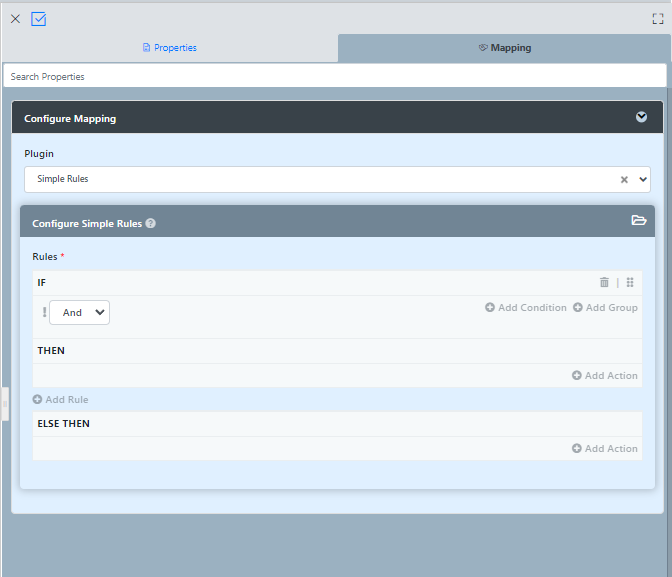
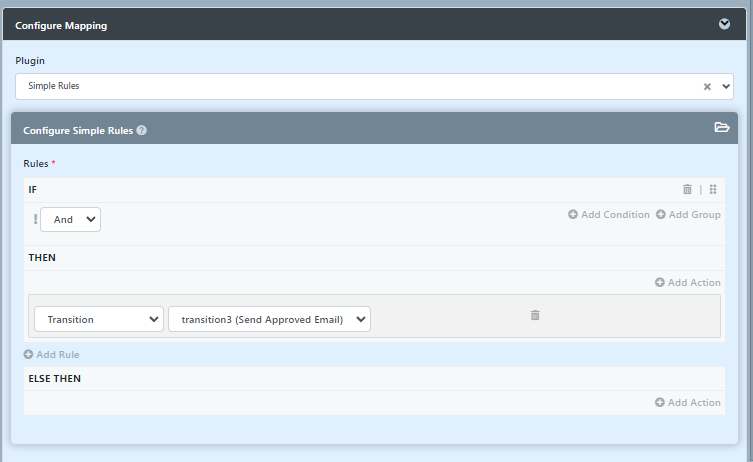
In the THEN rule, click on Add Action and set Type to Transition, and set Transition to transition3 (Send Approved Email). This means that this transition will occur if the value of status is "Approved".
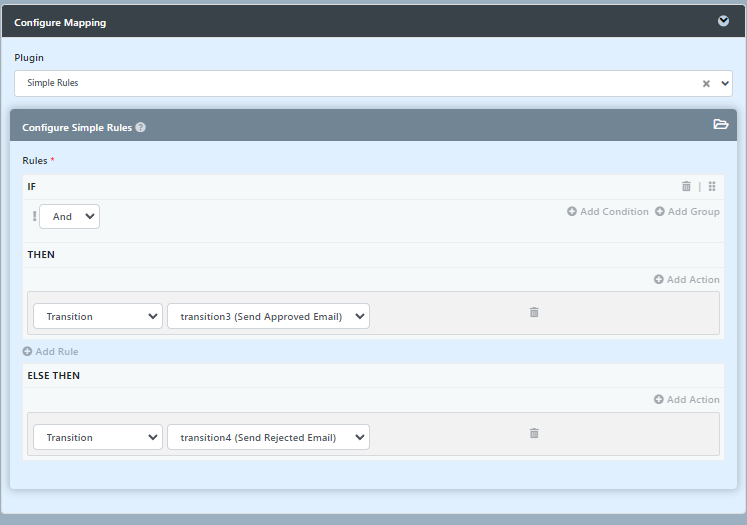
In the ELSE THEN rule, Set the Type to Transition and set Transition to transition4 (Send Rejected Email) to indicate that it is the default path to take when other conditions are not met. An example of a simple routing process is as shown below:
Test Driving the Process
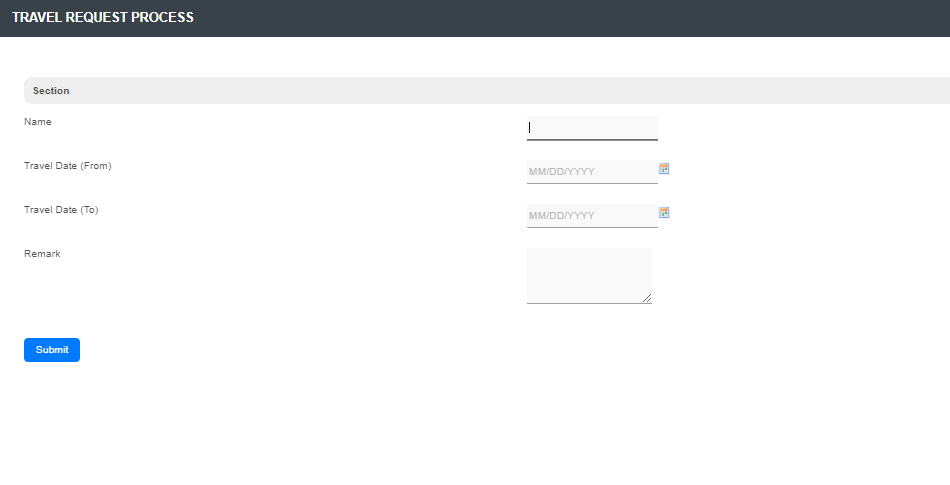
To perform a test run on a process, click on the Run Process button at the top of the App design process page.
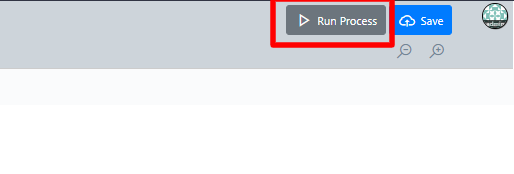
or from the app composer click on the button beside the process name.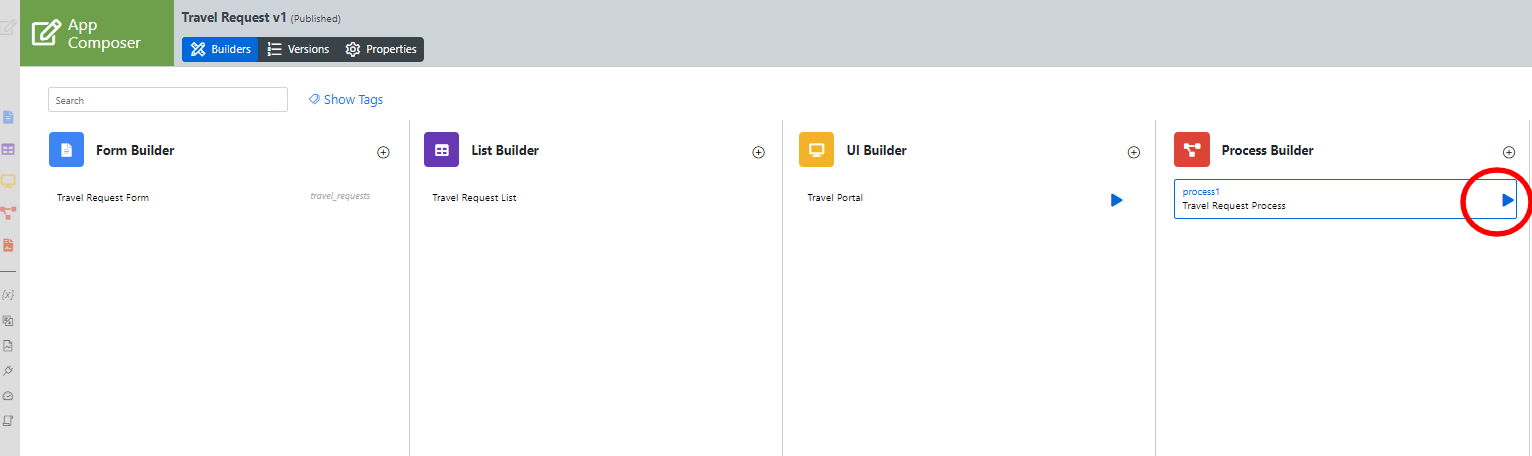
Incorporating the Process into the UI
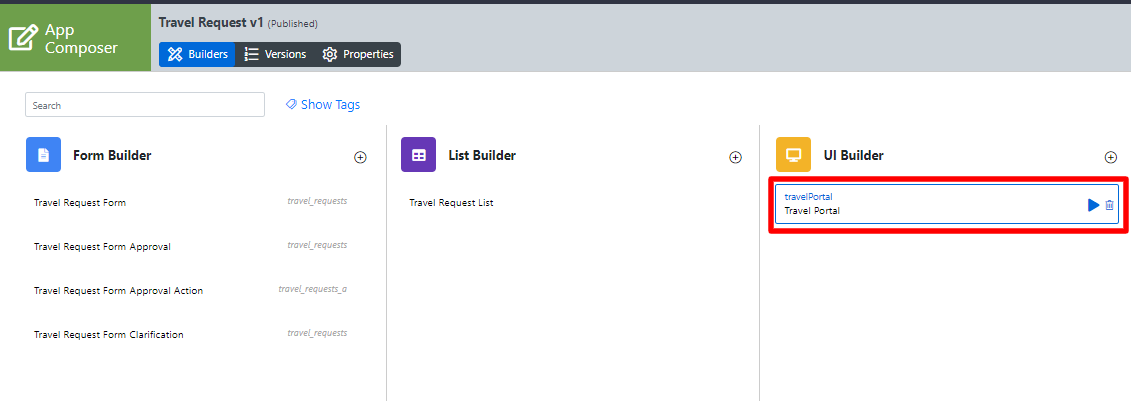
On the App Composer page, click on the name of an existing UI to launch the UI Builder.
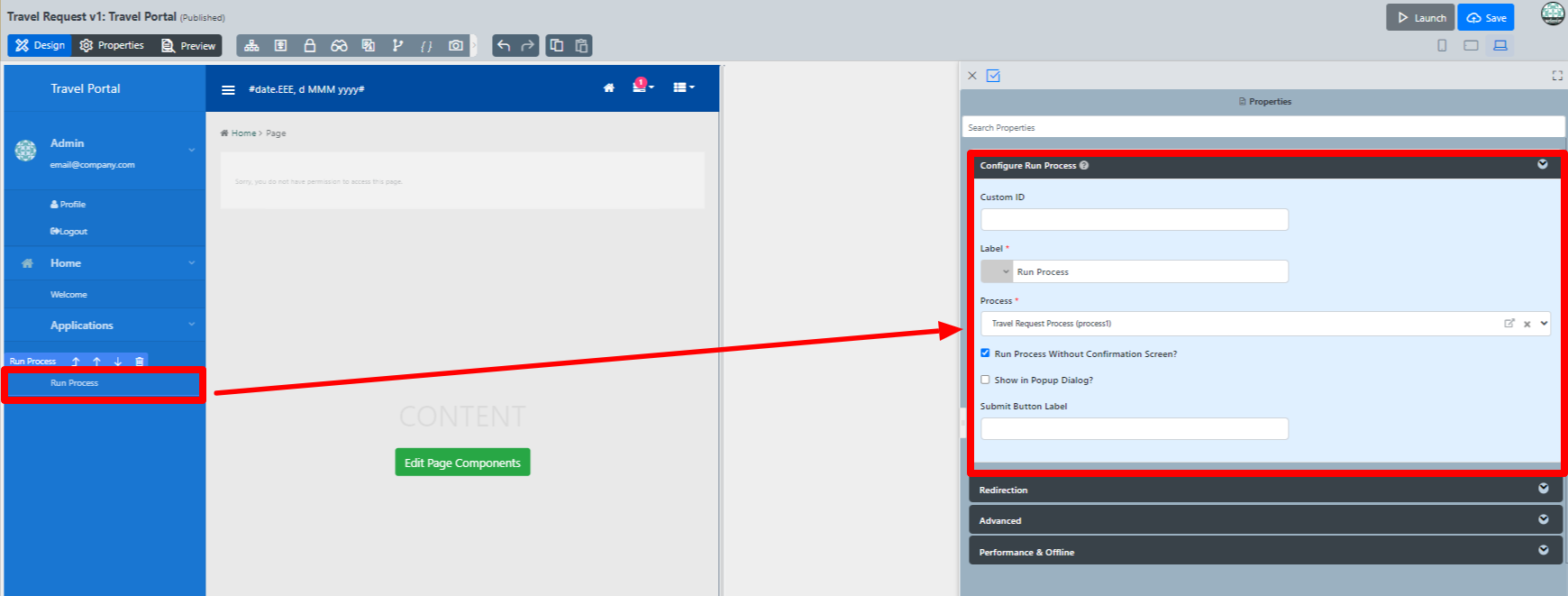
Drag a Run Process element into a menu category. This menu element allows the user to start a process from the userview.
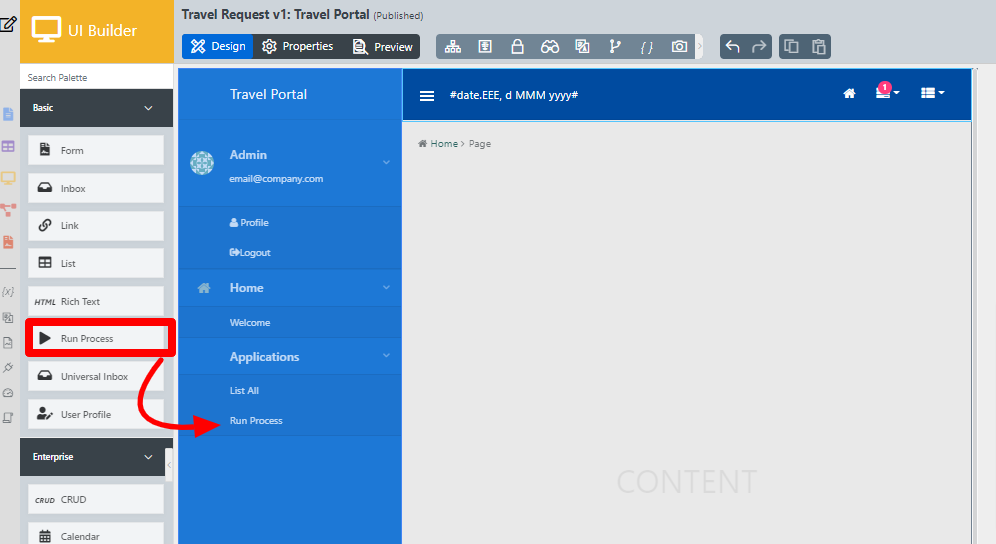
Click on Properties of the Run Process element and select the process to run.
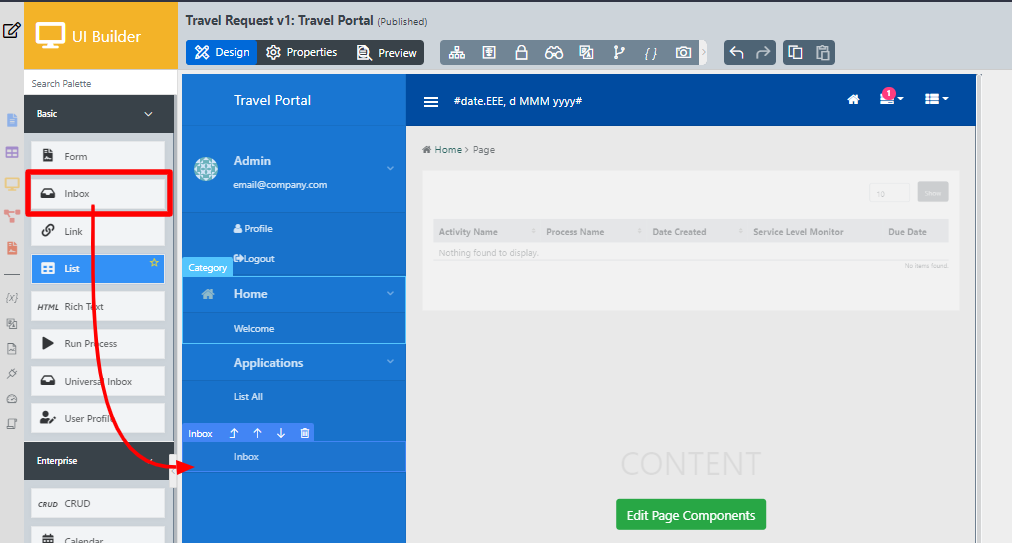
Drag an Inbox element into a menu category. This menu element provides the user with an inbox to manage their assigned workflow tasks.
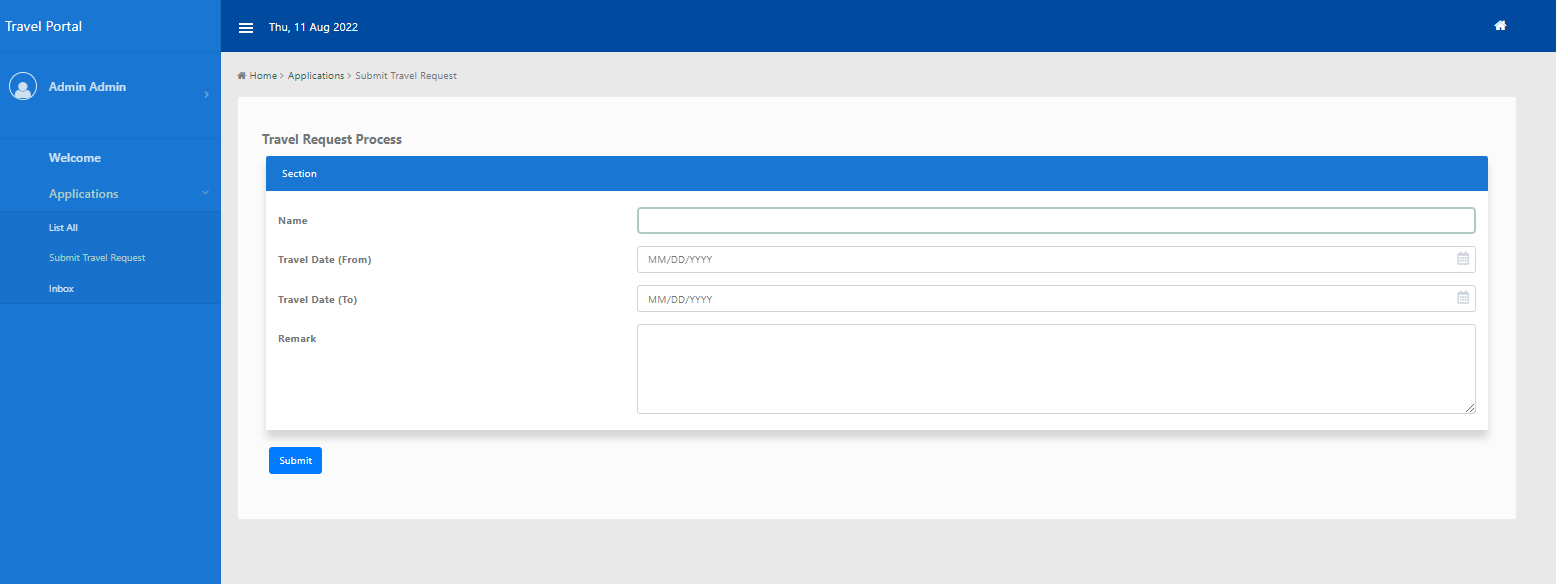
Save the UI, and you will be able to run and perform assigned tasks in the published UI.
Related Tutorials
- Subflows (Subprocesses)
- Start a Process from External Page
- Sending Reminder Repetitively
- Process thumbnails not showing
- Process Deadlines, Exceptions and SLAs
- Demonstration Multiple Approval App For Joget DX
- Multiple Approval v2 (Thread safe)
- Duplicate Process
- Advanced Participant Mapping