License Error
The license of the app Translations for Confluence (formerly Language Macros) has expired. Please renew the license.
License Error
The license of the app Translations for Confluence (formerly Language Macros) has expired. Please renew the license.
We can host the images "inline", inside the form (i.e. Custom HTML) or Userview menu (i.e. Rich Text Editor) itself.
For example, we want to show the image below in a Rich Text Editor in Userview Builder.
License Error
The license of the app Translations for Confluence (formerly Language Macros) has expired. Please renew the license.

Figure 1: Sample photo
License Error
The license of the app Translations for Confluence (formerly Language Macros) has expired. Please renew the license.
Save the photo above to your local.
License Error
The license of the app Translations for Confluence (formerly Language Macros) has expired. Please renew the license.
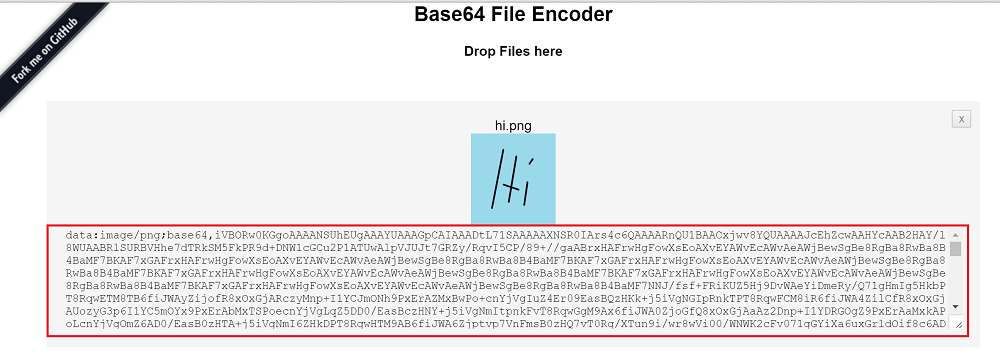
Go to http://jpillora.com/base64-encoder/
License Error
The license of the app Translations for Confluence (formerly Language Macros) has expired. Please renew the license.
Drag the photo saved previously into the website above.
License Error
The license of the app Translations for Confluence (formerly Language Macros) has expired. Please renew the license.
Copy the code generated.
License Error
The license of the app Translations for Confluence (formerly Language Macros) has expired. Please renew the license.
Go to your Userview Builder, edit the HTML Page.
License Error
The license of the app Translations for Confluence (formerly Language Macros) has expired. Please renew the license.
From the content, in the View tab, click on Source Code.
License Error
The license of the app Translations for Confluence (formerly Language Macros) has expired. Please renew the license.
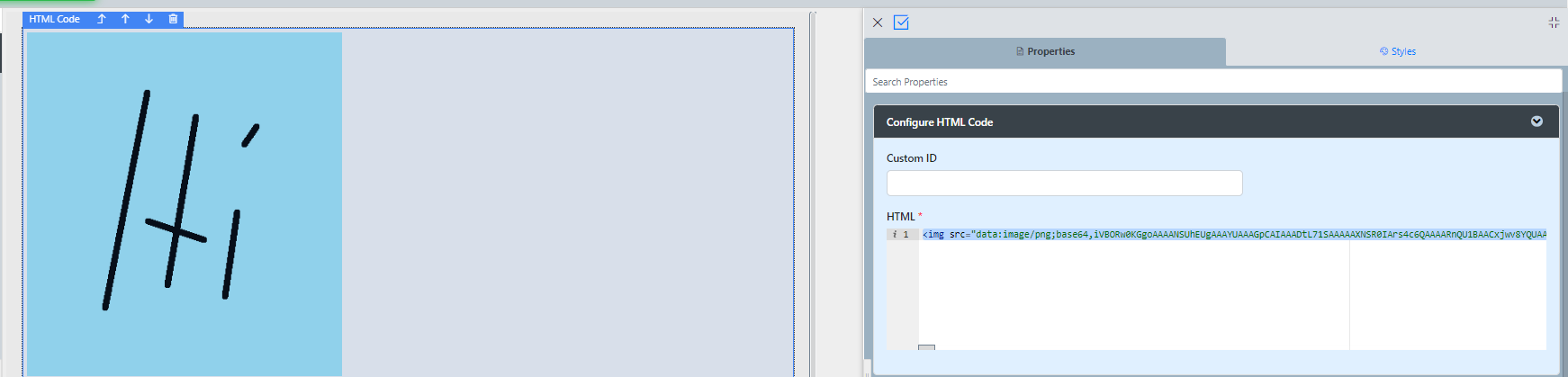
Add the img tag into the HTML Source Editor and put in the code copied earlier into the src attribute.
License Error
The license of the app Translations for Confluence (formerly Language Macros) has expired. Please renew the license.
<img src="PASTE THE CODE HERE"/>
Reference: https://css-tricks.com/data-uris/
License Error
The license of the app Translations for Confluence (formerly Language Macros) has expired. Please renew the license.
License Error
The license of the app Translations for Confluence (formerly Language Macros) has expired. Please renew the license.
Assuming that you are running on the default application web server, Tomcat, we can create a new folder in the
webapps folder to specifically host images.
License Error
The license of the app Translations for Confluence (formerly Language Macros) has expired. Please renew the license.
In the webapps folder, create a new folder called images.
License Error
The license of the app Translations for Confluence (formerly Language Macros) has expired. Please renew the license.
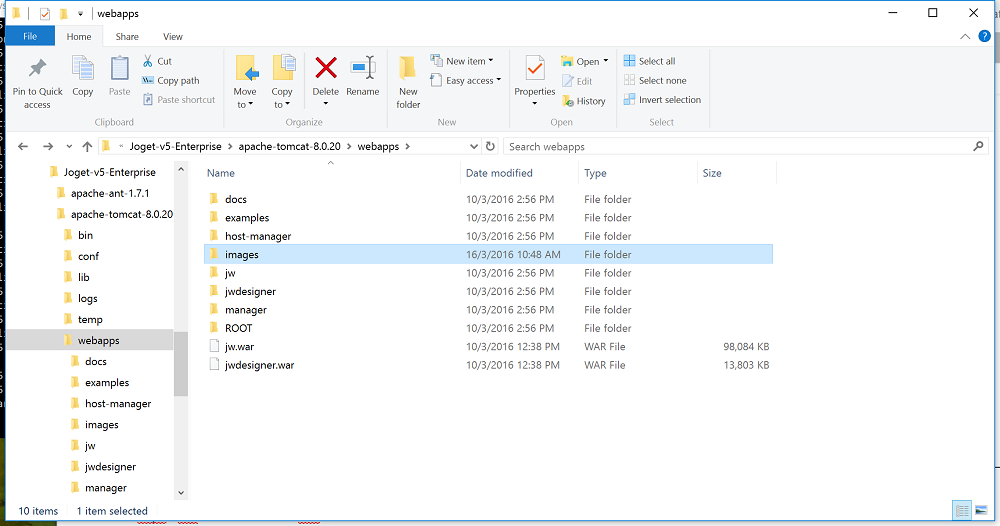
Put the image file hi.png into the new folder.
License Error
The license of the app Translations for Confluence (formerly Language Macros) has expired. Please renew the license.
Go to your Userview Builder, edit the Userview Menu - Rich Text Editor.
License Error
The license of the app Translations for Confluence (formerly Language Macros) has expired. Please renew the license.
Click on HTML Source.
License Error
The license of the app Translations for Confluence (formerly Language Macros) has expired. Please renew the license.
Add the img tag into the HTML Source Editor and construct the URL path to the image.
License Error
The license of the app Translations for Confluence (formerly Language Macros) has expired. Please renew the license.
<img src="/images/hi.png"/>