Definition
Columns allows users to add columns to the body of the report.
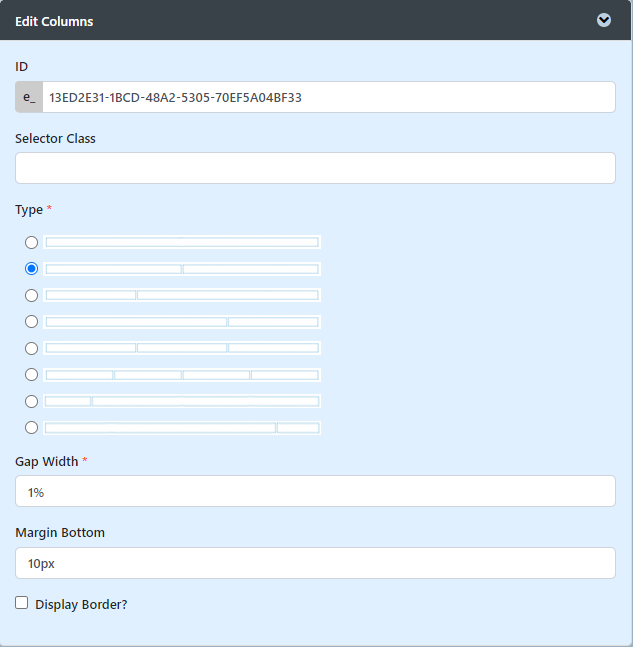
Figure 1 : Columns Properties
| Name | Description |
|---|---|
| Type | Available column types:
|
| Gap Width | Gap width between the columns in percentages. Example 50% |
| Margin Bottom | Bottom margin of the column. Example 50px or 50% |
Display Border? | Check this option to display the border of the columns. |
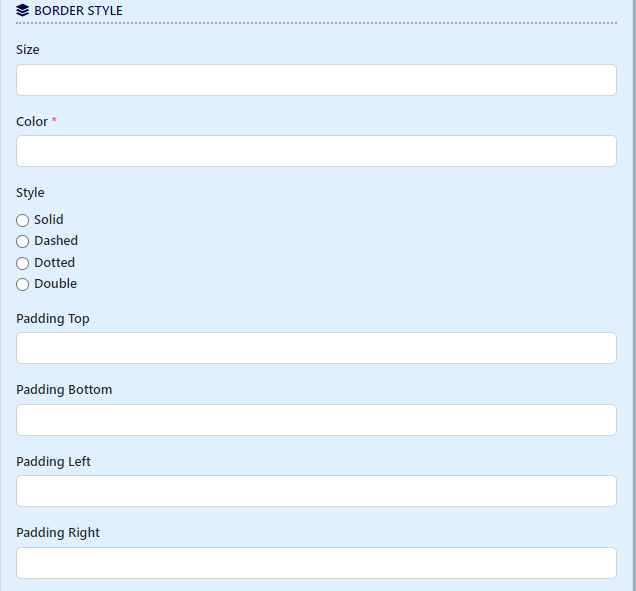
Figure 2 : Columns Properties - Border Style
| Name | Description |
|---|---|
| Size | Border size. Example 2px |
| Color | Expects a hex color code. Click on the property to use a convenient color picker tool instead. |
| Style |
|
| Padding Top | Top padding of the column. |
| Padding Bottom | Bottom padding of the column. |
| Padding Left | Left padding of the column. |
| Padding Right | Right padding of the column. |
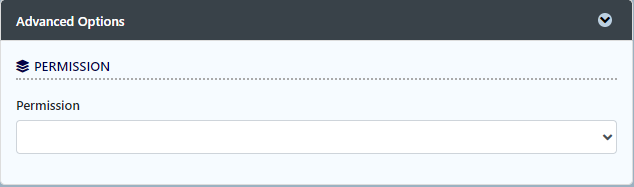
Figure 3 : Columns Properties - Advanced Options
| Name | Description |
|---|---|
| Permission | Manage the permission on who will be able to see this column. See Permission Control. |