How do I access the System APM?
Localhost version APM
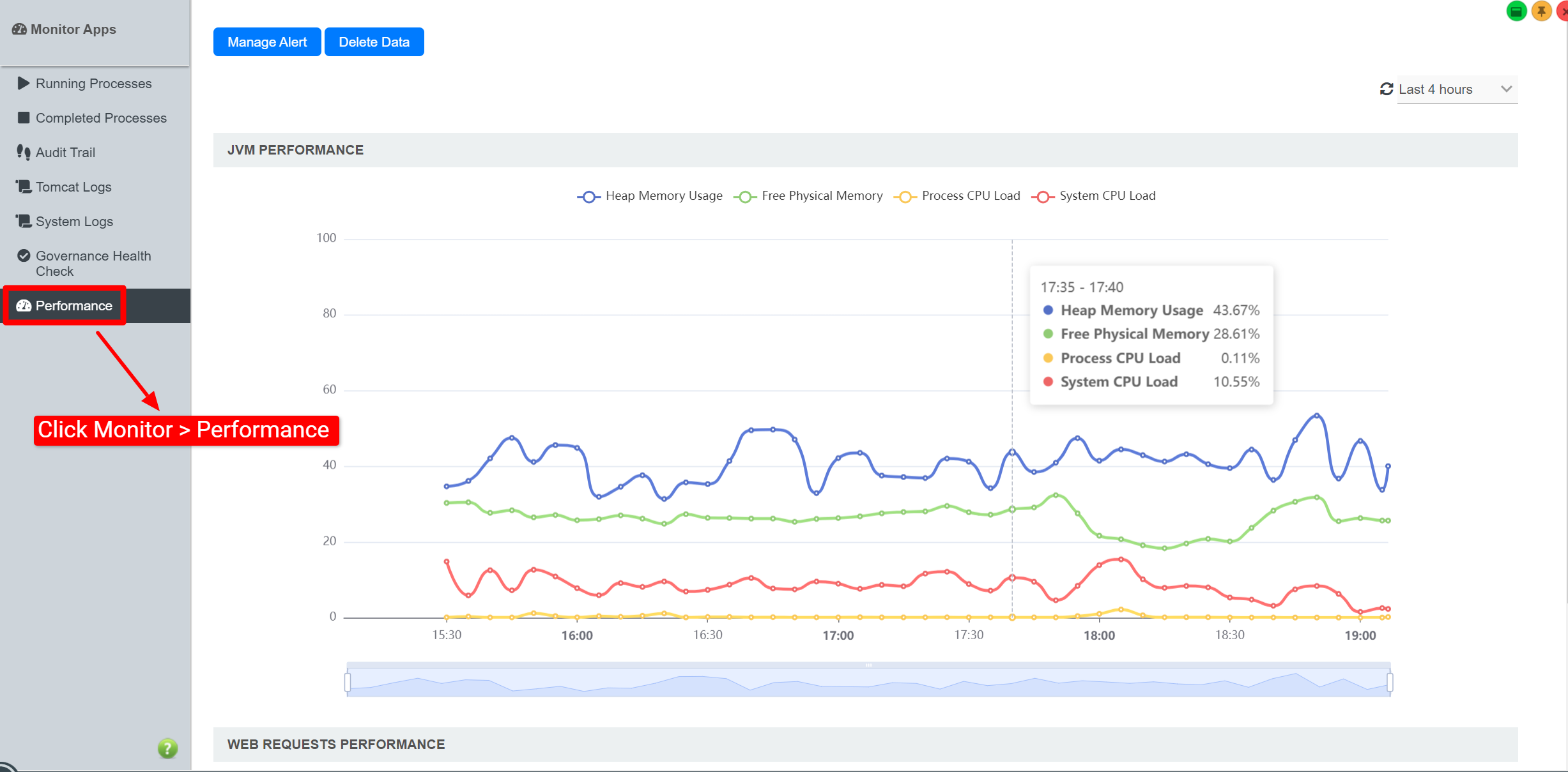
Cloud version APM
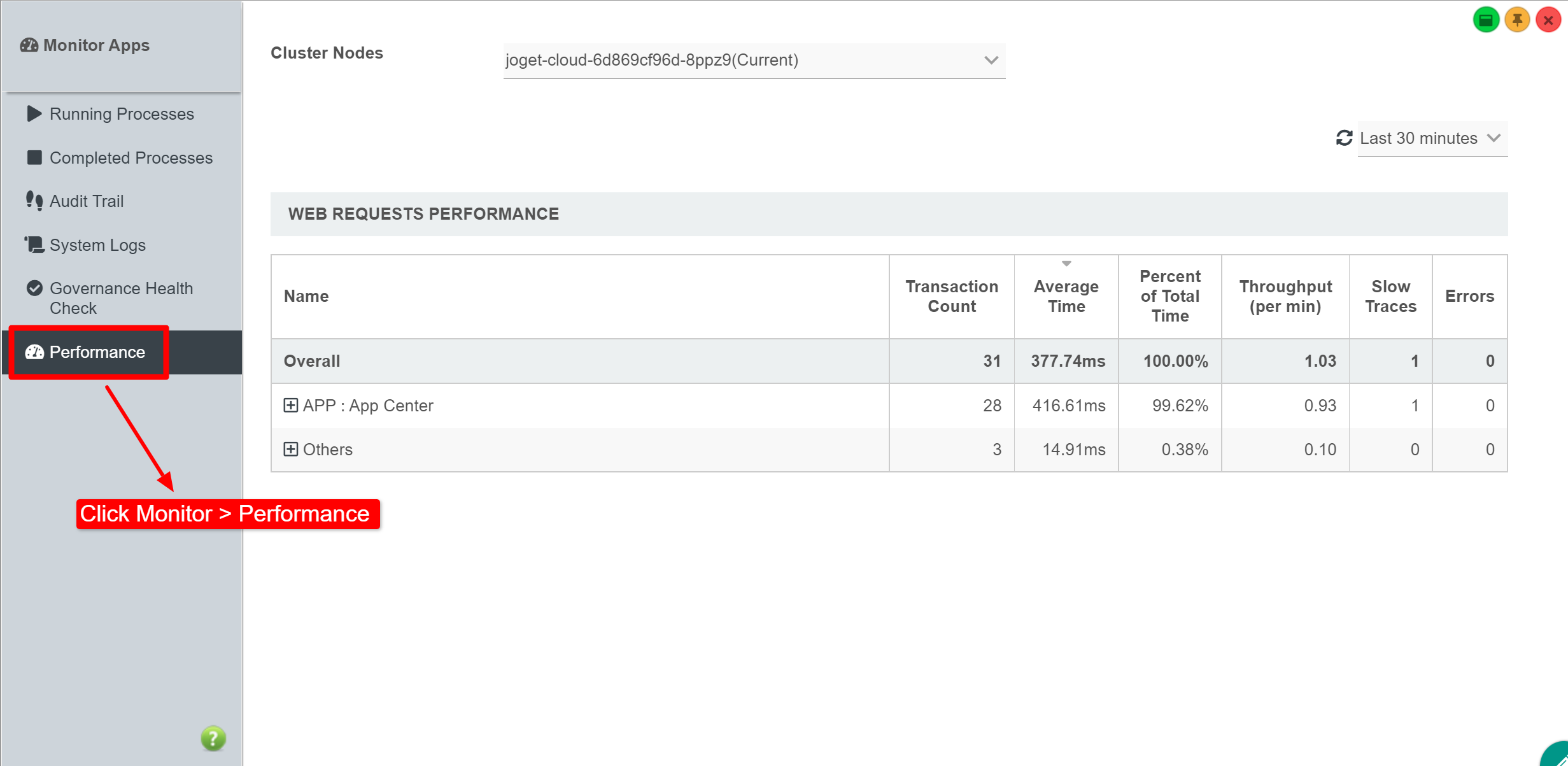
| Steps |
|---|
|
How do I access to the APM in my App?
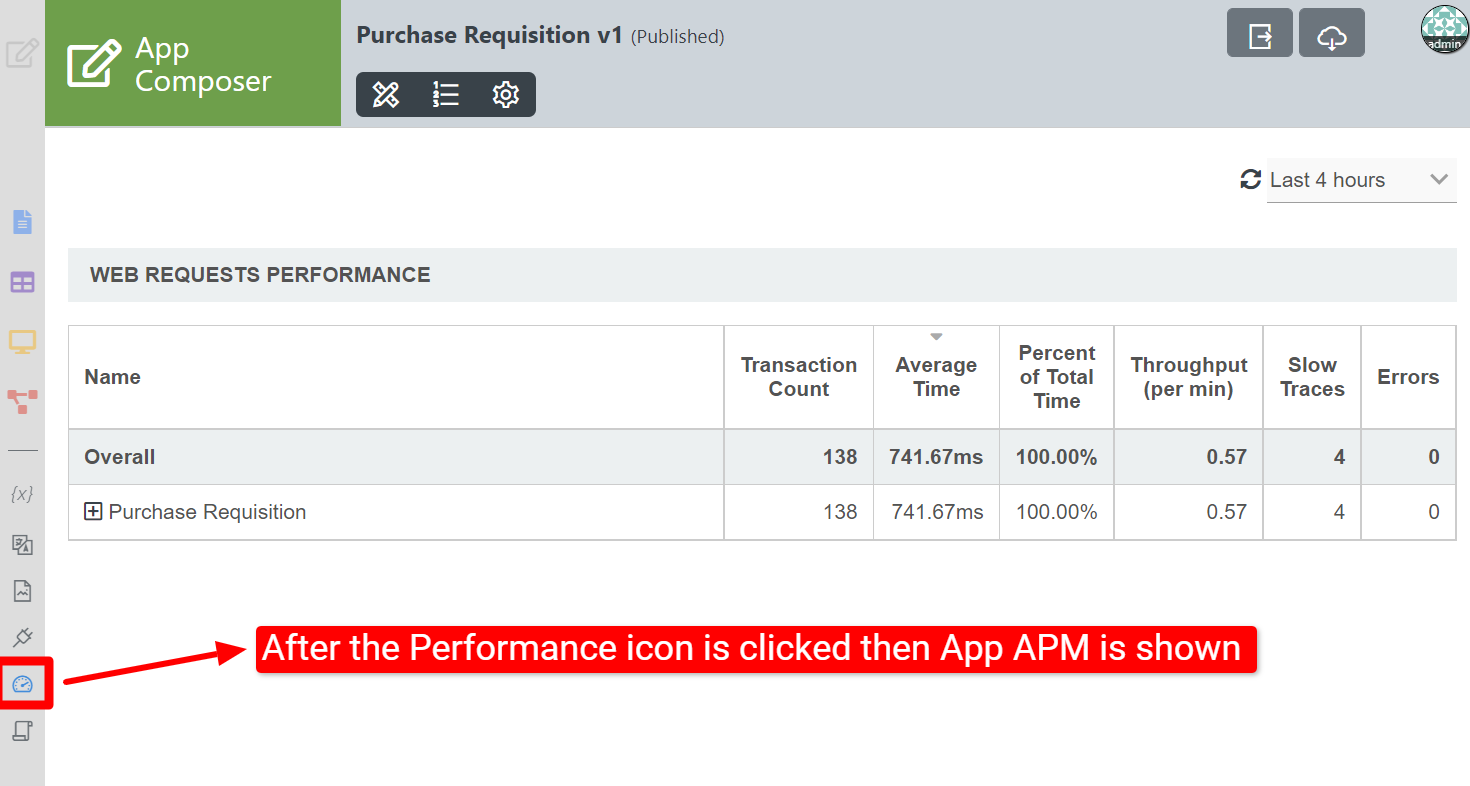
| Steps |
|---|
|
Web Request Performance
| Features |
|---|
Cluster Nodes New Feature Cluster Nodes is a new feature in cloud version Joget DX 8.
|
Response Time
|
Slow Traces
|
Errors
|
Queries
|
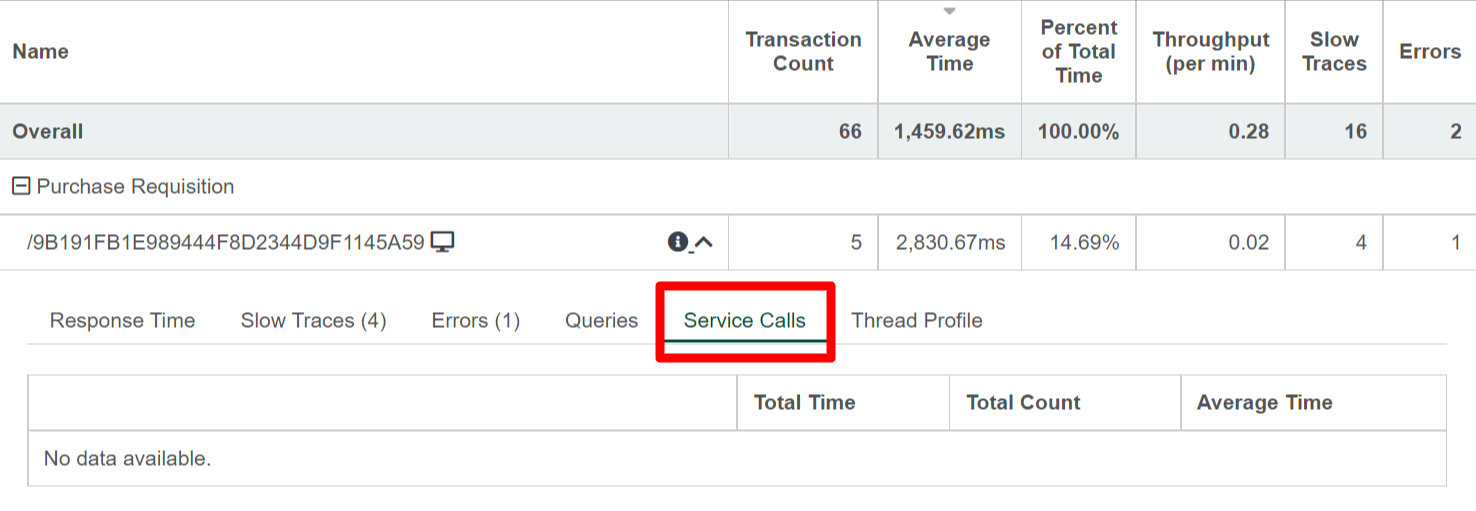
Service Calls
|
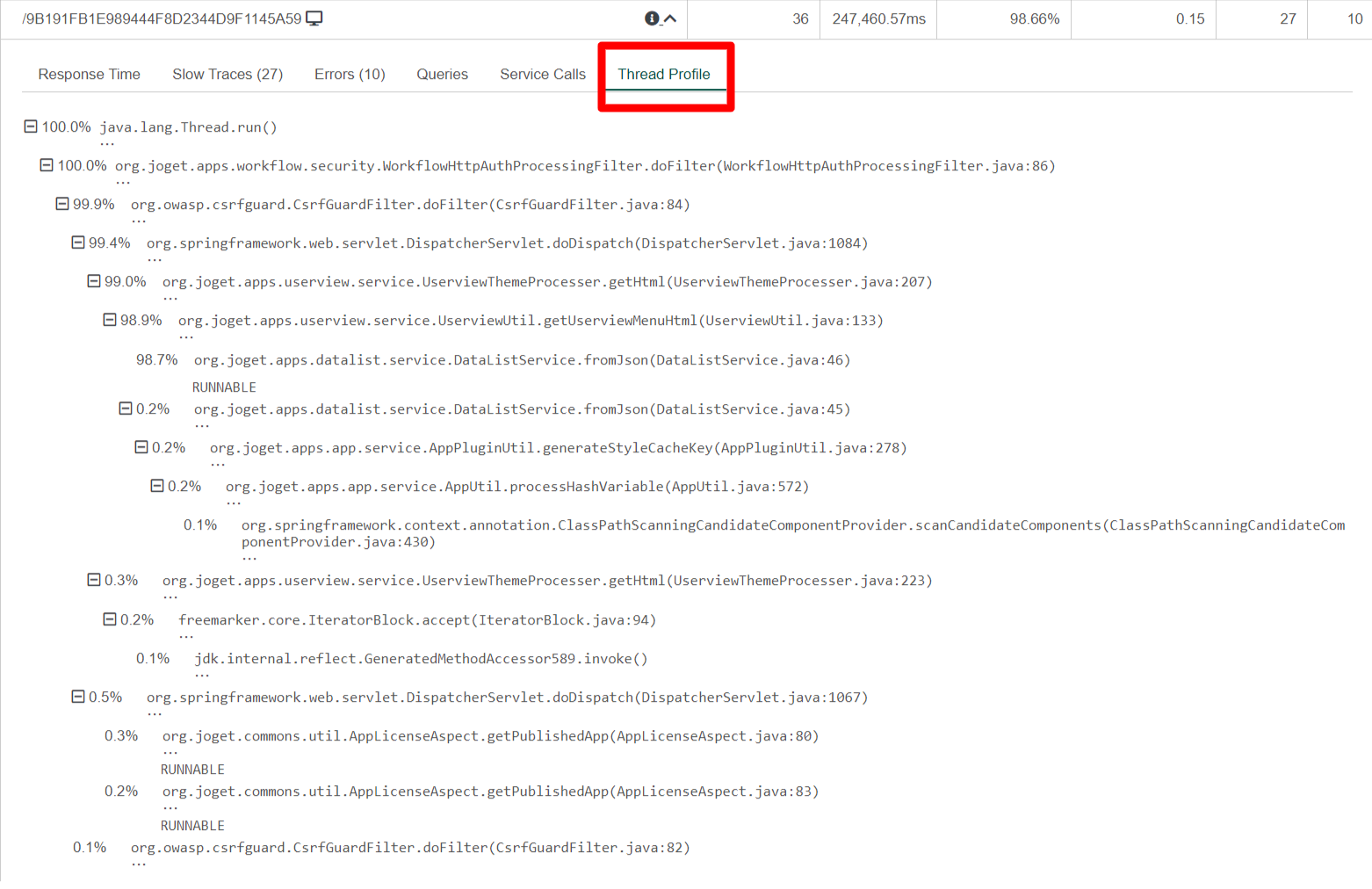
Thread Profile
|
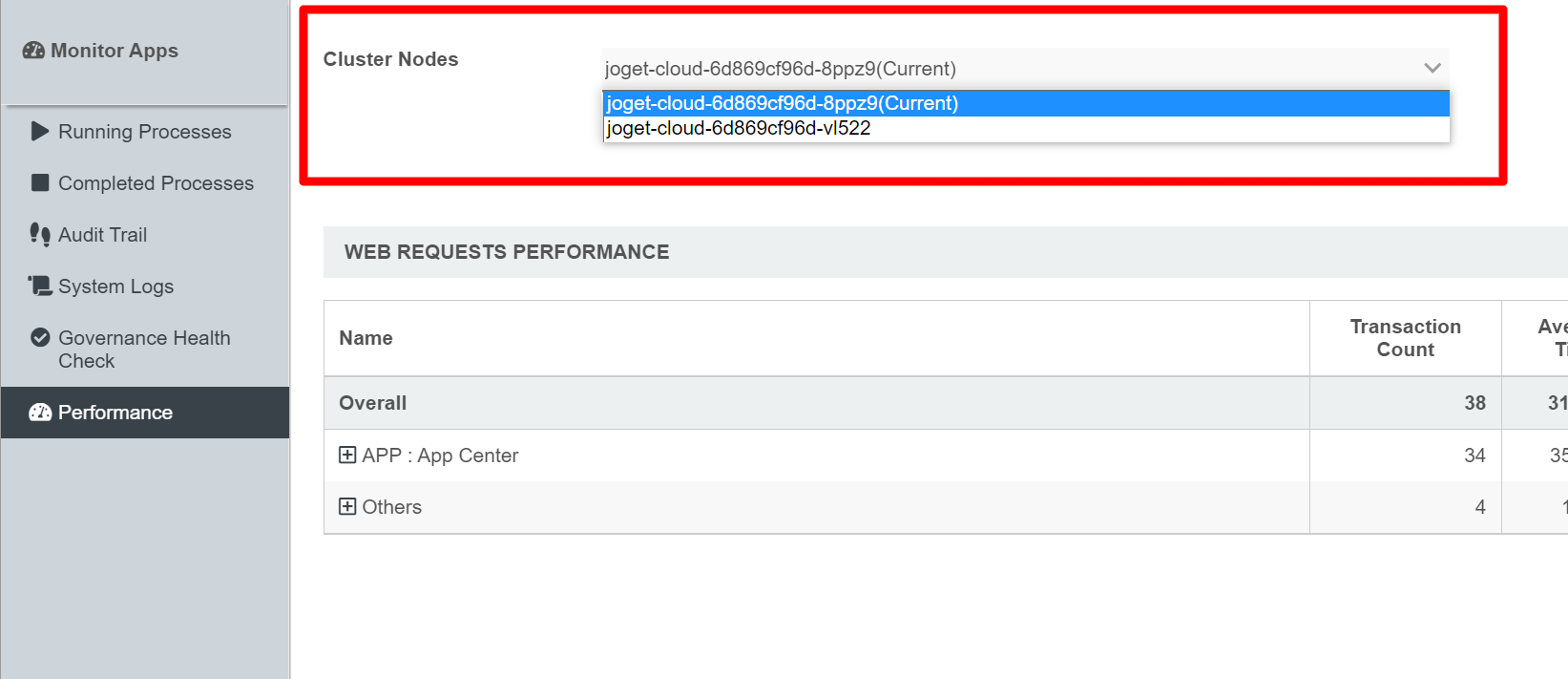
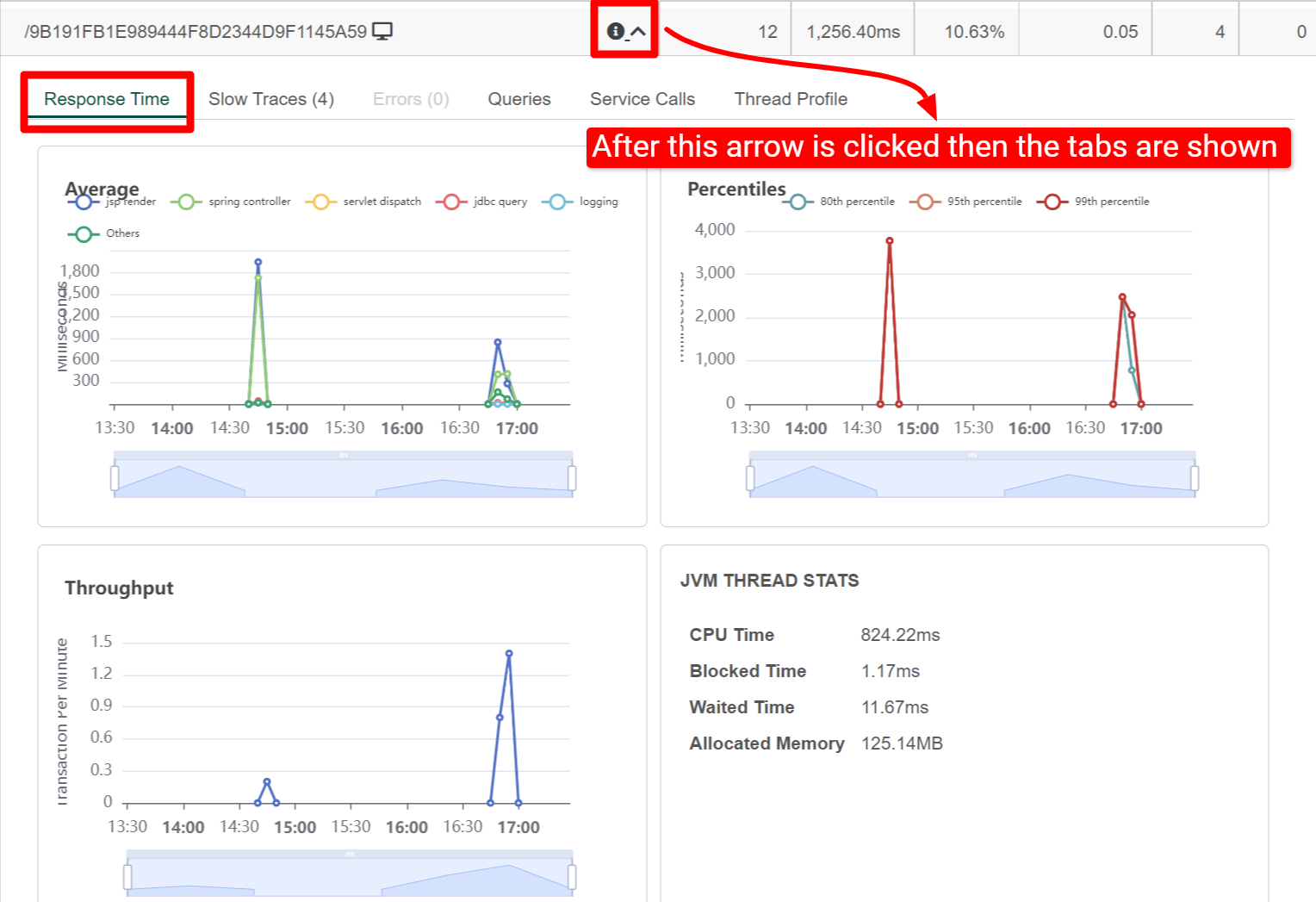
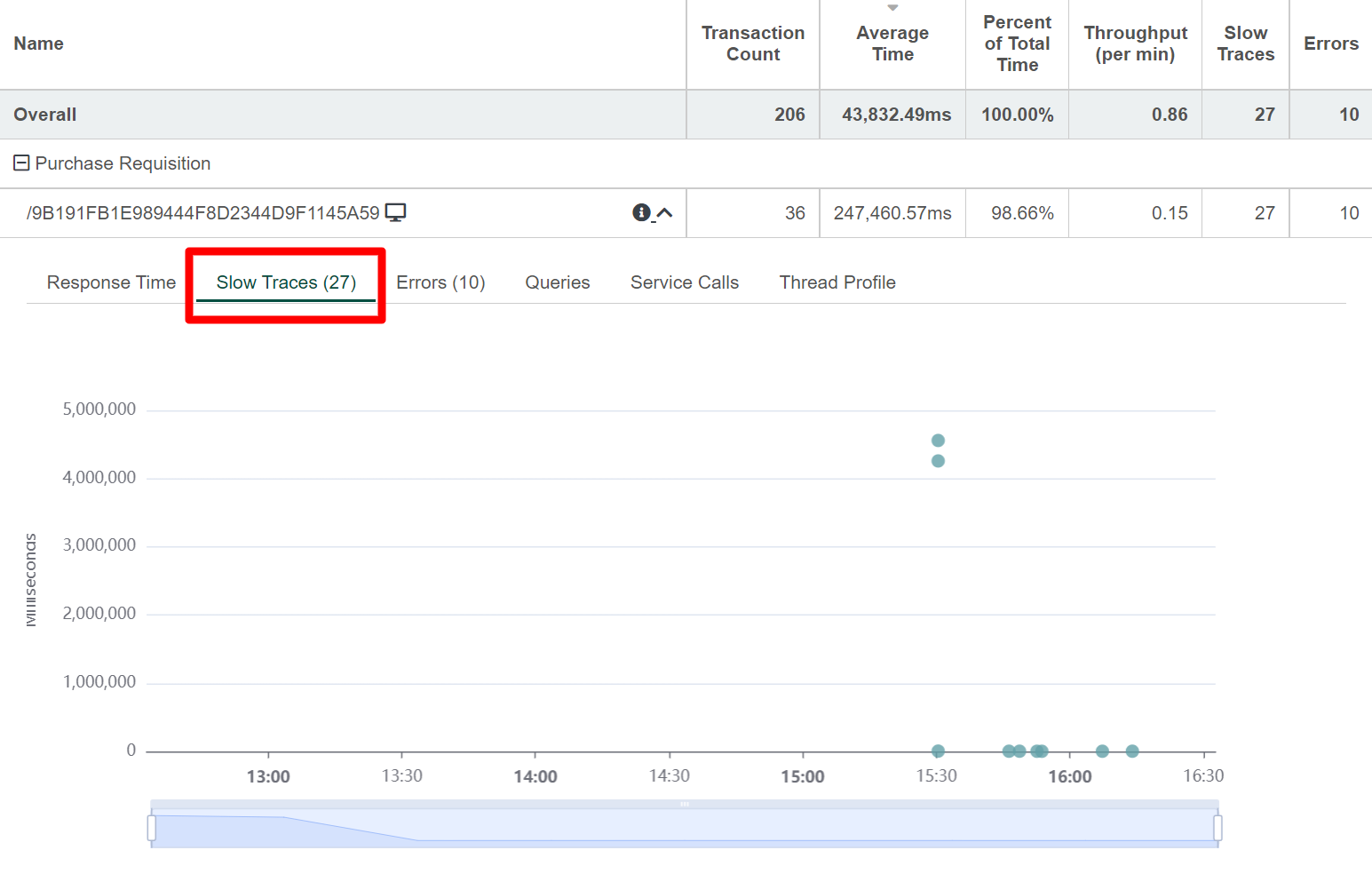
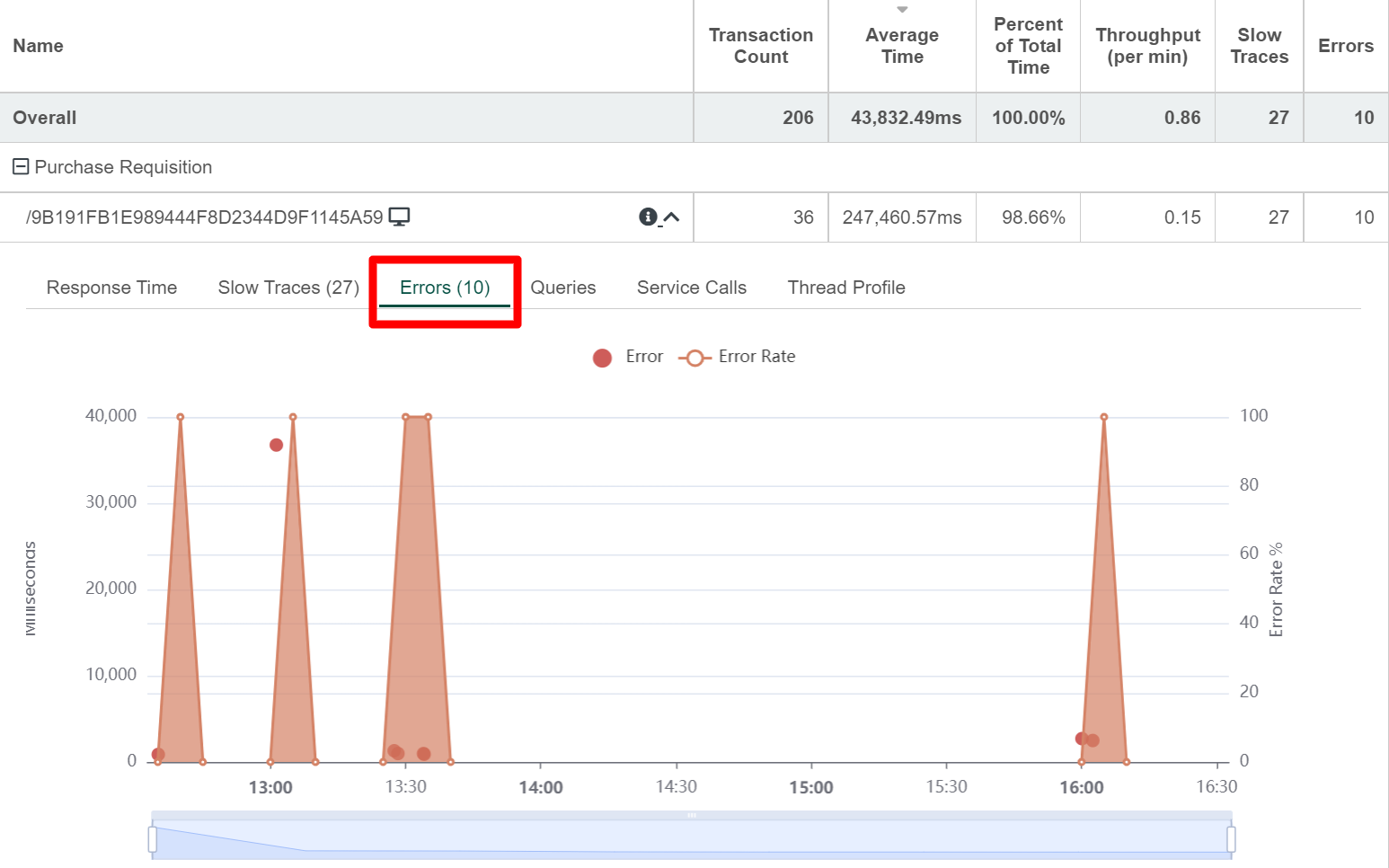
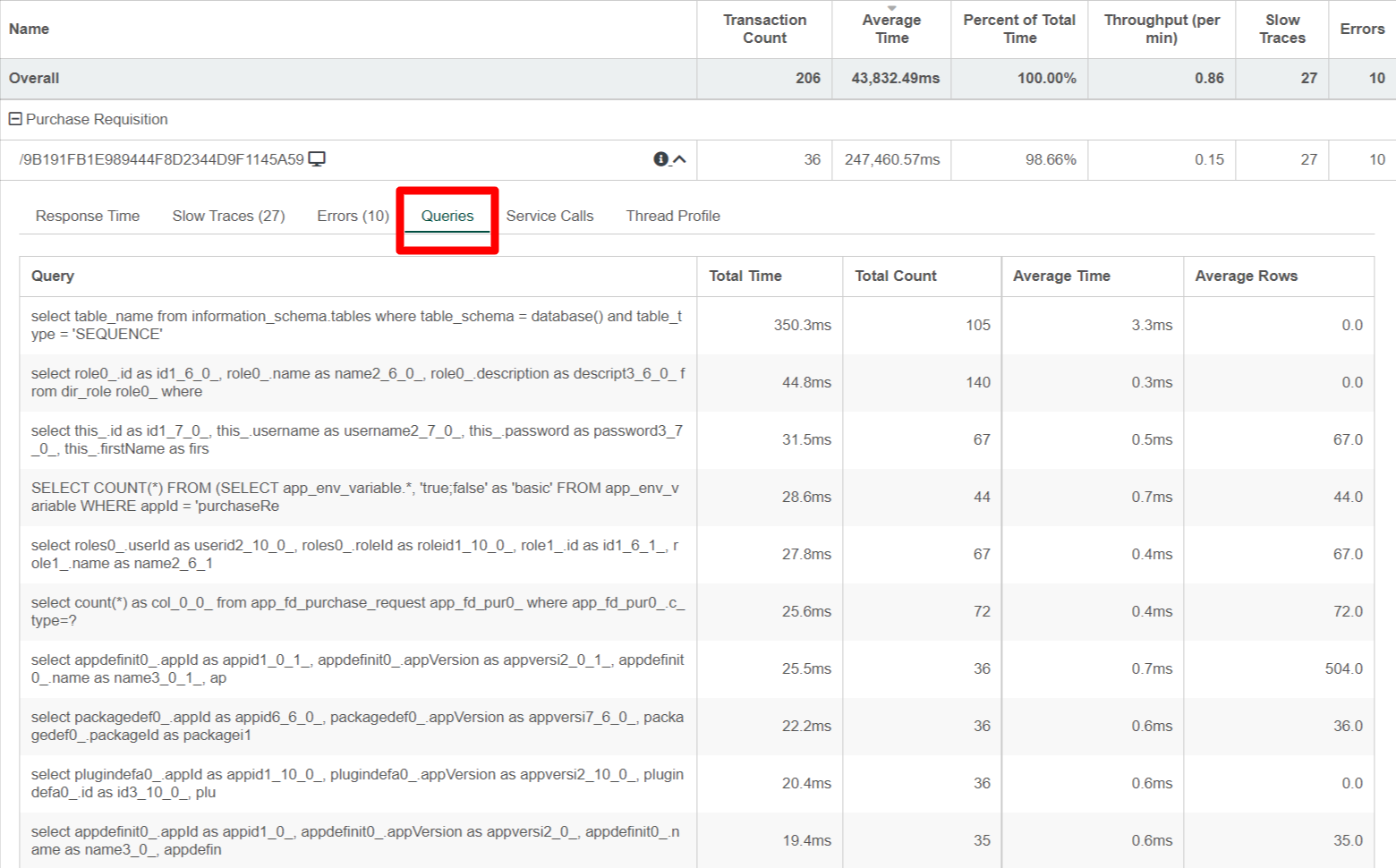
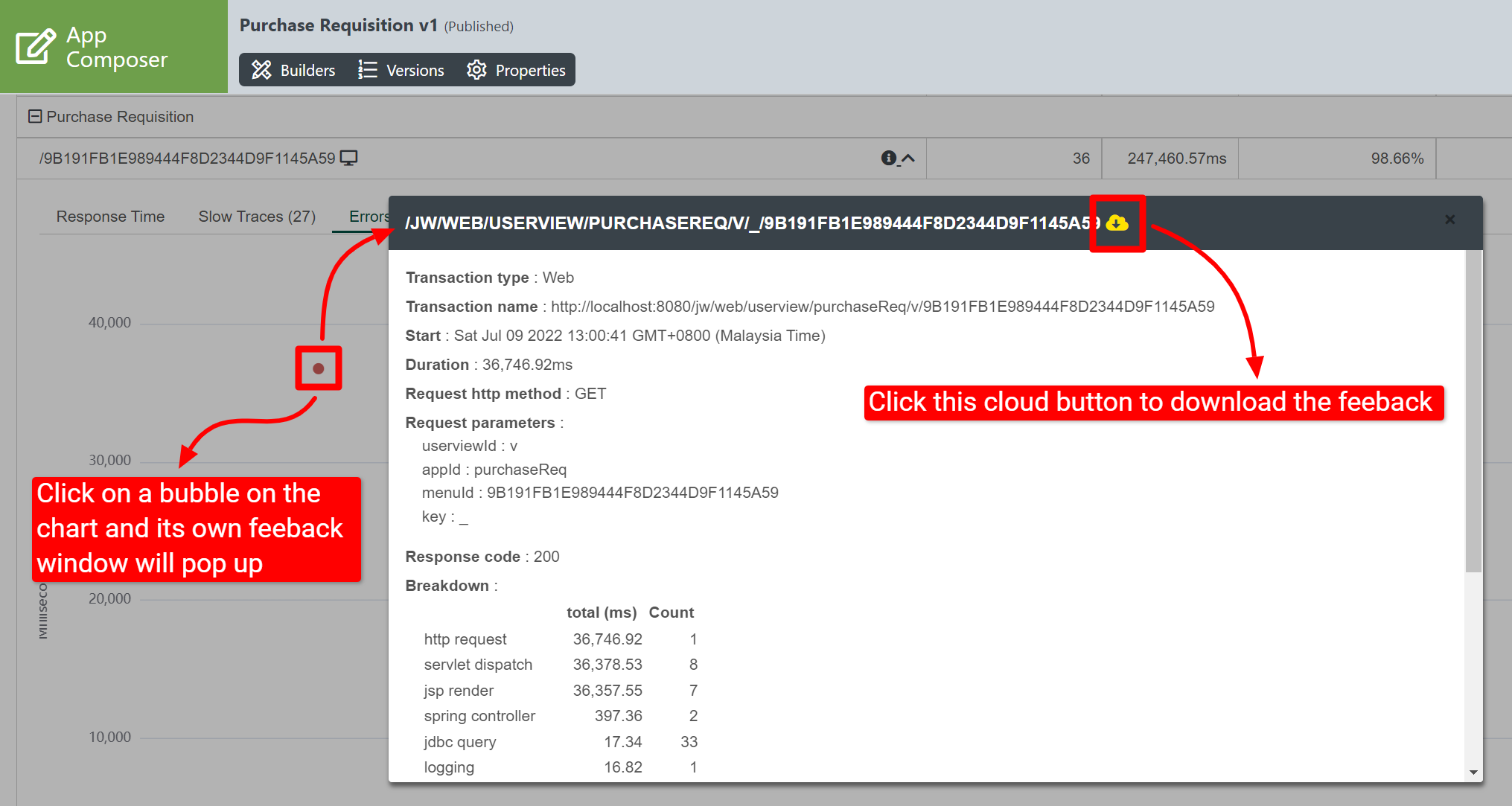
Download Slow / Error Trace
For further analysis, the slow / error trace can be downloaded by clicking on the bubble on the chart itself. Then, click on the download link to download.
Application Performance Management (APM) properties
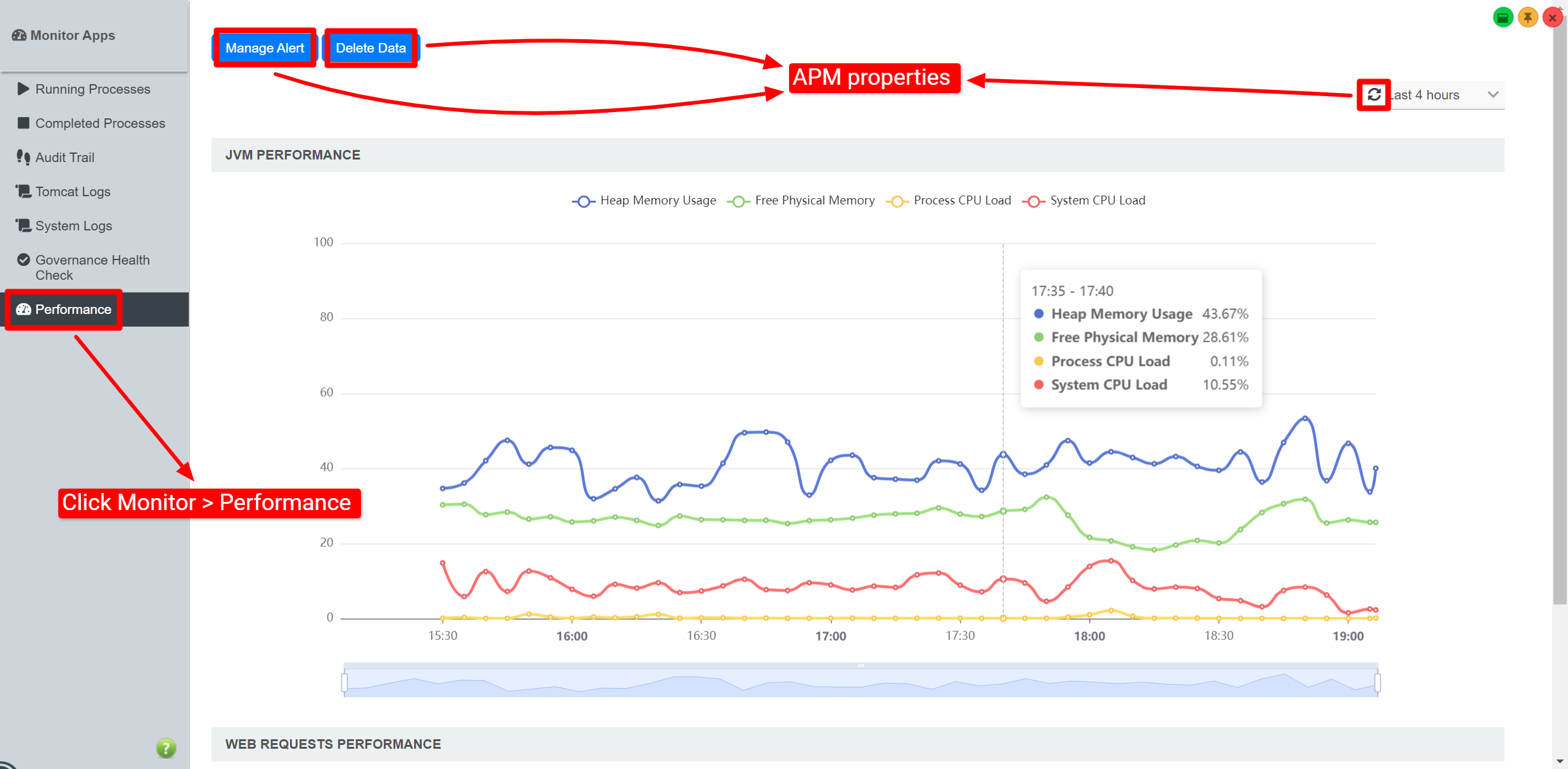
| Name | Description |
|---|---|
| Manage Alert | Set up an email Performance Alert notification. Note This is only available in the System (APM) under the Monitor > Performance menu. |
| Delete Data | A prompt will be displayed to confirm the deletion of performance data. Note This is only available in the System (APM) under the Monitor > Performance menu. |
 |
|
Performance Alert
Manage Alert
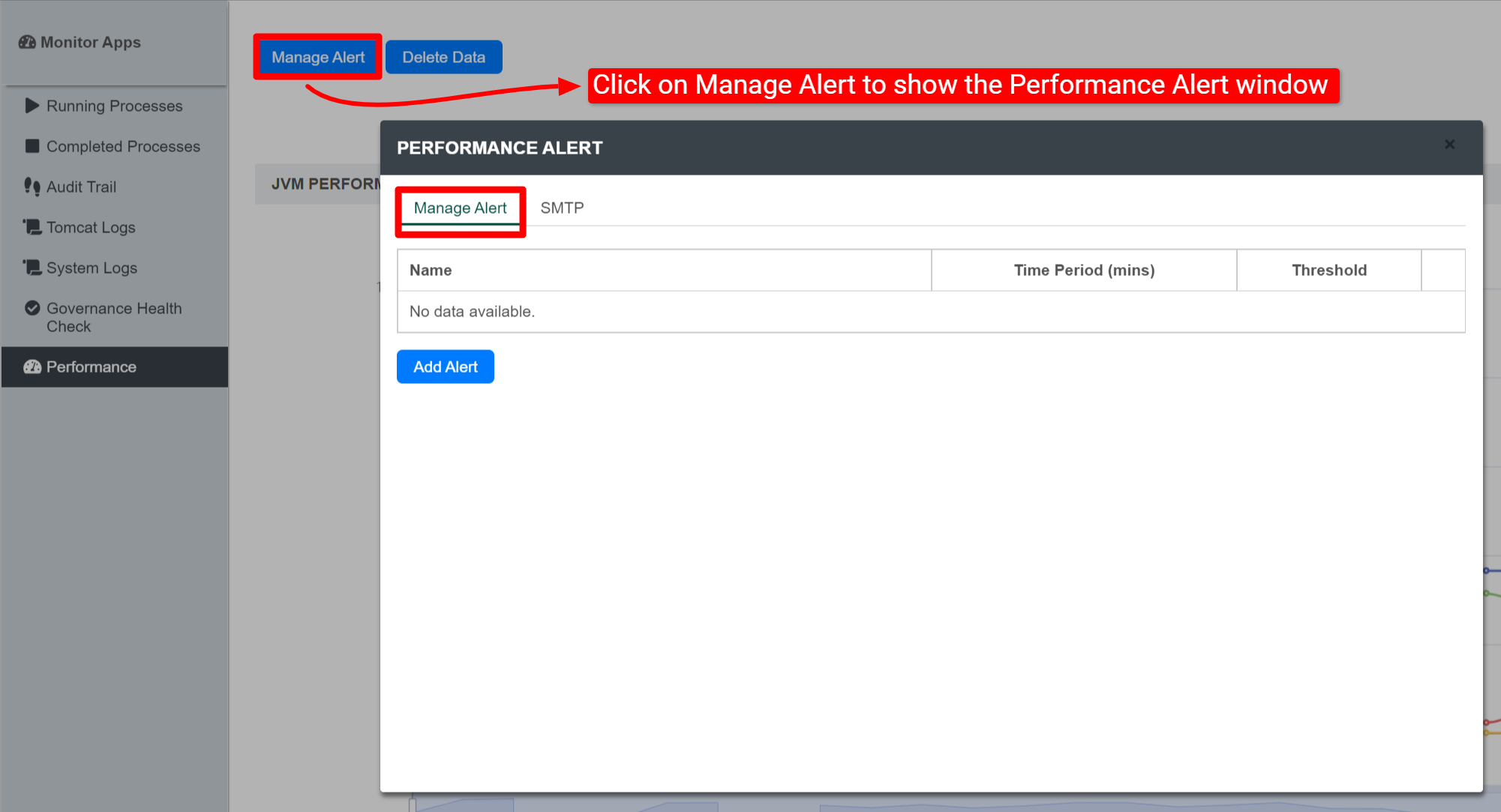
| Name | Description |
|---|---|
| Add Alert | Setup an alert |
Add Alert
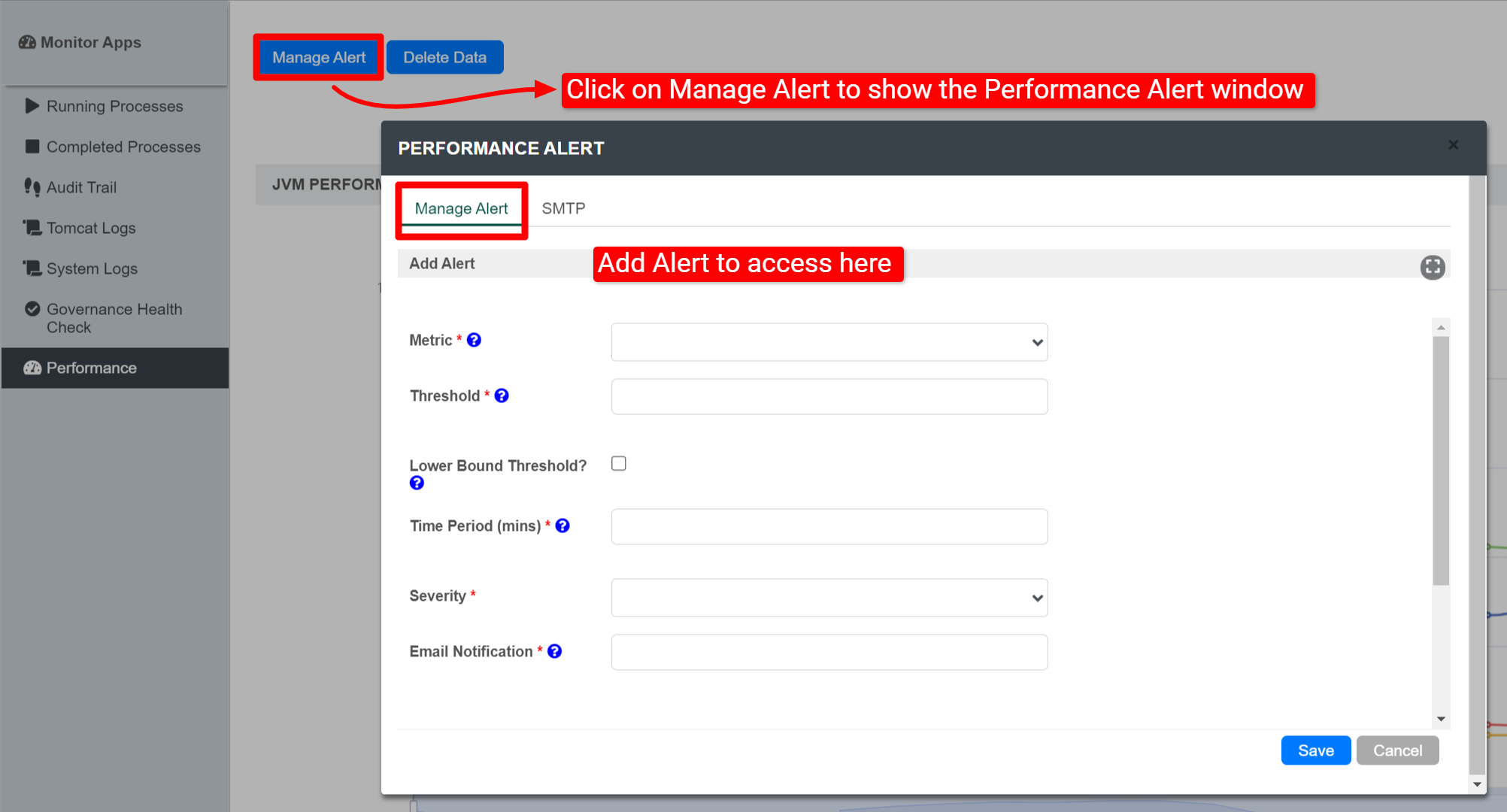
| Name | Description |
|---|---|
| Metric | The metric that this alert monitors. Available Metrics:
|
| Threshold | If the metric value over the given time period is greater than or equal to this threshold, then alert will be triggered |
| Lower Bound Threshold? | Alert if the metric value is less than or equal to the threshold, instead of alerting if it is greater than or equal to the threshold. |
| Time Period (mins) | The time period over which the metric is calculated. |
| Minimum Transaction Count | Time periods with very few transactions have much less meaningful metrics, so this can be used to suppress alerts from being generated unless the time period has a minimum transaction count. Note This field will be displayed if Error Rate (%) is selected in the Metric field. |
| Severity |
|
| Email Notification | A comma-separated list of email addresses. |
SMTP
If no SMTP settings are configured here, this tool will read the SMTP configuration in the "General Settings".
You may configure common SMTP settings in "General Settings > SMTP Settings" for your future convenience.
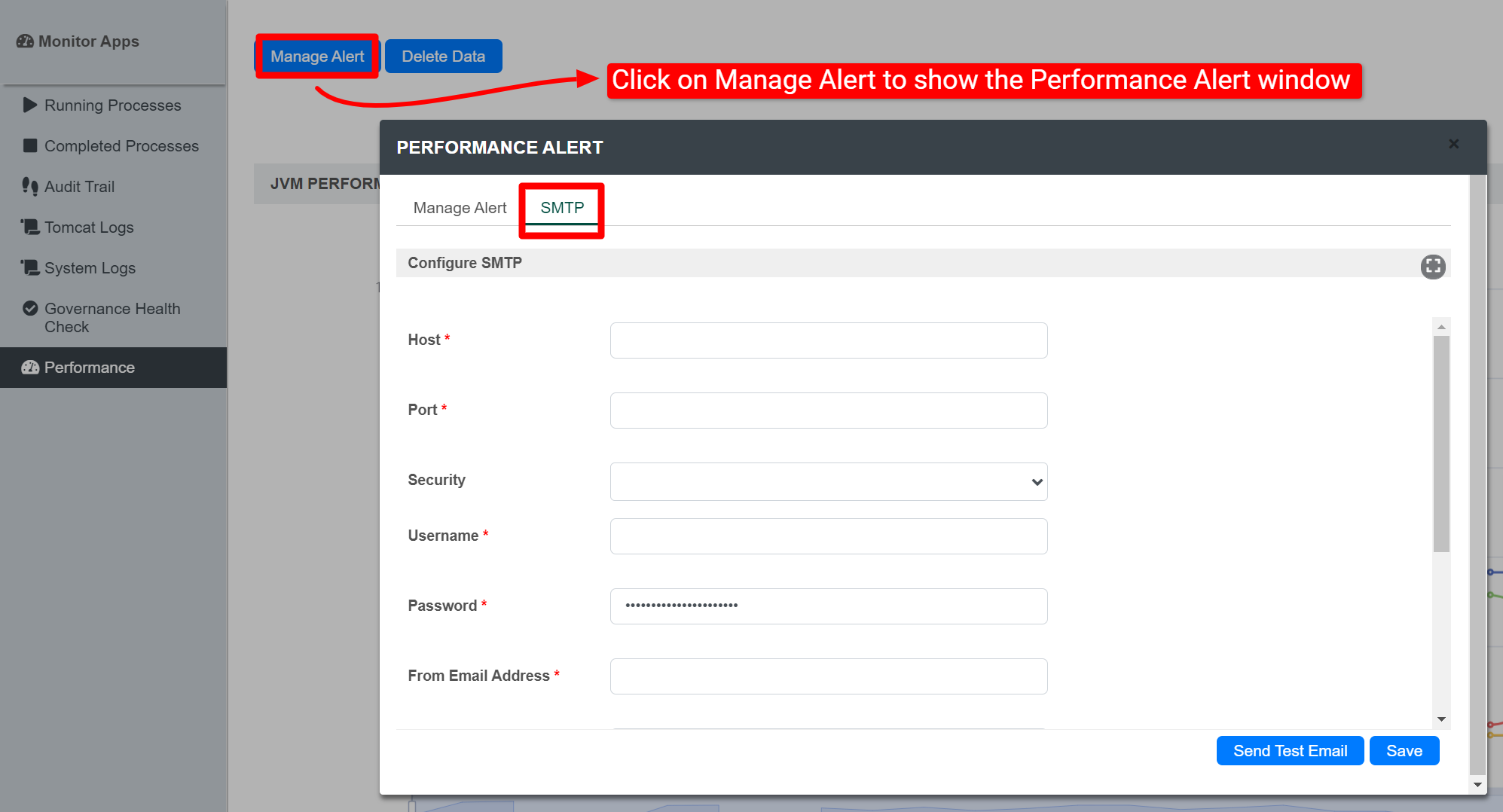
| Name | Description |
|---|---|
| Host | Email Server SMTP Host Example |
| Port | Email Server SMTP Port Typically, port 465 for SSL security option and 587 for TLS |
| Security |
|
| Username | Email Server Account Username On Google email account, use your full email address. |
| Password | Email Server Account Password Password submitted will be encrypted for security reason. |
| From Email Address | sender email address |
| From Display Name | sender display name Example Info No Reply |
Quick Test
Hit on the "Send Test Email" button to quickly validate and test out your email settings.