Introduction

This article describes the single sign-on (SSO) setup between Joget and Microsoft Active Directory using Kerberos and SPNEGO.

Kerberos is a network authentication protocol designed by the Massachusetts Institute of Technology (MIT) for SSO in client-server environments, while SPNEGO (Simple and Protected GSS-API Negotiation Mechanism) extends Kerberos SSO to web applications. 

License Error

The license of the app Translations for Confluence (formerly Language Macros) has expired. Please renew the license.


Test Environment

License Error

The license of the app Translations for Confluence (formerly Language Macros) has expired. Please renew the license.

Test Settings

License Error

The license of the app Translations for Confluence (formerly Language Macros) has expired. Please renew the license.

  • Windows Server COMPUTER NAME is WIN-TKDH9LCHUUO 

  • WINDOWS DOMAIN is windows.local

  • DOMAIN USER is joget

  • JOGET DOMAIN is joget.windows.local


  • License Error

    The license of the app Translations for Confluence (formerly Language Macros) has expired. Please renew the license.

    License Error

    The license of the app Translations for Confluence (formerly Language Macros) has expired. Please renew the license.

  • This setup is tested within a local VirtualBox environment. Actual setup on a different environment should be adapted accordingly.

    License Error

    The license of the app Translations for Confluence (formerly Language Macros) has expired. Please renew the license.


Kerberos SSO Setup Configuration

1. Setup Windows Server Kerberos Key Distribution Center (KDC):

License Error

The license of the app Translations for Confluence (formerly Language Macros) has expired. Please renew the license.

1.1 Install DNS Server

License Error

The license of the app Translations for Confluence (formerly Language Macros) has expired. Please renew the license.

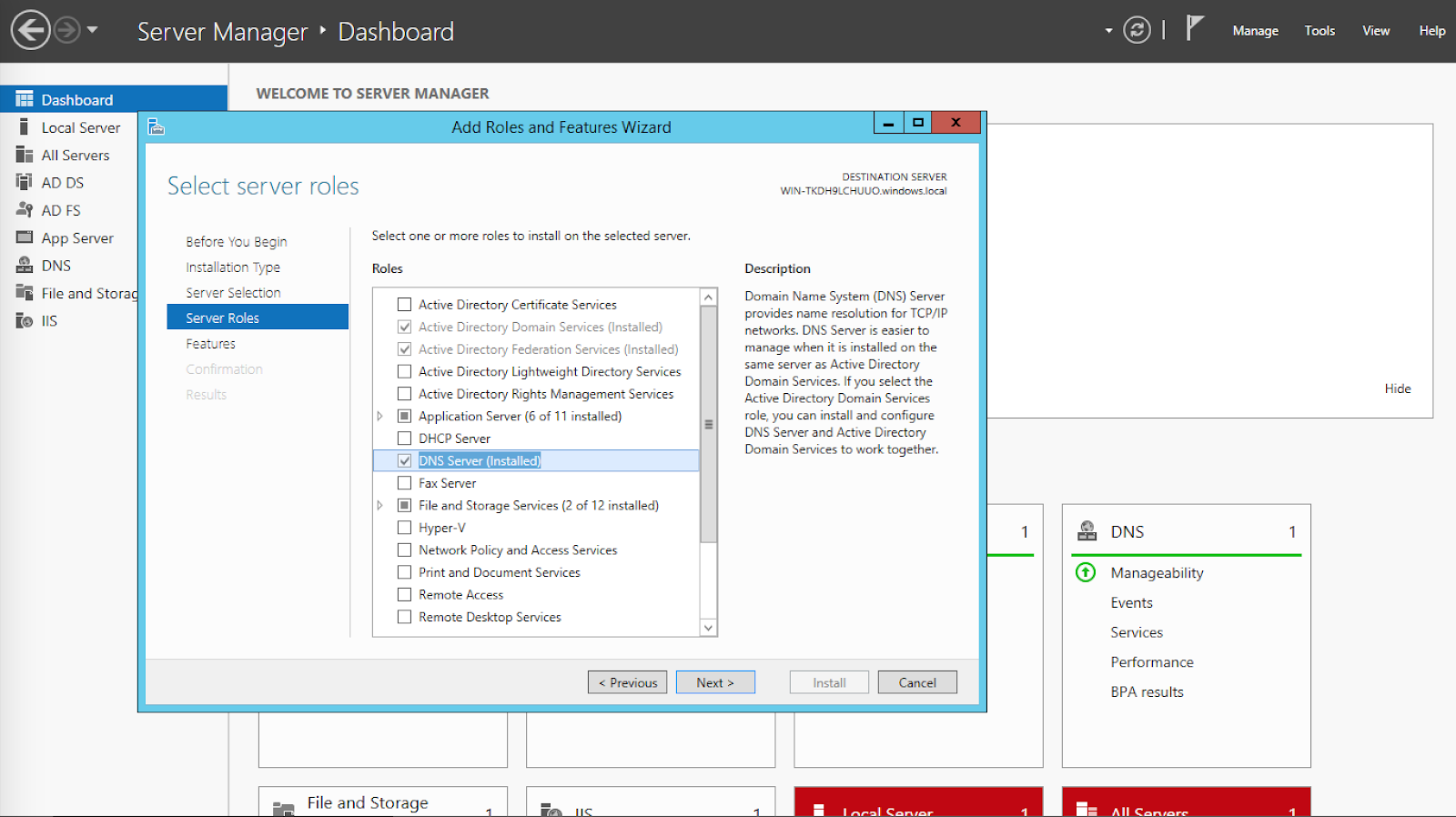
  1. Go to Server Manager > Add roles and features to install the DNS Server. 

    License Error

    The license of the app Translations for Confluence (formerly Language Macros) has expired. Please renew the license.


  2. In the Network and Sharing Center, configure the network adapter so that the Preferred DNS server is 127.0.0.1. 

    License Error

    The license of the app Translations for Confluence (formerly Language Macros) has expired. Please renew the license.


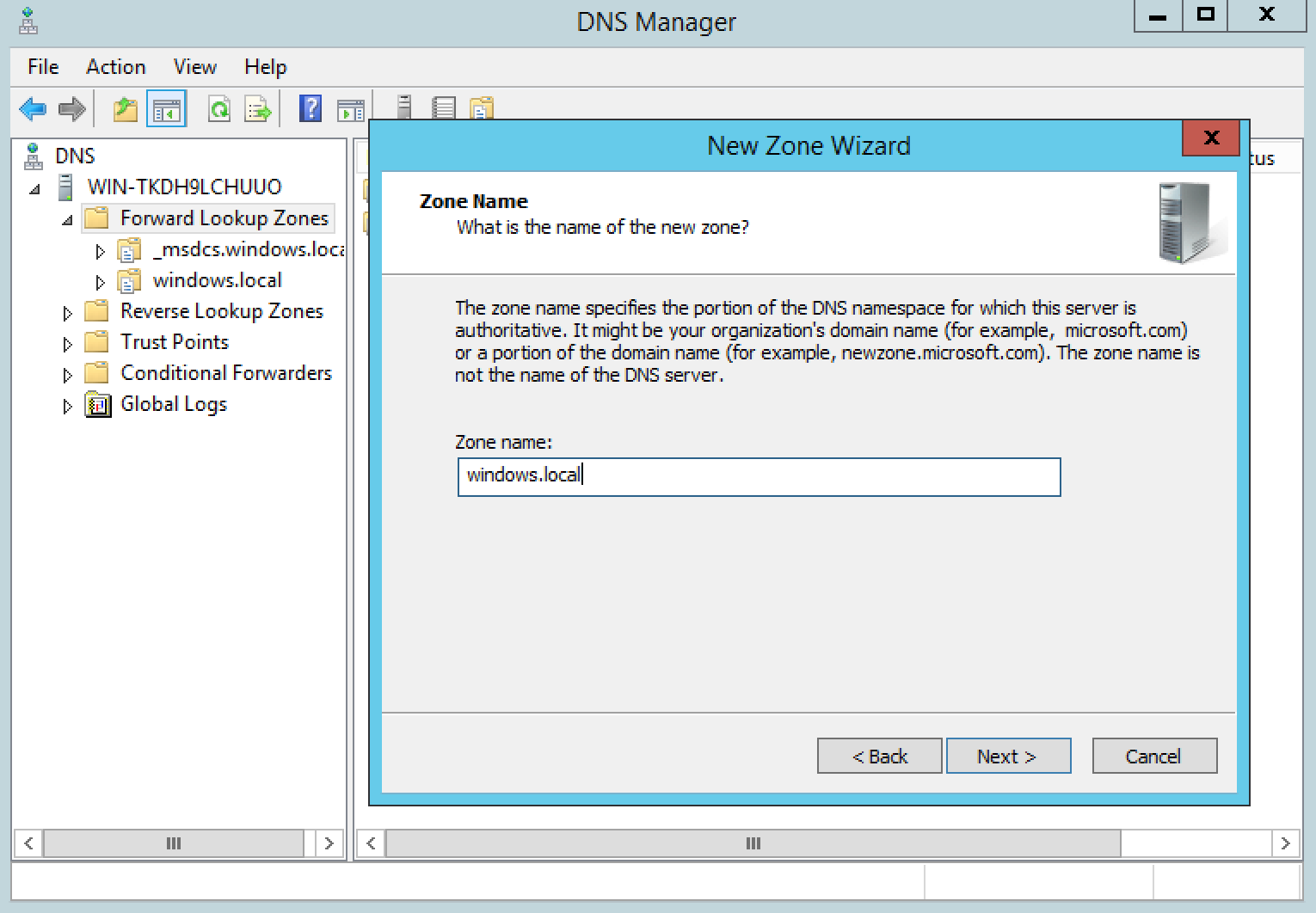
  3. In the DNS Manager, right click on the server name and Configure a DNS Server to create a forward lookup zone for windows.local. 
    License Error

    The license of the app Translations for Confluence (formerly Language Macros) has expired. Please renew the license.


1.2 Add Joget Domain Name into the Windows Server DNS

License Error

The license of the app Translations for Confluence (formerly Language Macros) has expired. Please renew the license.

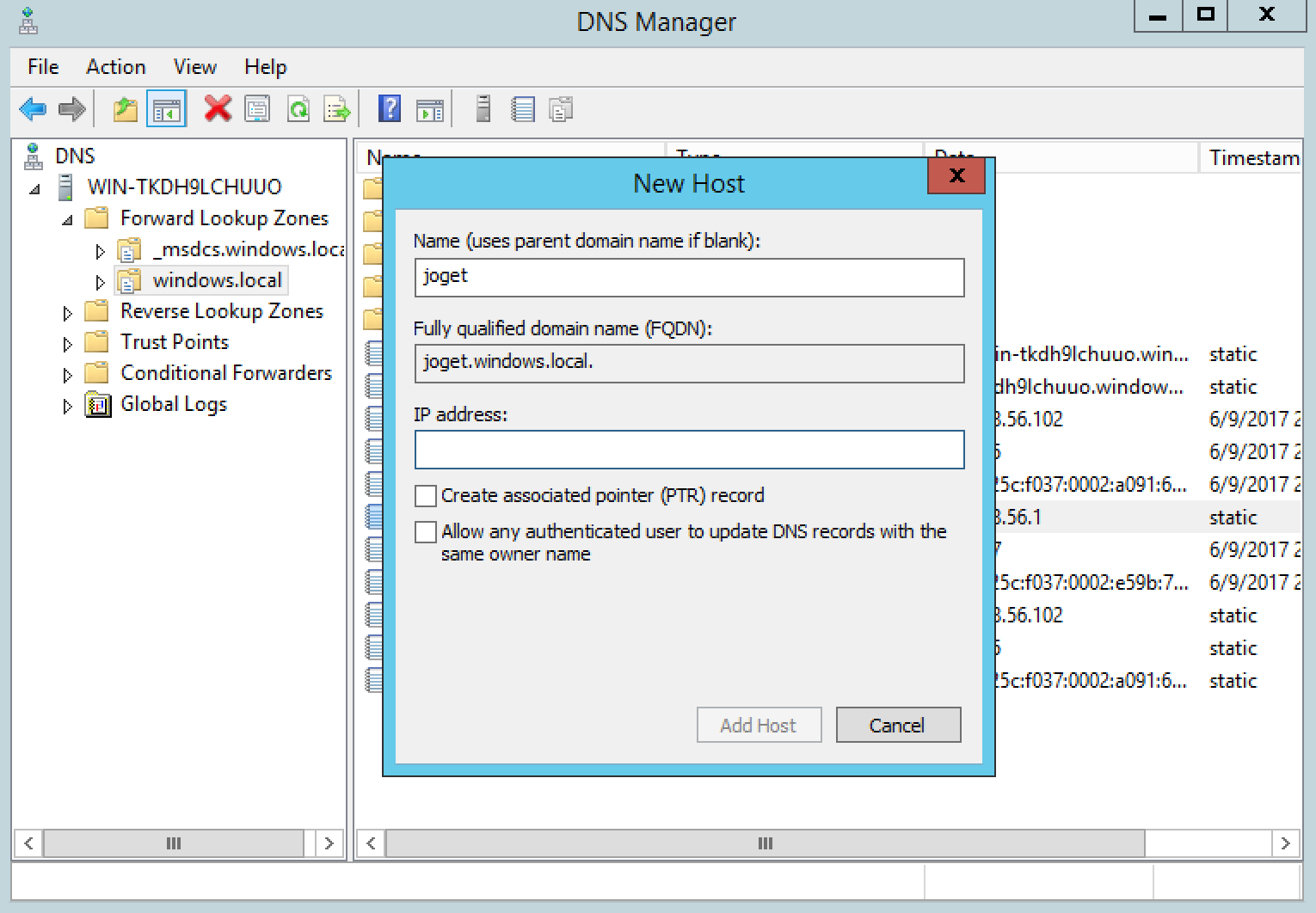
  1. In the windows.local DNS zone, add an A record for joget to point to the Joget server IP. 

    License Error

    The license of the app Translations for Confluence (formerly Language Macros) has expired. Please renew the license.


  2. Test ping to ensure that joget.windows.local resolves to the correct IP. 
    License Error

    The license of the app Translations for Confluence (formerly Language Macros) has expired. Please renew the license.


1.3 Create a Windows Domain User for the Service

License Error

The license of the app Translations for Confluence (formerly Language Macros) has expired. Please renew the license.

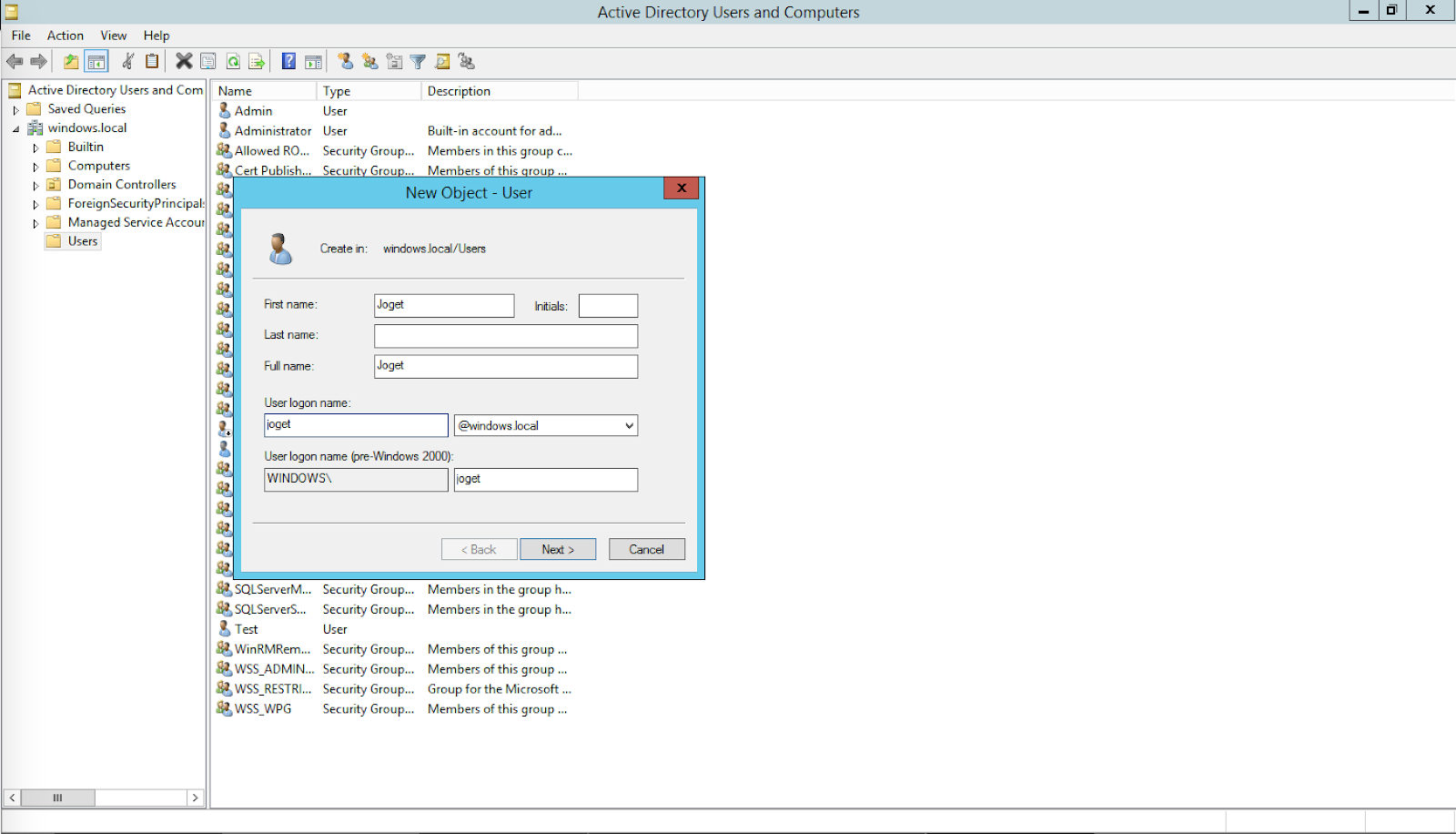
  1. In Active Directory Users and Computers, create a domain user joget. This is the user account to be mapped to the service name used by the Joget server. 
    License Error

    The license of the app Translations for Confluence (formerly Language Macros) has expired. Please renew the license.


1.4 Register Service Principal Name (SPN)

License Error

The license of the app Translations for Confluence (formerly Language Macros) has expired. Please renew the license.

  1. In PowerShell, execute: setspn -s HTTP/{JOGET DOMAIN} {DOMAIN USER} e.g. 

    License Error

    The license of the app Translations for Confluence (formerly Language Macros) has expired. Please renew the license.

    setspn -s HTTP/JOGET.WINDOWS.LOCAL joget
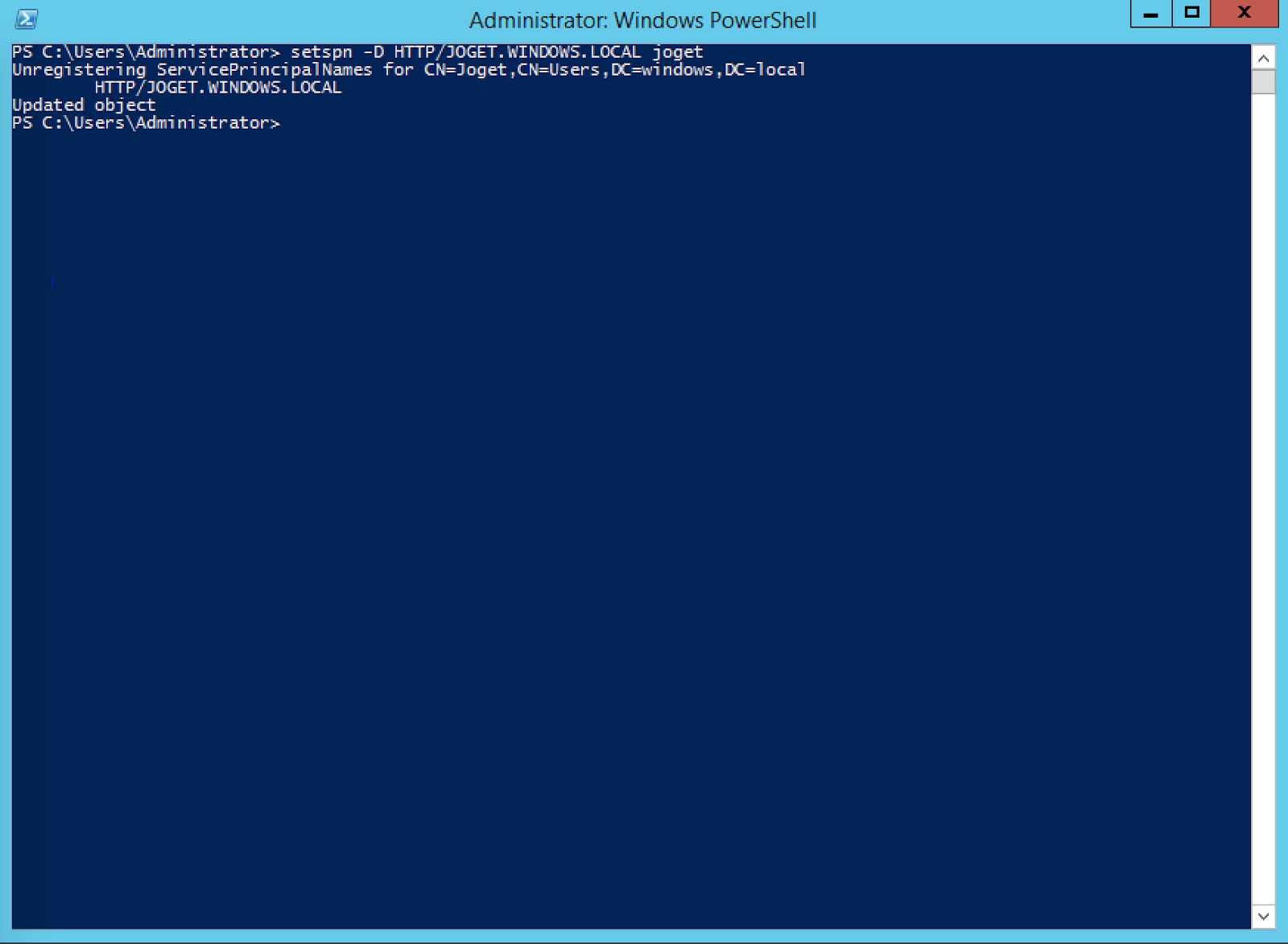


In PowerShell, check that the SPN has been registered

License Error

The license of the app Translations for Confluence (formerly Language Macros) has expired. Please renew the license.


setspn -L joget

should display 

License Error

The license of the app Translations for Confluence (formerly Language Macros) has expired. Please renew the license.

Registered ServicePrincipalNames for CN=Joget,CN=Users,DC=windows,DC=local:
         HTTP/JOGET.WINDOWS.LOCAL

2. Setup Joget Server for Kerberos

License Error

The license of the app Translations for Confluence (formerly Language Macros) has expired. Please renew the license.

2.1 Add Windows Domain to Hosts File

License Error

The license of the app Translations for Confluence (formerly Language Macros) has expired. Please renew the license.

  1. Edit /etc/hosts (Linux or macOS) or C:\Windows\System32\drivers\etc\hosts (Windows) and add the server IP e.g. 

    License Error

    The license of the app Translations for Confluence (formerly Language Macros) has expired. Please renew the license.

    192.168.56.102        windows.local win-tkdh9lchuuo win-tkdh9lchuuo.windows.local

    NOTE: This step is not required if the Joget Server is using the Windows Server as the DNS server.

    License Error

    The license of the app Translations for Confluence (formerly Language Macros) has expired. Please renew the license.


2.2 Create Kerberos Identification (Keytab) File

License Error

The license of the app Translations for Confluence (formerly Language Macros) has expired. Please renew the license.

Using Windows

License Error

The license of the app Translations for Confluence (formerly Language Macros) has expired. Please renew the license.

  1. In PowerShell on the Windows Server, generate a keytab file using the Ktpass tool: 

    License Error

    The license of the app Translations for Confluence (formerly Language Macros) has expired. Please renew the license.

    ktpass -out joget.keytab -mapuser joget@WINDOWS.LOCAL  -pass Pass@word1  -crypto all -ptype KRB5_NT_PRINCIPAL  -princ HTTP/joget.windows.local@WINDOWS.LOCAL


  2. Copy the generated joget.keytab file into the Joget server e.g. at C:\Joget-v6-Enterprise\wflow\joget.keytab

    License Error

    The license of the app Translations for Confluence (formerly Language Macros) has expired. Please renew the license.

  3. Java 8 may be required for the Kerberos authentication to work with the ktpass generated keytab. Download and install JDK 8, and edit the tomcat-run.bat startup script to update the JAVA_HOME path accordingly.

    License Error

    The license of the app Translations for Confluence (formerly Language Macros) has expired. Please renew the license.

  4. Create a krb5.ini file under C:\Windows folder with these configurations:

    License Error

    The license of the app Translations for Confluence (formerly Language Macros) has expired. Please renew the license.

    [libdefaults]
    default = WINDOWS.LOCAL
    default_realm = WINDOWS.LOCAL
    dns_lookup_realm = true
    dns_lookup_kdc = true
     
    [realms]
       WINDOWS.LOCAL = {
           kdc = WIN-TKDH9LCHUUO.WINDOWS.LOCAL:88
           default_domain = WINDOWS.LOCAL
       }
     
    [domain_realm]
       .windows.local = WINDOWS.LOCAL
       windows.local = WINDOWS.LOCAL

Using Linux

  1. Install the krb5-user package 

    License Error

    The license of the app Translations for Confluence (formerly Language Macros) has expired. Please renew the license.

    sudo apt-get install krb5-user
    

    and configure the realm as WINDOWS.LOCAL and the KDC as WIN-TKDH9LCHUUO.WINDOWS.LOCAL:88

    License Error

    The license of the app Translations for Confluence (formerly Language Macros) has expired. Please renew the license.


  2. In a terminal, run

    License Error

    The license of the app Translations for Confluence (formerly Language Macros) has expired. Please renew the license.

    kinit joget@WINDOWS.LOCAL


    IMPORTANT NOTE: The domain must be UPPER CASE

    License Error

    The license of the app Translations for Confluence (formerly Language Macros) has expired. Please renew the license.


    The command should run without error

    License Error

    The license of the app Translations for Confluence (formerly Language Macros) has expired. Please renew the license.


  3. Confirm the configuration in /etc/krb5.conf 

    License Error

    The license of the app Translations for Confluence (formerly Language Macros) has expired. Please renew the license.

    [libdefaults]
    default = WINDOWS.LOCAL
    default_realm = WINDOWS.LOCAL
    dns_lookup_realm = true
    dns_lookup_kdc = true
    
    [realms]
       WINDOWS.LOCAL = {
           kdc = WIN-TKDH9LCHUUO.WINDOWS.LOCAL:88
           default_domain = WINDOWS.LOCAL
       }
    
    [domain_realm]
       .windows.local = WINDOWS.LOCAL
       windows.local = WINDOWS.LOCAL

    IMPORTANT NOTE: The domain must be UPPER CASE

    License Error

    The license of the app Translations for Confluence (formerly Language Macros) has expired. Please renew the license.

  4. In a terminal, generate a keytab file using: 

    License Error

    The license of the app Translations for Confluence (formerly Language Macros) has expired. Please renew the license.

    ktutil
     ktutil: add_entry -password -p HTTP/JOGET.WINDOWS.LOCAL@WINDOWS.LOCAL -k 1 -e arcfour-hmac-md5
     Password for HTTP/JOGET.WINDOWS.LOCAL@WINDOWS.LOCAL:
     ktutil: wkt /etc/joget.keytab
  5. List the SPNs in the keytab using: 

    License Error

    The license of the app Translations for Confluence (formerly Language Macros) has expired. Please renew the license.

    ktutil
     ktutil: rkt /etc/joget.keytab
     ktutil: list

Using macOS

  1. In a terminal, run 

    License Error

    The license of the app Translations for Confluence (formerly Language Macros) has expired. Please renew the license.

    kinit joget@WINDOWS.LOCAL

    IMPORTANT NOTE: The domain must be UPPER CASE

    License Error

    The license of the app Translations for Confluence (formerly Language Macros) has expired. Please renew the license.


    The command should run without error, or just a warning “Encryption type arcfour-hmac-md5(23) used for authentication is weak and will be deprecated”

    License Error

    The license of the app Translations for Confluence (formerly Language Macros) has expired. Please renew the license.

  2. Edit /etc/krb5.conf 

    License Error

    The license of the app Translations for Confluence (formerly Language Macros) has expired. Please renew the license.

    [libdefaults]
    default = WINDOWS.LOCAL
    default_realm = WINDOWS.LOCAL
    dns_lookup_realm = true
    dns_lookup_kdc = true
    
    [realms]
       WINDOWS.LOCAL = {
           kdc = WIN-TKDH9LCHUUO.WINDOWS.LOCAL:88
           default_domain = WINDOWS.LOCAL
       }
    
    [domain_realm]
        .windows.local = WINDOWS.LOCAL
        windows.local = WINDOWS.LOCAL

    IMPORTANT NOTE: The domain must be UPPER CASE

    License Error

    The license of the app Translations for Confluence (formerly Language Macros) has expired. Please renew the license.

  3. In a terminal, generate a keytab file using: 

    License Error

    The license of the app Translations for Confluence (formerly Language Macros) has expired. Please renew the license.

     ktutil -k joget.keytab add -p HTTP/JOGET.WINDOWS.LOCAL@WINDOWS.LOCAL -e arcfour-hmac-md5 -V 1
  4. List the SPNs in the keytab using: 

    License Error

    The license of the app Translations for Confluence (formerly Language Macros) has expired. Please renew the license.

     ktutil -k joget.keytab list
  5. Keep a copy of the generated joget.keytab file e.g. in /etc/joget.keytab

    License Error

    The license of the app Translations for Confluence (formerly Language Macros) has expired. Please renew the license.

3. Configure Kerberos Directory Manager Plugin

License Error

The license of the app Translations for Confluence (formerly Language Macros) has expired. Please renew the license.

3.1 Upload Kerberos Directory Manager Plugin

License Error

The license of the app Translations for Confluence (formerly Language Macros) has expired. Please renew the license.

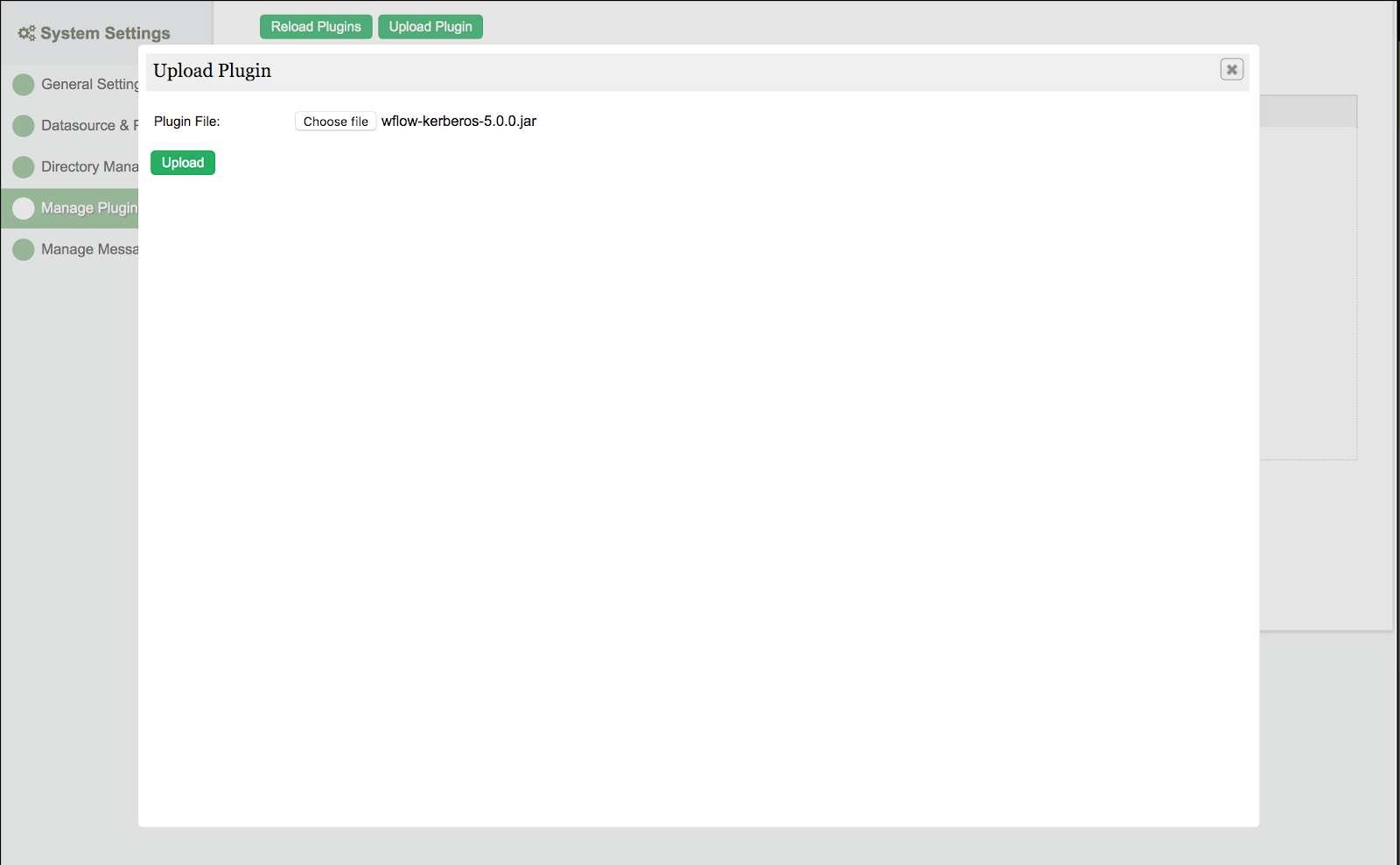
  1. Download the Kerberos Directory Manager plugin from the Joget Marketplace and upload it in Settings > Manage Plugins. 
    License Error

    The license of the app Translations for Confluence (formerly Language Macros) has expired. Please renew the license.


3.2 Configure Kerberos Directory Manager Plugin

License Error

The license of the app Translations for Confluence (formerly Language Macros) has expired. Please renew the license.

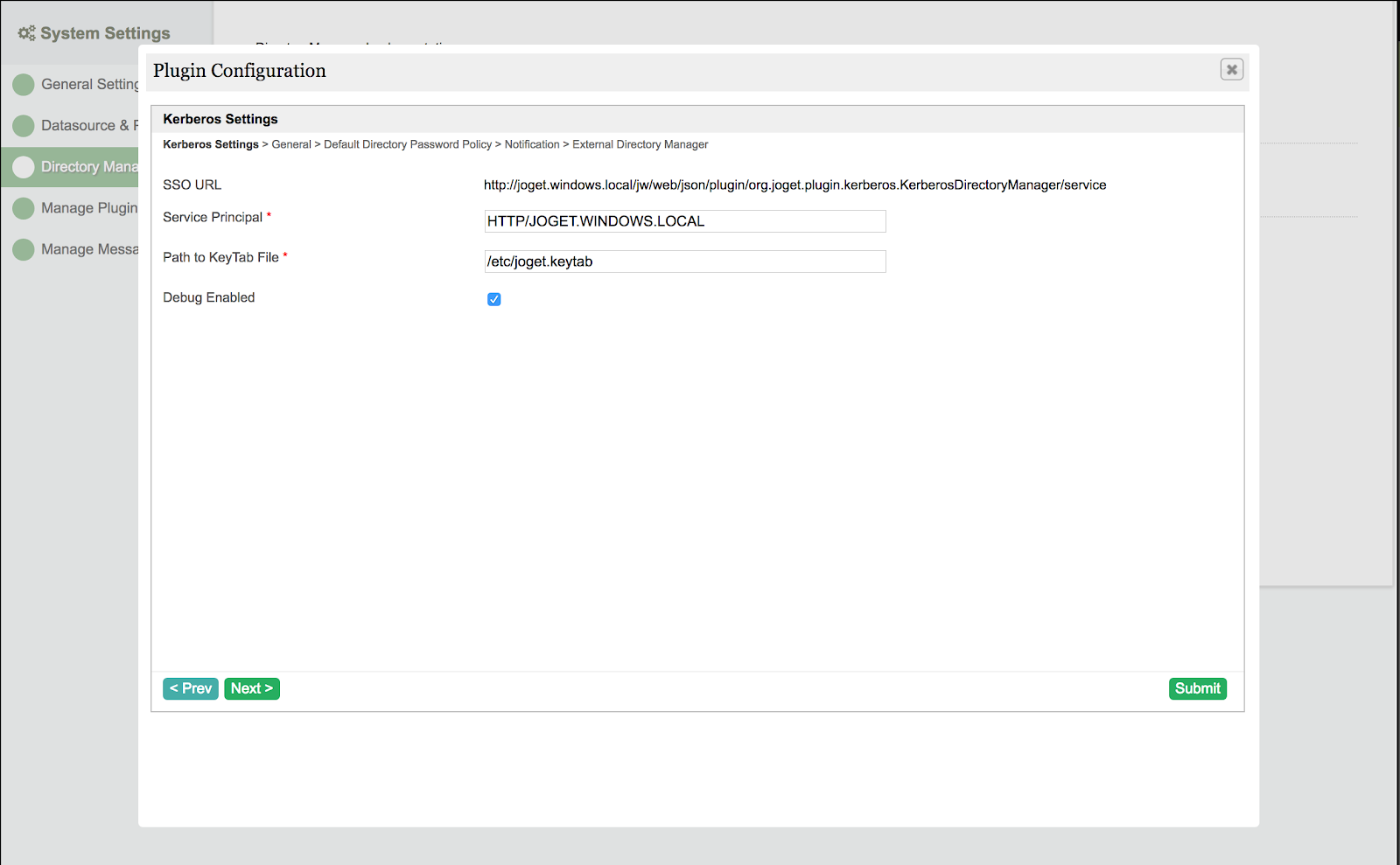
  1. In Settings > Directory Manager, select the Kerberos Directory Manager plugin, and key in the appropriate values in the configuration: 

    License Error

    The license of the app Translations for Confluence (formerly Language Macros) has expired. Please renew the license.

    • Service Principal: HTTP/JOGET.WINDOWS.LOCAL

    • Path to Keytab File: /etc/joget.keytab (Linux) or C:/Joget-v6-Enterprise/wflow/joget.keytab (Windows)

    • Debug Enabled: View debugging messages in the logs 

    Please remember to configure the LDAP Directory Manager as external directory manager to retrieve users from Active Directory.
    License Error

    The license of the app Translations for Confluence (formerly Language Macros) has expired. Please renew the license.

3.3 Configure API Domain Whitelist

License Error

The license of the app Translations for Confluence (formerly Language Macros) has expired. Please renew the license.

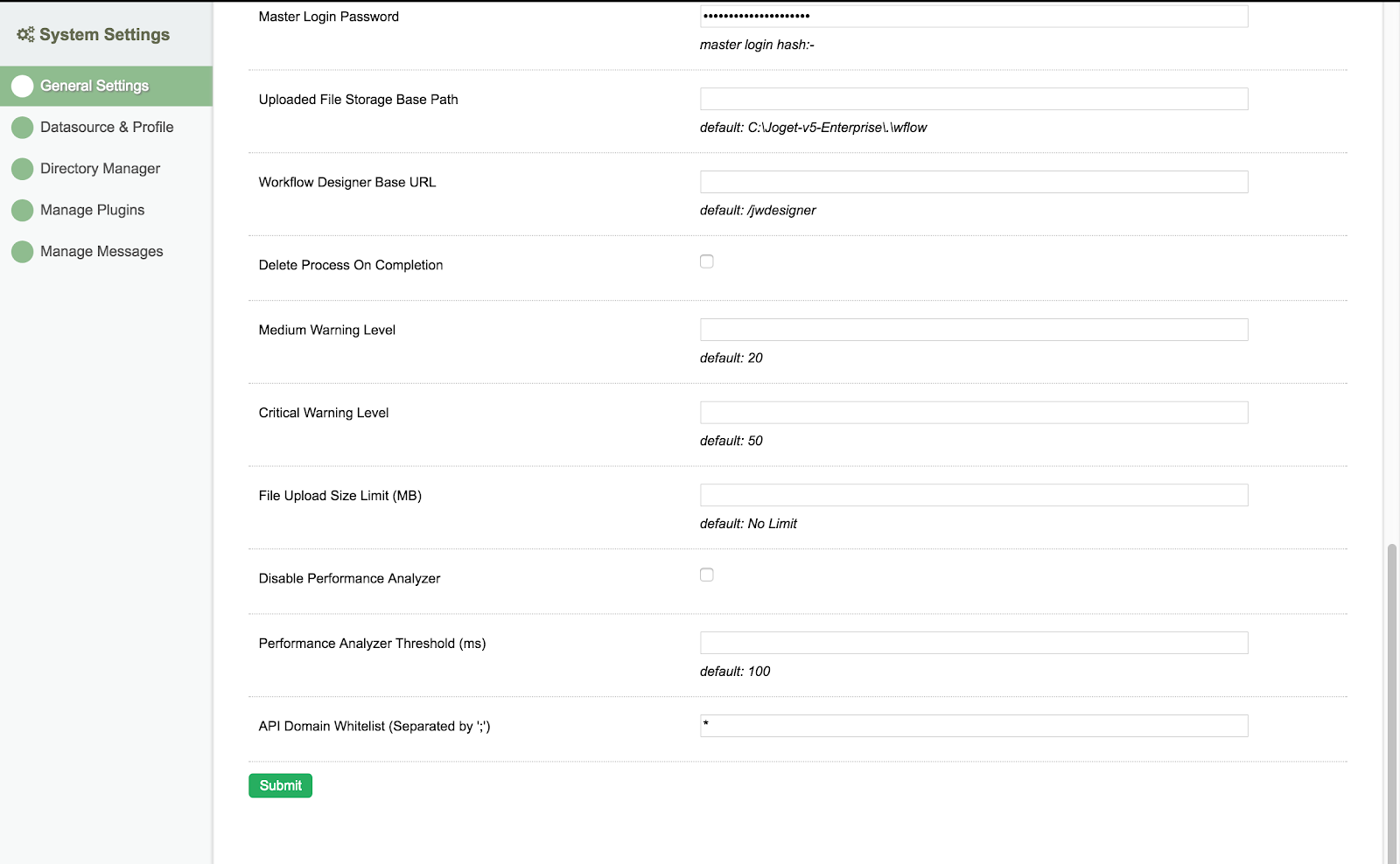
  1. In Settings > General Settings, set the API Domain Whitelist to * to allow SSO requests to the Kerberos Directory Manager.
    License Error

    The license of the app Translations for Confluence (formerly Language Macros) has expired. Please renew the license.


4. Setup Client PC for SSO

License Error

The license of the app Translations for Confluence (formerly Language Macros) has expired. Please renew the license.

4.1 Add Client PC to Windows Domain

License Error

The license of the app Translations for Confluence (formerly Language Macros) has expired. Please renew the license.

  1. Ensure that the Windows Server is reachable on the network from the Client PC.

    License Error

    The license of the app Translations for Confluence (formerly Language Macros) has expired. Please renew the license.

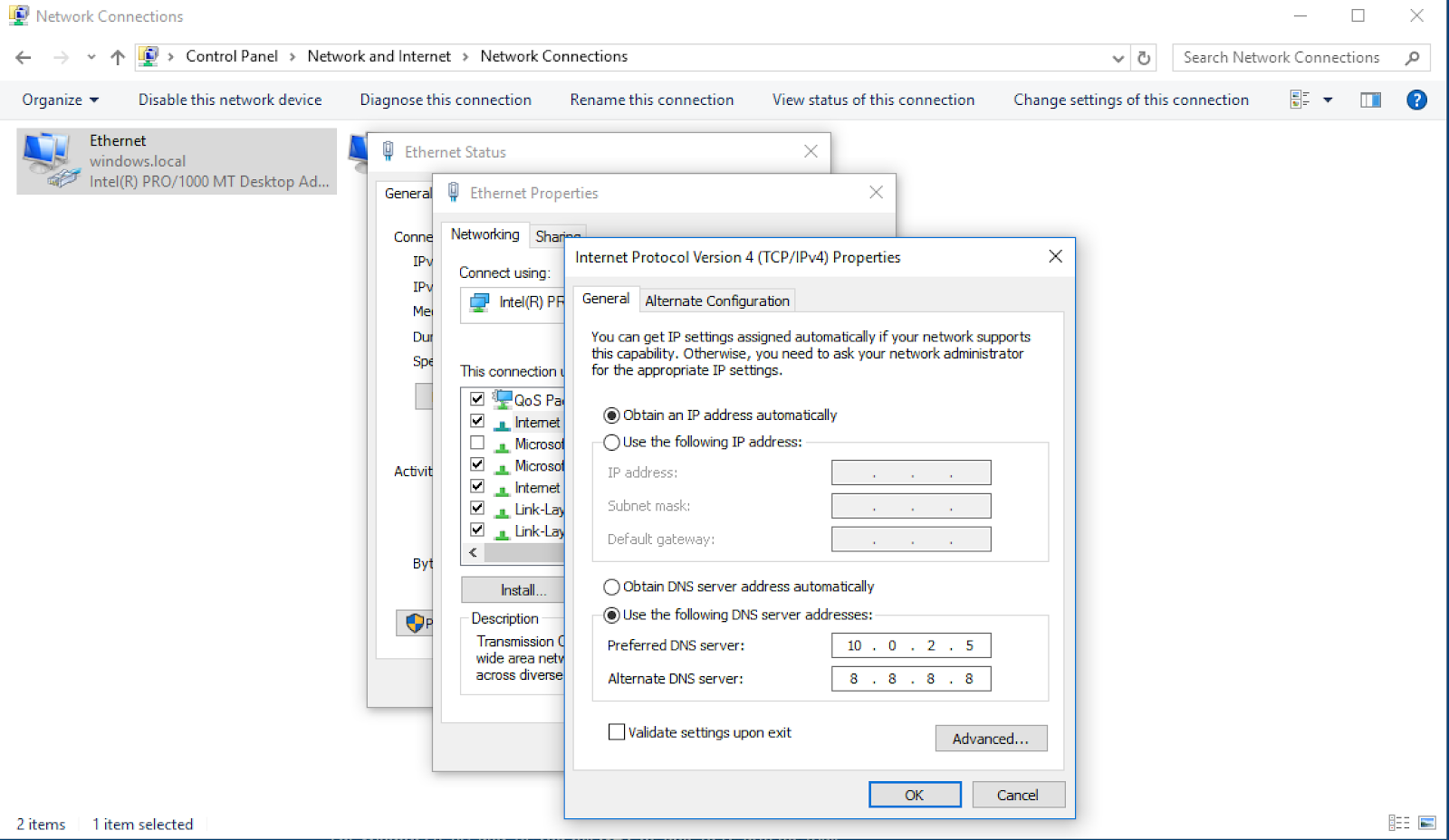
  2. Set the DNS server to the IP address of the Windows Server. 

    License Error

    The license of the app Translations for Confluence (formerly Language Macros) has expired. Please renew the license.


  3. Ping the windows domain name to test. 

    License Error

    The license of the app Translations for Confluence (formerly Language Macros) has expired. Please renew the license.


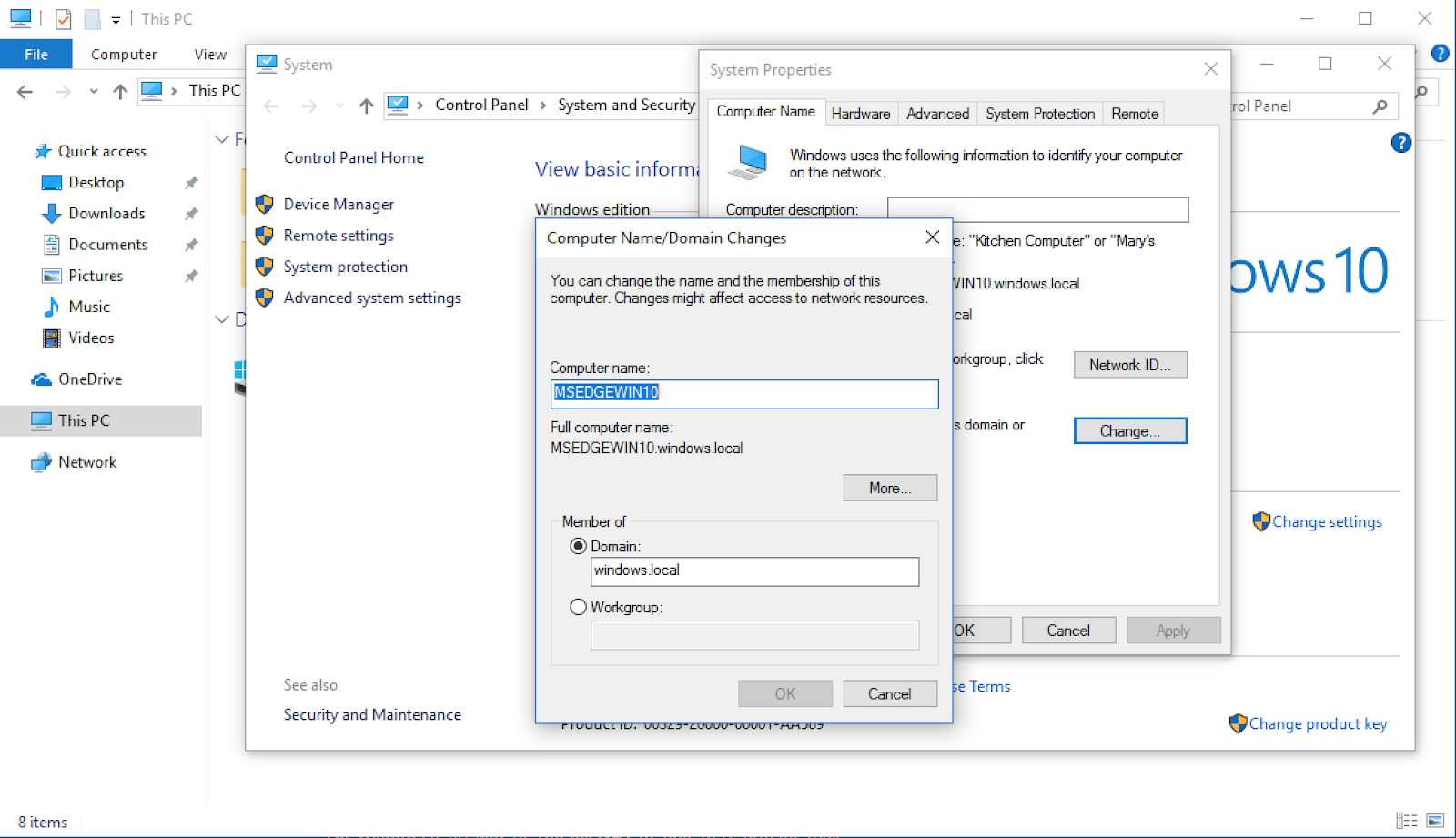
  4. Click on File Explorer, right click on the This PC and choose Properties. Click on Change Settings next to the computer name. Click on Change and set the Domain e.g. windows.local, keying in the domain administrator login when prompted. Restart after joining the domain is successful, and login as a domain user. 
    License Error

    The license of the app Translations for Confluence (formerly Language Macros) has expired. Please renew the license.


4.2 Setup Browser for Windows Authentication

License Error

The license of the app Translations for Confluence (formerly Language Macros) has expired. Please renew the license.

  1. In IE, click on Internet Options > Security > Local intranet site > Advanced and add the Joget domain e.g. http://joget.windows.local 

    License Error

    The license of the app Translations for Confluence (formerly Language Macros) has expired. Please renew the license.


4.3 Test the SSO

License Error

The license of the app Translations for Confluence (formerly Language Macros) has expired. Please renew the license.

  1. Using the Kerberos Directory Manager plugin approach, access http://joget.windows.local/jw/web/json/plugin/org.joget.plugin.kerberos.KerberosDirectoryManager/service to SSO.

    License Error

    The license of the app Translations for Confluence (formerly Language Macros) has expired. Please renew the license.

    Please note that for the SSO to work properly:

    License Error

    The license of the app Translations for Confluence (formerly Language Macros) has expired. Please renew the license.

    • the client PC and Joget server must reside on different machines

      License Error

      The license of the app Translations for Confluence (formerly Language Macros) has expired. Please renew the license.

    • the Windows server and client PC must reside on the same Windows domain

      License Error

      The license of the app Translations for Confluence (formerly Language Macros) has expired. Please renew the license.

Resources

License Error

The license of the app Translations for Confluence (formerly Language Macros) has expired. Please renew the license.

Introduction to Kerberos and SPNEGO

Configuring Kerberos on Windows Server

Kerberos with Java and Spring

Tips


  • No labels