Introduction
The Simple Rules Decision plugin is a no code configurable approach to define routing and actions within a process
Please take note that the Decision Tool Plugin will take precedence over existing conventional conditional setup in the Process Builder
New Feature
This is a new feature in Joget DX
Simple Rules Decision Properties
Configure Simple Rules Decision
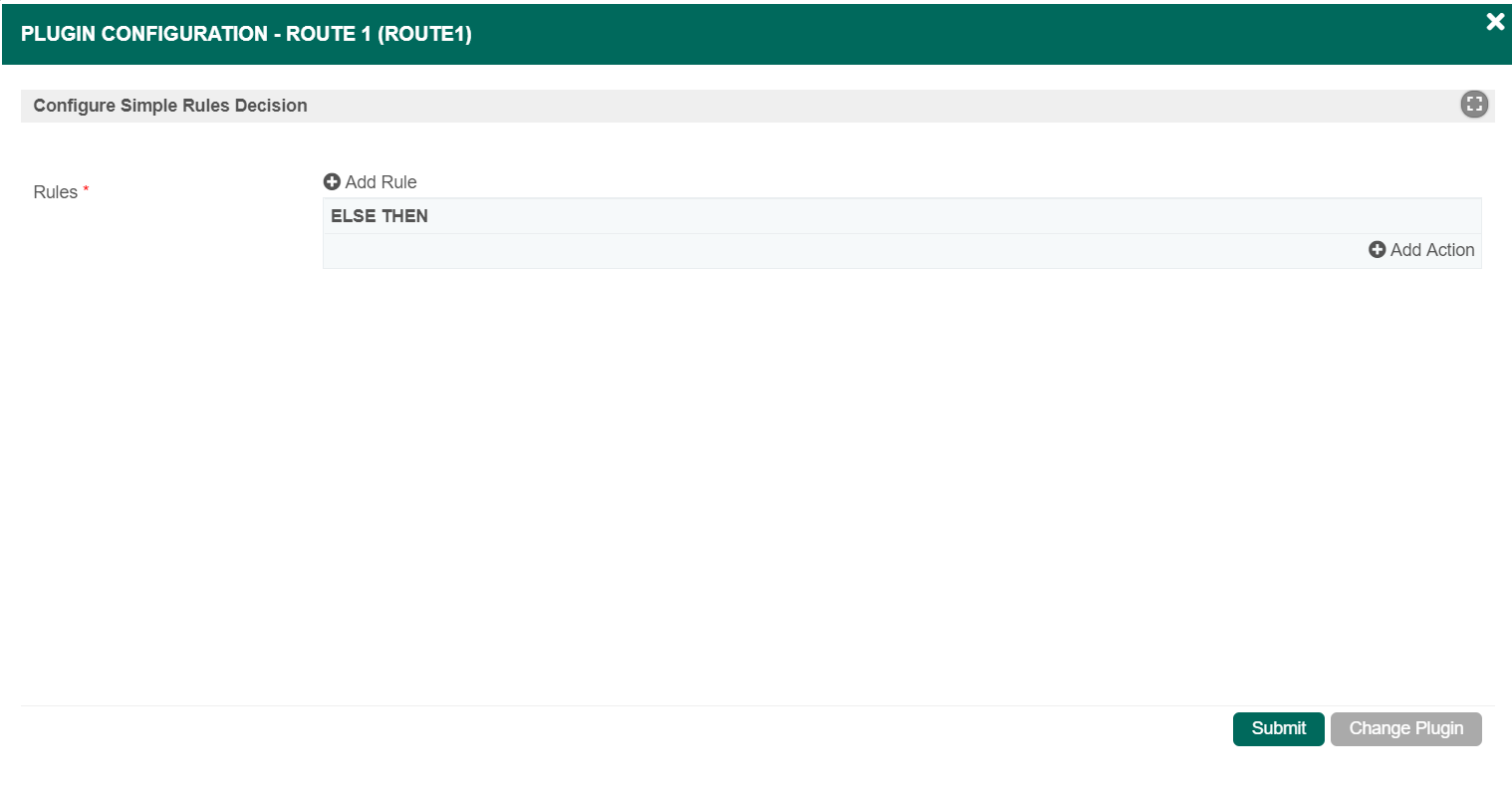
Figure 1
| Name | Description | ||||||
|---|---|---|---|---|---|---|---|
| Rules | The Rules properties are defined here (see Figure 1):
|
Add Rule

| Name | Description |
|---|---|
| Toggle between EQUAL and NOT EQUAL |
| Split Type |
|
| Add Condition | Adds a Condition within the IF statement. see Add Condition properties below |
| Add Group | Adds a Group within the IF statement. Properties will be similar in Add Rule properties |
 | Delete Rule |
 | Sort - Click and drag to reorder Rule above or below another Rule |
| Add Action | Adds an Action within the THEN statement. |

Add Condition

| Name | Description |
|---|---|
| Toggle between EQUAL and NOT EQUAL |
| Variable | User input the variable name. |
| Operation |
|
| Value | User to input the value of the Variable |
| Delete Condition |
Add Action
| Name | Description |
|---|---|
| Type |
|
| Transition | Will display a selection of all available transitions based on the selected Route inserted as part of the process flow Note This field will be displayed if Transition is selected in the Type field. |
| Workflow Variable | Will display a selection of all available workflow variables based on the current Process Note This field will be displayed if Workflow Variable is selected in the Type field. |
| Value | User to input the value of the selected Workflow Variable Note This field will be displayed if Workflow Variable is selected in the Type field. |
| Delete Action |