Introduction
License Error
The license of the app Translations for Confluence (formerly Language Macros) has expired. Please renew the license.
License Error
The license of the app Translations for Confluence (formerly Language Macros) has expired. Please renew the license.
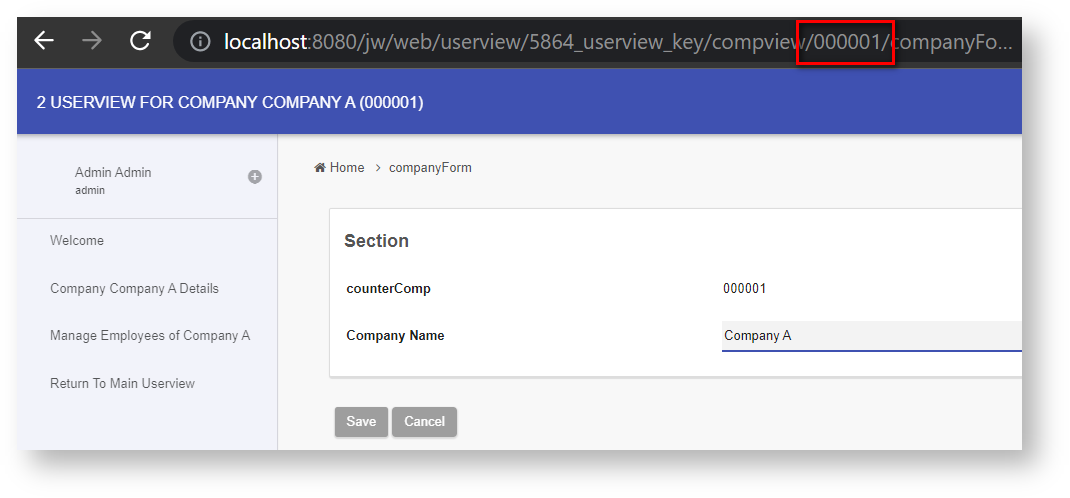
Figure 1: Example of Userview Key Usage to Pre-filter a Listing Based on a Column
License Error
The license of the app Translations for Confluence (formerly Language Macros) has expired. Please renew the license.
Usage of Userview Key
Userview Key is most commonly used when you need to restrict the content of your userview to a certain category/attribute in your application.
Example:
License Error
The license of the app Translations for Confluence (formerly Language Macros) has expired. Please renew the license.
Userview Key can be a department id whereby all the content inside the Userview (record listing) would be based on the specific department.
License Error
The license of the app Translations for Confluence (formerly Language Macros) has expired. Please renew the license.
Userview Key can be a category id in a support ticket system whereby all the content in the Userview (ticket listing, add new ticket) will be of the specific category.
License Error
The license of the app Translations for Confluence (formerly Language Macros) has expired. Please renew the license.
How to Set the Userview Key
License Error
The license of the app Translations for Confluence (formerly Language Macros) has expired. Please renew the license.
The userview key is placed right before the element custom ID.
Example: http://localhost:8080/jw/web/userview/profileApp/profileUserview/CEO Office/profile
Link structure: userview/[App ID]/[Userview ID]/[Userview key]/[Element Custom ID]
License Error
The license of the app Translations for Confluence (formerly Language Macros) has expired. Please renew the license.
Download Demo App
Elements with similar usage