License Error
The license of the app Translations for Confluence (formerly Language Macros) has expired. Please renew the license.
Introduction
License Error
The license of the app Translations for Confluence (formerly Language Macros) has expired. Please renew the license.
License Error
The license of the app Translations for Confluence (formerly Language Macros) has expired. Please renew the license.
License Error
The license of the app Translations for Confluence (formerly Language Macros) has expired. Please renew the license.
Get Started
Here are the steps to access the Admin Bar:
License Error
The license of the app Translations for Confluence (formerly Language Macros) has expired. Please renew the license.
In the App Center, login as an administrator. The default administrator credential in a standard installation is as follows:
License Error
The license of the app Translations for Confluence (formerly Language Macros) has expired. Please renew the license.
License Error
The license of the app Translations for Confluence (formerly Language Macros) has expired. Please renew the license.
Administrator:
Username: admin
Password: admin
The Admin Bar can be accessed by pressing on the big pencil icon on the bottom right. (see Figure 1)
License Error
The license of the app Translations for Confluence (formerly Language Macros) has expired. Please renew the license.
License Error
The license of the app Translations for Confluence (formerly Language Macros) has expired. Please renew the license.
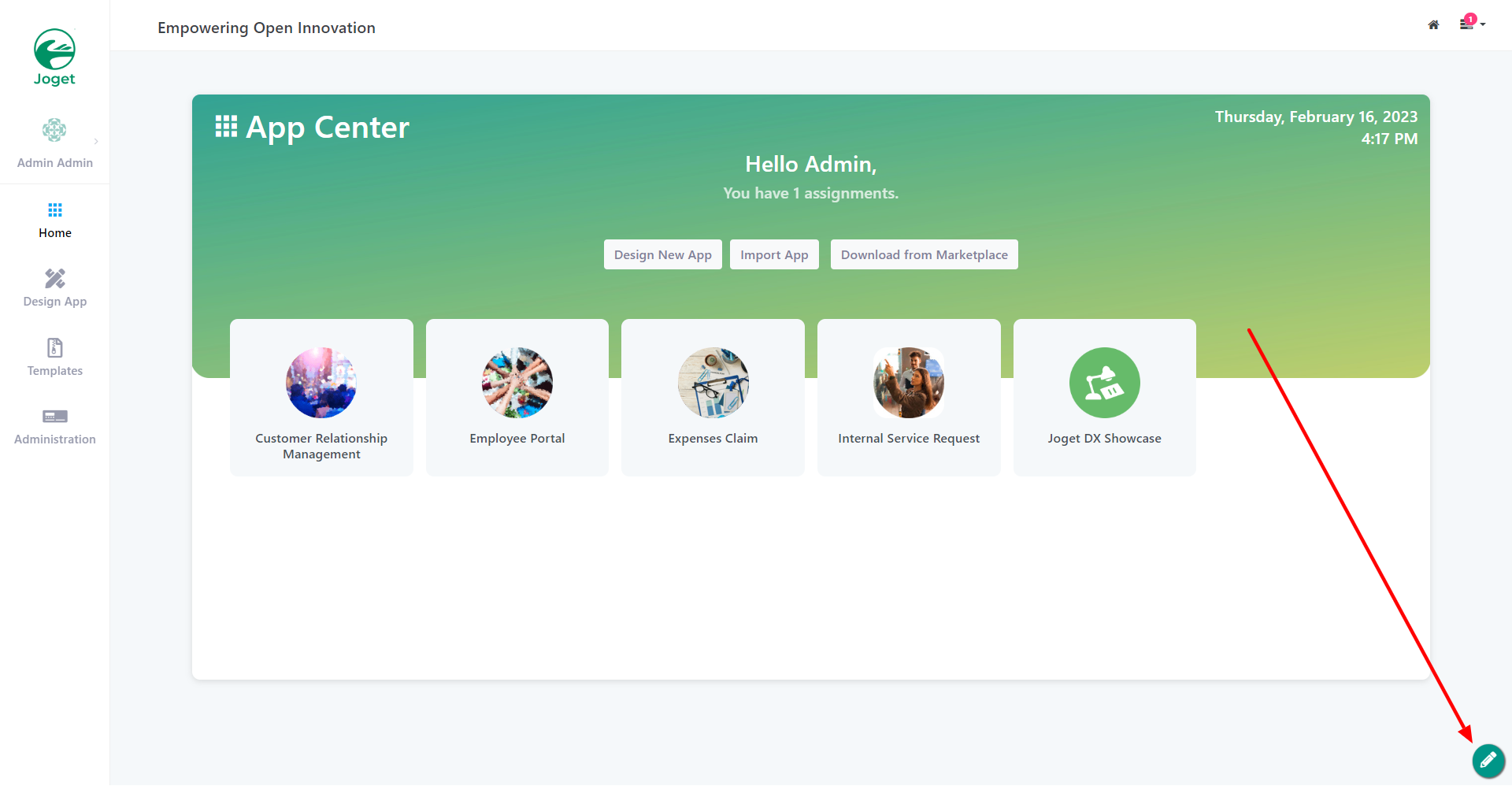
Figure 1
From the Admin Bar, you will gain access to all the features. (see Figure 2)
License Error
The license of the app Translations for Confluence (formerly Language Macros) has expired. Please renew the license.
License Error
The license of the app Translations for Confluence (formerly Language Macros) has expired. Please renew the license.
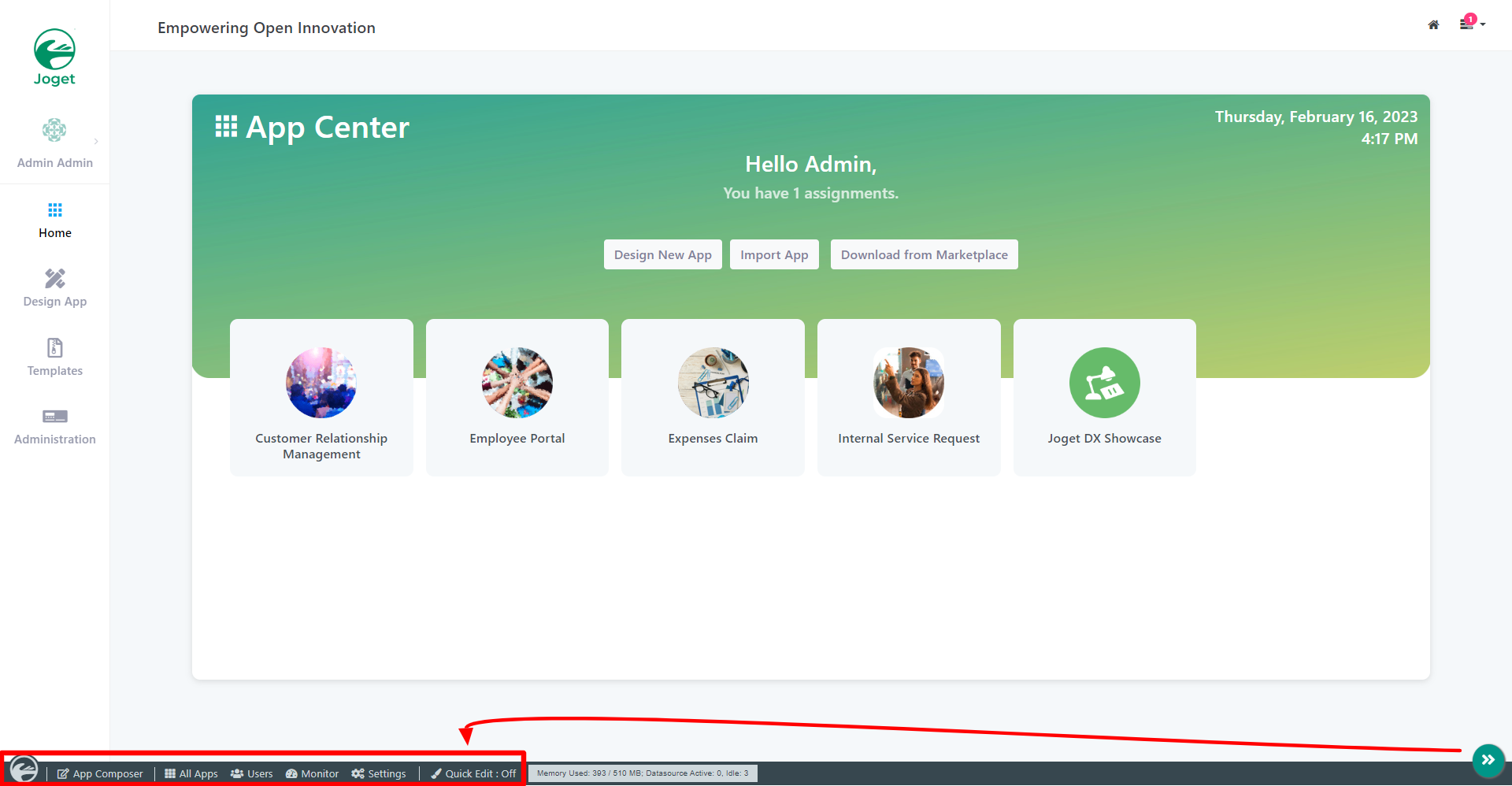
Figure 2
At any time, clicking on the Joget logo on the bottom left will bring you back to the App Center, while clicking on any of the other buttons will open an overlay over the current window.
License Error
The license of the app Translations for Confluence (formerly Language Macros) has expired. Please renew the license.
License Error
The license of the app Translations for Confluence (formerly Language Macros) has expired. Please renew the license.
Try clicking on All Apps. This opens an overlay showing all the published and unpublished apps.
You will also find options for you to design a new app or to import App created from elsewhere too.
License Error
The license of the app Translations for Confluence (formerly Language Macros) has expired. Please renew the license.
License Error
The license of the app Translations for Confluence (formerly Language Macros) has expired. Please renew the license.
To close the overlay window, click on the large red X button on the top right. (see Figure 3)
License Error
The license of the app Translations for Confluence (formerly Language Macros) has expired. Please renew the license.
License Error
The license of the app Translations for Confluence (formerly Language Macros) has expired. Please renew the license.
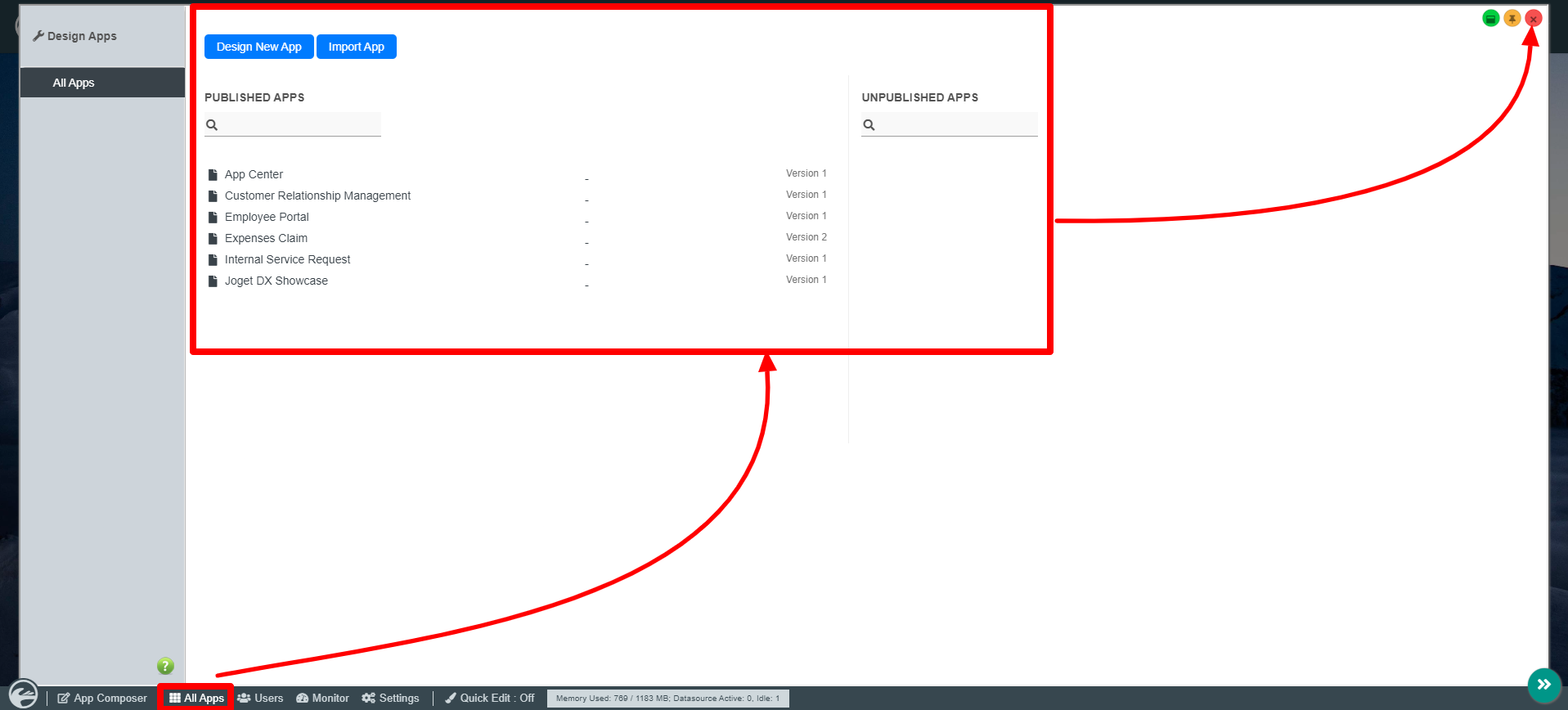
Figure 3
Admin Bar Properties

Figure 4

Figure 5
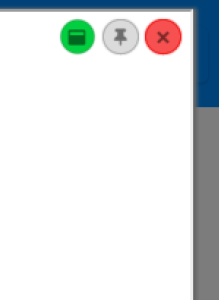
Figure 6
| Name | Description |
|---|
 (see Figure 4)
| Clicking on the Joget Logo will open up the App Center License Error The license of the app Translations for Confluence (formerly Language Macros) has expired. Please renew the license. |
| All Apps (see Figure 4) | Opens up an overlay displaying all the Published and Unpublished Apps License Error The license of the app Translations for Confluence (formerly Language Macros) has expired. Please renew the license. |
| Users (see Figure 4) | Direct the Quick Overlay to the Setup Users License Error The license of the app Translations for Confluence (formerly Language Macros) has expired. Please renew the license. |
| Monitor (see Figure 4) | Direct the Quick Overlay to the Monitoring Apps License Error The license of the app Translations for Confluence (formerly Language Macros) has expired. Please renew the license. |
| Settings (see Figure 4) | Direct the Quick Overlay to the General Settings License Error The license of the app Translations for Confluence (formerly Language Macros) has expired. Please renew the license. |
| Forms & UI (see Figure 5) | Direct the Quick Overlay to the Forms & UI menu License Error The license of the app Translations for Confluence (formerly Language Macros) has expired. Please renew the license. |
| Processes (see Figure 5) | Direct the Quick Overlay to the Processes menu License Error The license of the app Translations for Confluence (formerly Language Macros) has expired. Please renew the license. |
| Properties (see Figure 5) | Direct the Quick Overlay to the Properties and Exports menu License Error The license of the app Translations for Confluence (formerly Language Macros) has expired. Please renew the license. |
| Quick Edit: On / Off (see Figure 5) | Toggle to enable Performance Analyzer and Using Quick Edit Mode |
| Java VM Stats and Database Connection Pool Status Bar (see Figure 4 & 5) | Clicking on the Bar will redirect the Quick Overlay to display the App's Application Performance Management License Error The license of the app Translations for Confluence (formerly Language Macros) has expired. Please renew the license. |
 (see Figure 6)
| Maximizes the Quick Overlay License Error The license of the app Translations for Confluence (formerly Language Macros) has expired. Please renew the license. |
 (see Figure 6)
| Toggle to Pin or unpin the Quick Overlay License Error The license of the app Translations for Confluence (formerly Language Macros) has expired. Please renew the license. |
 (see Figure 6)
| Hide Quick Overlay License Error The license of the app Translations for Confluence (formerly Language Macros) has expired. Please renew the license. |