License Error

The license of the app Translations for Confluence (formerly Language Macros) has expired. Please renew the license.

License Error

The license of the app Translations for Confluence (formerly Language Macros) has expired. Please renew the license.

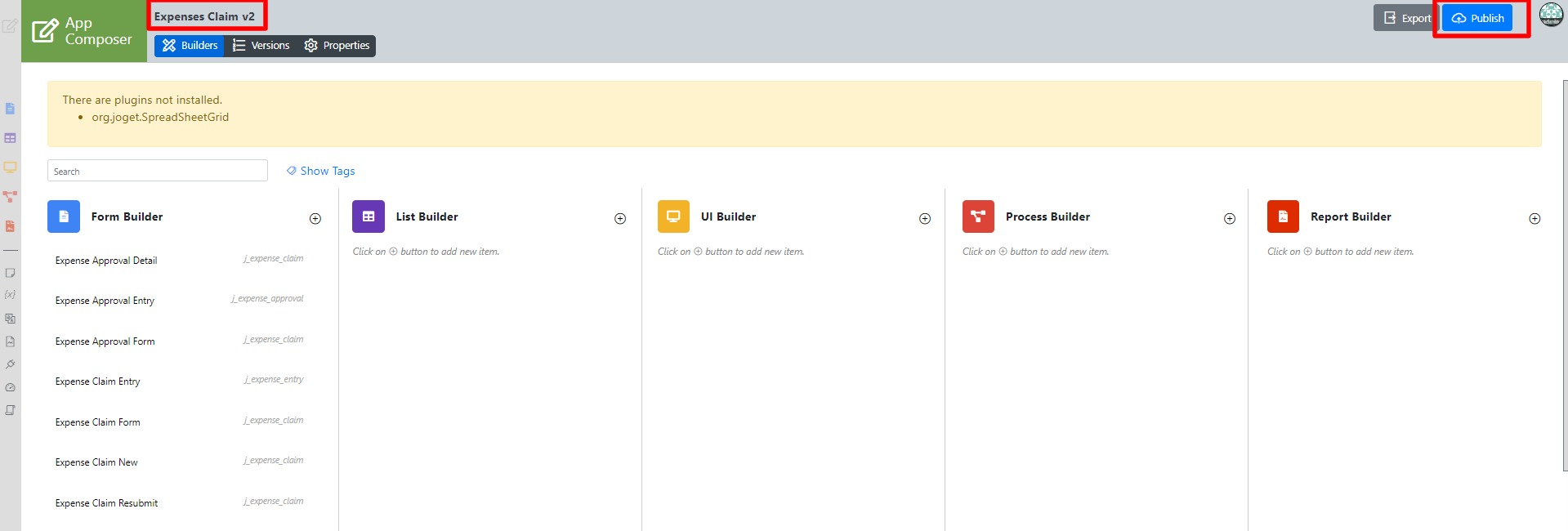
1) Navigate to the app composer page. We will use the Expenses Claims app as an example.

License Error

The license of the app Translations for Confluence (formerly Language Macros) has expired. Please renew the license.


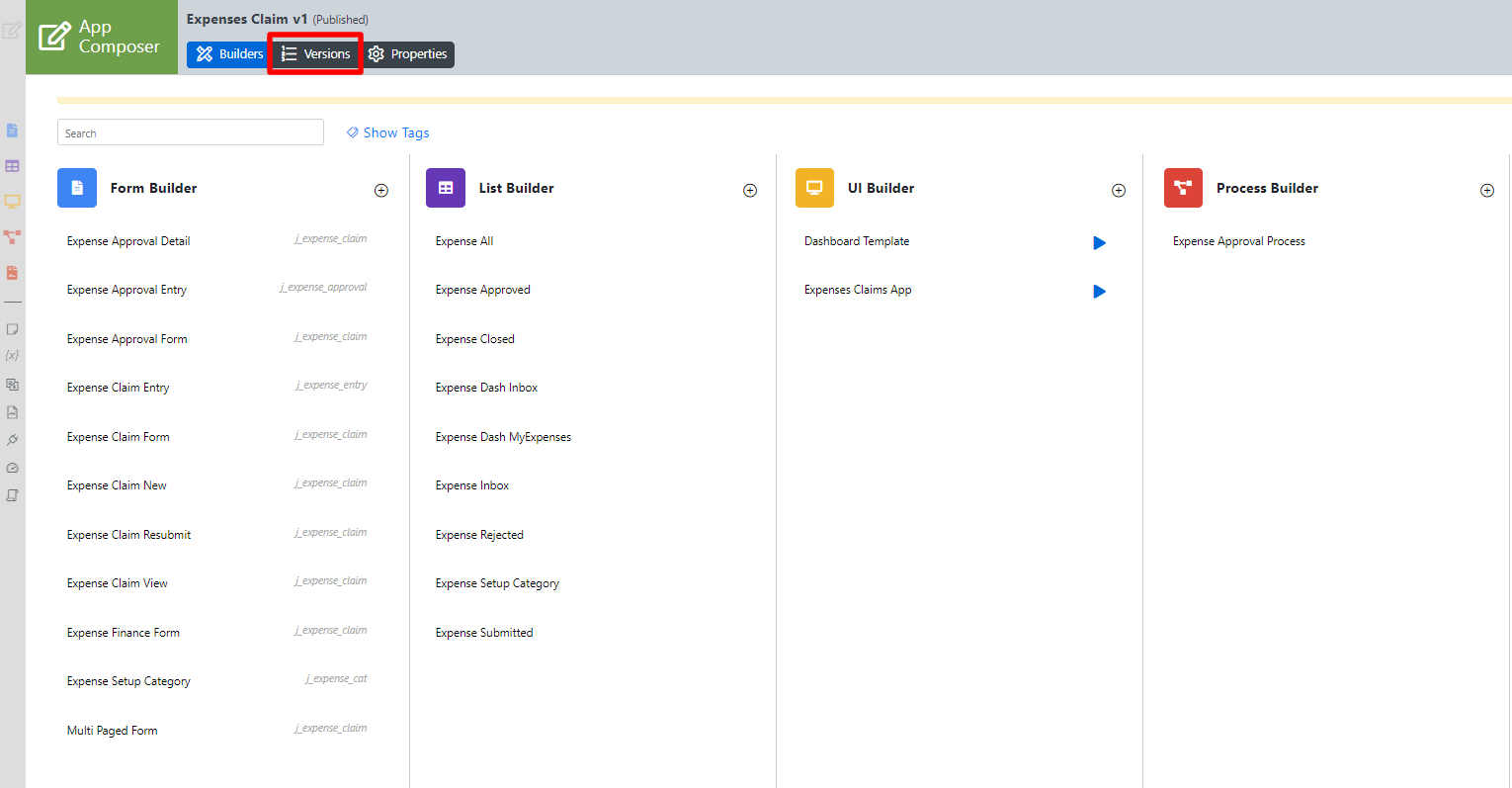
2) Click on "Versions" to navigate into the "App Configuration Management" page.
License Error

The license of the app Translations for Confluence (formerly Language Macros) has expired. Please renew the license.


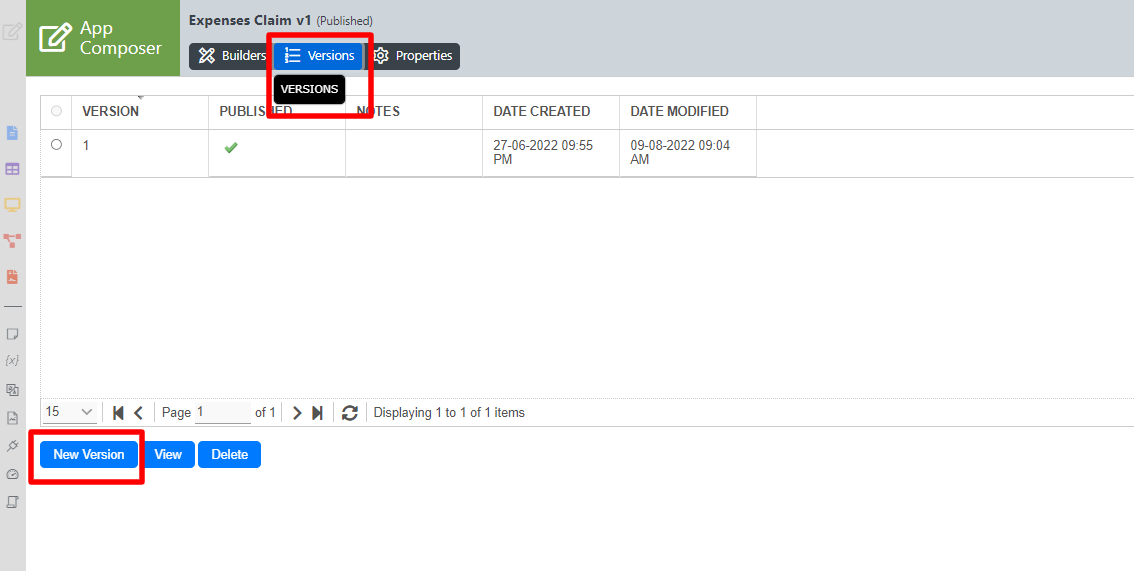
3) Under the "Versions" tab, locate the "New Version" button to create a new version of the app.
License Error

The license of the app Translations for Confluence (formerly Language Macros) has expired. Please renew the license.


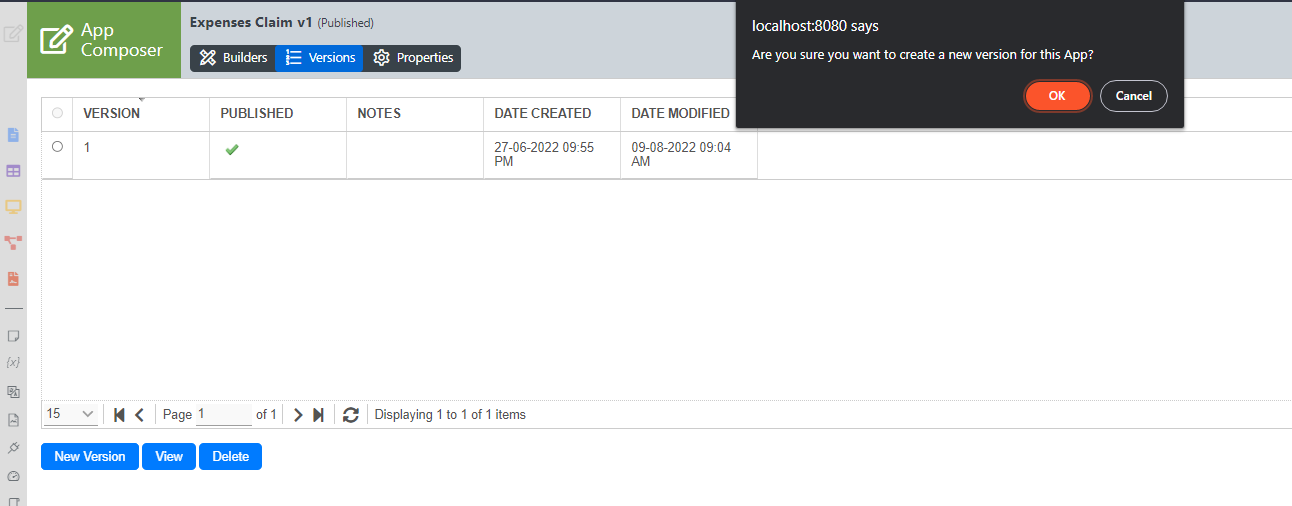
4) After you click on the "New Version" button, a pop-up dialog will prompt you to confirm that you want to create a new version of the app.
License Error

The license of the app Translations for Confluence (formerly Language Macros) has expired. Please renew the license.


Click on "OK" to proceed to create a new version.

License Error

The license of the app Translations for Confluence (formerly Language Macros) has expired. Please renew the license.


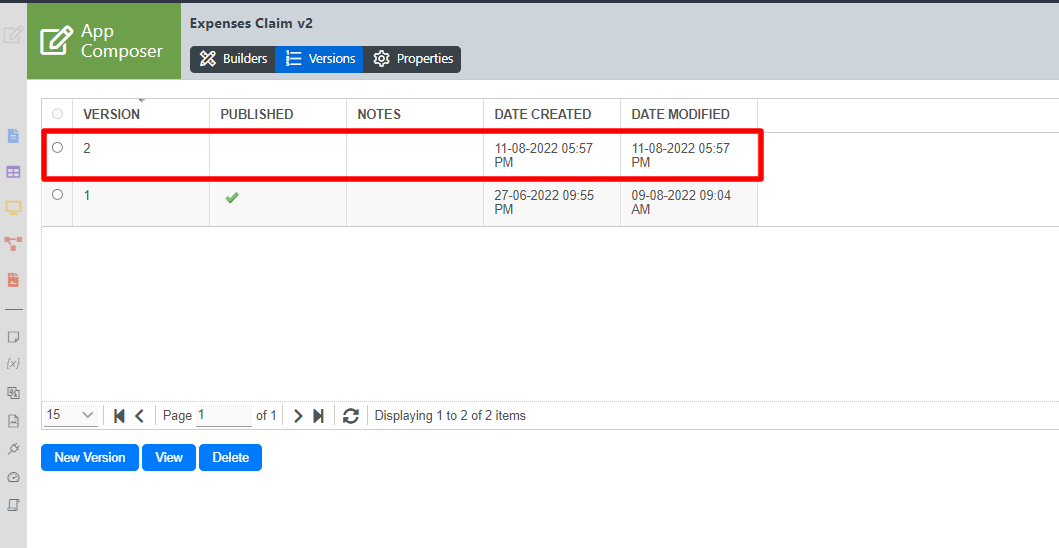
5) After a new version of the app has been created, you will be redirected to the app design page of the new but unpublished version of the app.
License Error

The license of the app Translations for Confluence (formerly Language Macros) has expired. Please renew the license.


You can see that "Version 2" of the Expenses Claims App has been created.
From the screenshot, you can see that the app is still not published as indicated by the label "Not Published". At this point, your users are still using the old version until you publish this new version.

Now, click on the "Not Published" label.

License Error

The license of the app Translations for Confluence (formerly Language Macros) has expired. Please renew the license.


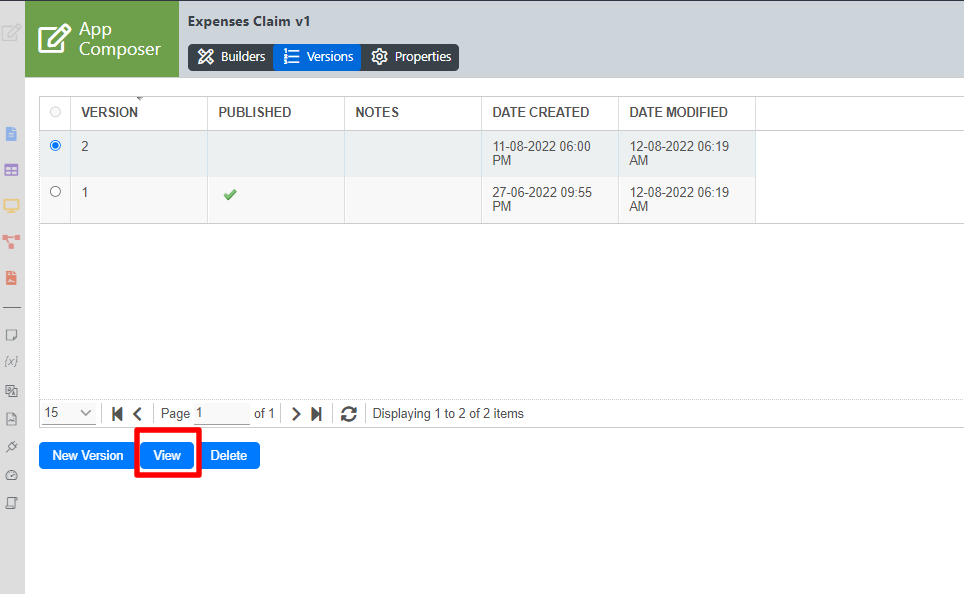
6) After you click on the label, the "Manage App Version" pop-up window will reappear. Select "Version 2" and click on the "View" button to view the new version.
License Error

The license of the app Translations for Confluence (formerly Language Macros) has expired. Please renew the license.


Then Click on the Publish Button.


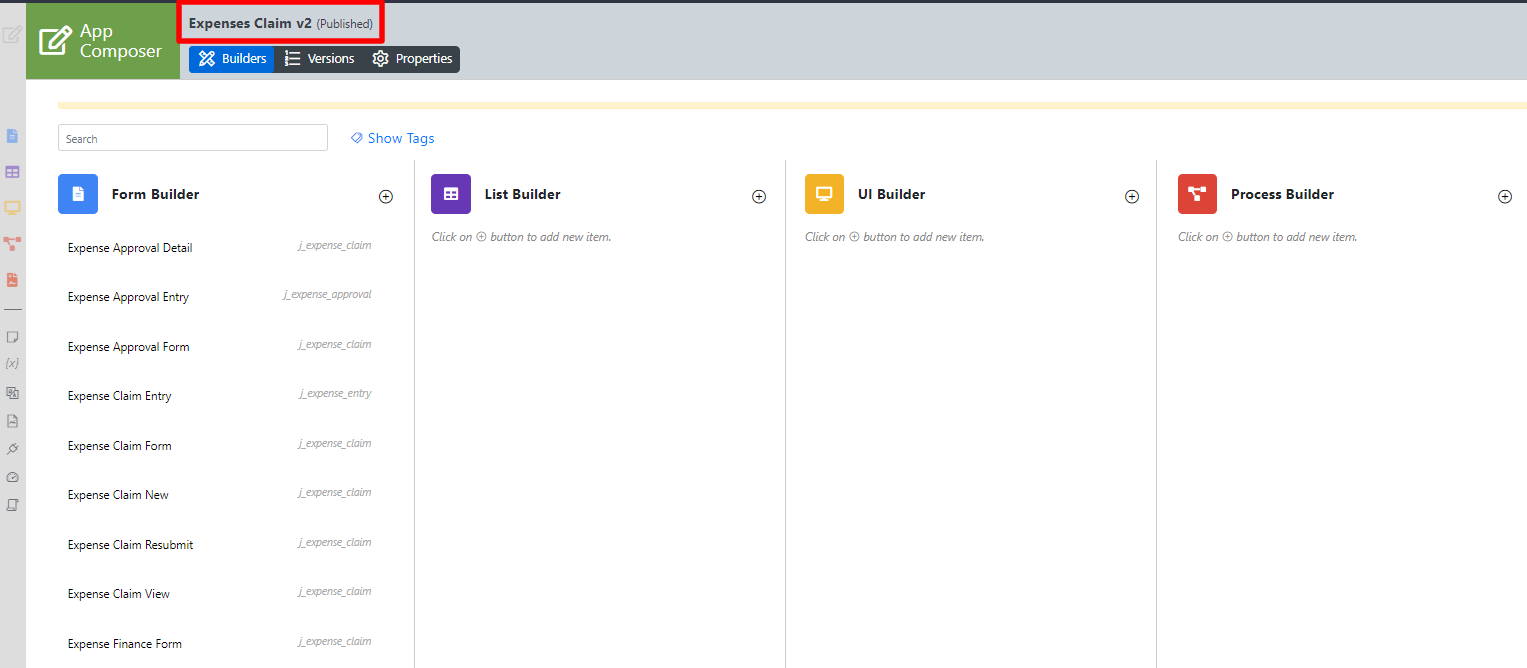
7) When the new version is published, you will be redirect to the following screen.
License Error

The license of the app Translations for Confluence (formerly Language Macros) has expired. Please renew the license.


Now the "Version 2 - Not Published" has been updated to "Version 2 - Published".

License Error

The license of the app Translations for Confluence (formerly Language Macros) has expired. Please renew the license.


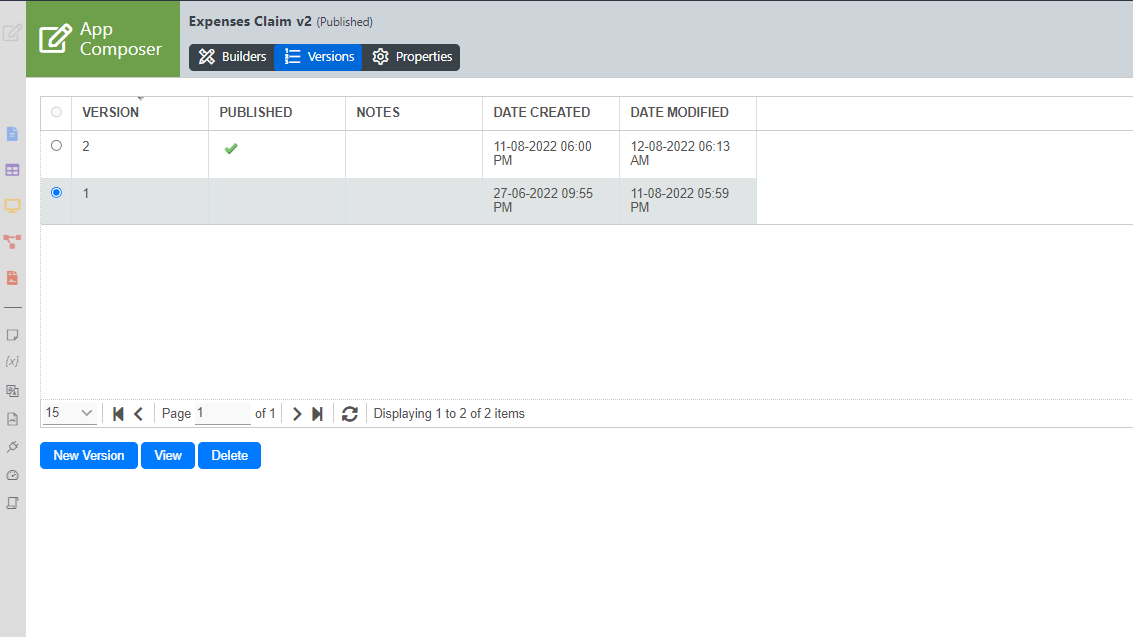
8) Click on the "Published" button to access the "Versions" screen at any time. You will be able to roll-back to the older version if you like to. Just select the previous version you prefer and click on "Publish".
License Error

The license of the app Translations for Confluence (formerly Language Macros) has expired. Please renew the license.


We would like to advice users to create a new app version when they would like to make changes to their app that is already rolled out to production.

This would also ensure that existing process instances will continue to run without being affected by your uncommitted/incomplete development work.

License Error

The license of the app Translations for Confluence (formerly Language Macros) has expired. Please renew the license.

Related Tutorials

License Error

The license of the app Translations for Confluence (formerly Language Macros) has expired. Please renew the license.


  • No labels