License Error
The license of the app Translations for Confluence (formerly Language Macros) has expired. Please renew the license.
License Error
The license of the app Translations for Confluence (formerly Language Macros) has expired. Please renew the license.


Tutorial Part 1: Install Joget DX 8 Operator from the OperatorHub
License Error
The license of the app Translations for Confluence (formerly Language Macros) has expired. Please renew the license.
These steps assume that you already have a running OpenShift 4 cluster. You can access https://try.openshift.com/ and select Openshift 4 playground to setup a new cluster.
License Error
The license of the app Translations for Confluence (formerly Language Macros) has expired. Please renew the license.
1.1 Install Joget DX 8 Operator as Cluster Admin
License Error
The license of the app Translations for Confluence (formerly Language Macros) has expired. Please renew the license.
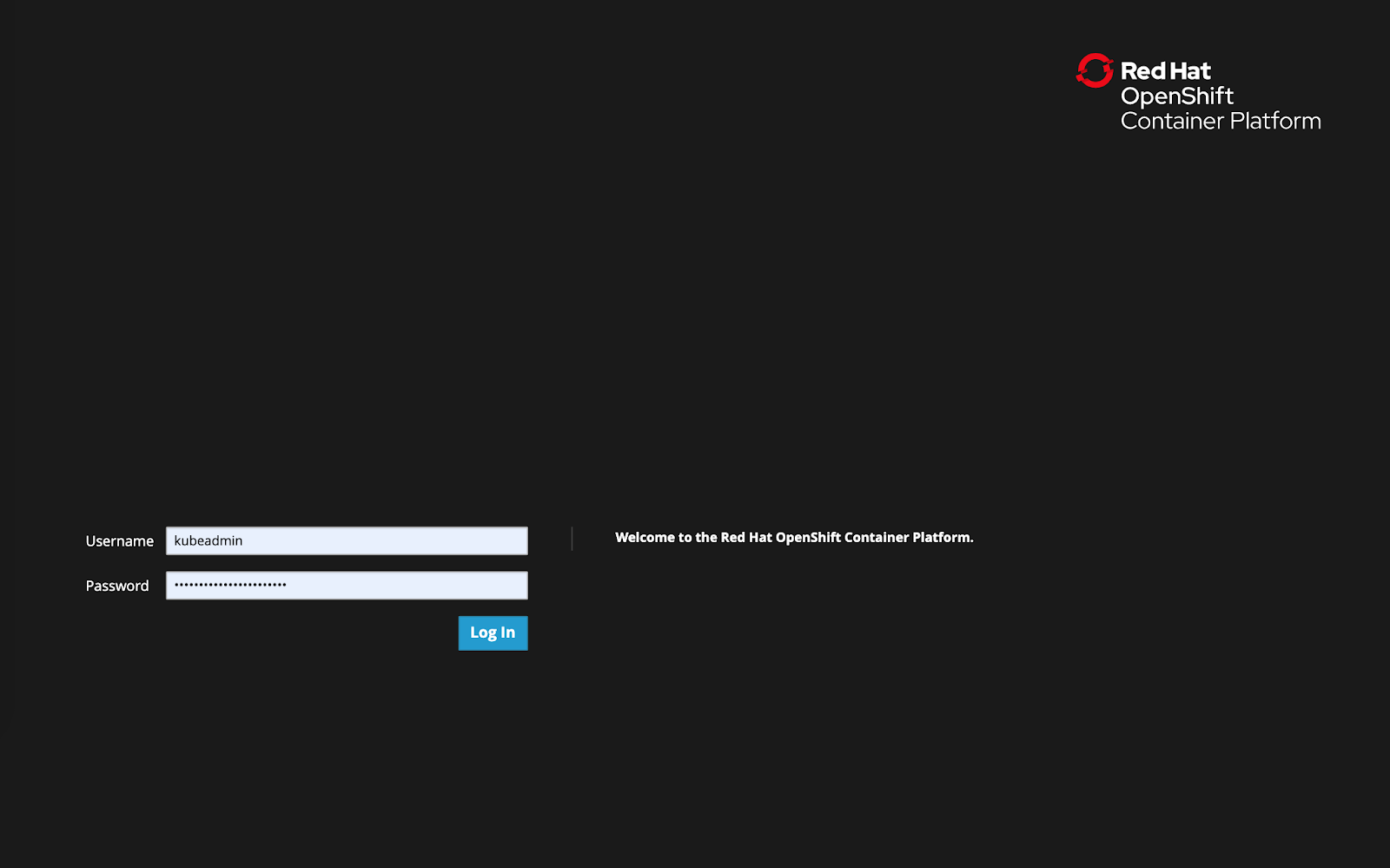
Login to the OpenShift console as the cluster admin
License Error
The license of the app Translations for Confluence (formerly Language Macros) has expired. Please renew the license.
Browse to Operators > OperatorHub and search for Joget DX8
License Error
The license of the app Translations for Confluence (formerly Language Macros) has expired. Please renew the license.

Select the Joget DX 8 Operator, and click on the Install button
License Error
The license of the app Translations for Confluence (formerly Language Macros) has expired. Please renew the license.

Click on the Install button to install the Joget DX 8 Operator.
License Error
The license of the app Translations for Confluence (formerly Language Macros) has expired. Please renew the license.

Browse to Catalog > Installed Operators and select Joget DX 8 Operator to confirm that the operator has been installed successfully.
License Error
The license of the app Translations for Confluence (formerly Language Macros) has expired. Please renew the license.

Tutorial Part 2: Create a Joget Cluster with the Joget DX 8 Operator
License Error
The license of the app Translations for Confluence (formerly Language Macros) has expired. Please renew the license.
2.1 Create New Project and Deploy Database
License Error
The license of the app Translations for Confluence (formerly Language Macros) has expired. Please renew the license.
Now that the Joget Operator has been installed, login to the OpenShift console as a normal user.
License Error
The license of the app Translations for Confluence (formerly Language Macros) has expired. Please renew the license.

Browse to Projects and click on the Create Project button. Enter a name and click on Create.
License Error
The license of the app Translations for Confluence (formerly Language Macros) has expired. Please renew the license.

As a prerequisite, you will need to deploy either a MySQL or MariaDB database in the project.
License Error
The license of the app Translations for Confluence (formerly Language Macros) has expired. Please renew the license.
The fastest way to deploy MySQL would be to use the OpenShift CLI e.g.:
License Error
The license of the app Translations for Confluence (formerly Language Macros) has expired. Please renew the license.
# deploy persistent mysql
export DB_APP_NAME=jogetdb
export MYSQL_DATABASE=jwdb
export MYSQL_USER=joget
export MYSQL_PASSWORD=joget

oc new-app openshift/mysql-persistent --name $DB_APP_NAME -p DATABASE_SERVICE_NAME=$DB_APP_NAME -p MYSQL_USER=$MYSQL_USER -p MYSQL_PASSWORD=$MYSQL_PASSWORD -p MYSQL_DATABASE=$MYSQL_DATABASE
Alternatively, you can deploy using the OpenShift Console.
License Error
The license of the app Translations for Confluence (formerly Language Macros) has expired. Please renew the license.
Browse to the project, go to Workloads and click on add page.
License Error
The license of the app Translations for Confluence (formerly Language Macros) has expired. Please renew the license.

Select Database.
License Error
The license of the app Translations for Confluence (formerly Language Macros) has expired. Please renew the license.

Search for MySQL.
License Error
The license of the app Translations for Confluence (formerly Language Macros) has expired. Please renew the license.

Select MySQL then click on Instantiate Template.
License Error
The license of the app Translations for Confluence (formerly Language Macros) has expired. Please renew the license.

Key in the following configuration and click on Create.
License Error
The license of the app Translations for Confluence (formerly Language Macros) has expired. Please renew the license.

- Database Service Name: jogetdb
- MySQL Connection Username: joget
- MySQL Connection Password: joget
- MySQL Database Name: jwdb
Go to Workloads → Deployment Configs to verify that the MySQL database has been deployed successfully.
License Error
The license of the app Translations for Confluence (formerly Language Macros) has expired. Please renew the license.

2.2 Deploy Joget DX 8 using the Joget DX 8 Operator
License Error
The license of the app Translations for Confluence (formerly Language Macros) has expired. Please renew the license.
Browse to Operators > Installed Operators.
License Error
The license of the app Translations for Confluence (formerly Language Macros) has expired. Please renew the license.

Select the Joget DX 8 Operator, and click on Create Instance.
License Error
The license of the app Translations for Confluence (formerly Language Macros) has expired. Please renew the license.

By default the configuration for “name” is “example-joget” and “size” is 1 (the number of required Joget instances). Modify the values as required, click Create.
License Error
The license of the app Translations for Confluence (formerly Language Macros) has expired. Please renew the license.

The Joget DX 8 Operator will automatically start to deploy the required number of Joget DX 8 instances along with all the required resources, which should take a few minutes.
License Error
The license of the app Translations for Confluence (formerly Language Macros) has expired. Please renew the license.

Select the created Joget name, and click on Resources to see the resources automatically created and managed by the Joget DX 8 Operator.
License Error
The license of the app Translations for Confluence (formerly Language Macros) has expired. Please renew the license.

Click on Events to see the events as they happen
License Error
The license of the app Translations for Confluence (formerly Language Macros) has expired. Please renew the license.

2.3 Complete One-Time Joget Database Setup
License Error
The license of the app Translations for Confluence (formerly Language Macros) has expired. Please renew the license.
Browse to Home > Projects and select the Joget DX project. Click on Workloads tab and select Joget DX deployment. After a few minutes, you should see at least 1 available MATCHING PODS.
License Error
The license of the app Translations for Confluence (formerly Language Macros) has expired. Please renew the license.

Select Resources to see the created Services and Routes. Copy the Location in the created Route. That is the URL to access Joget DX from an external browser.
License Error
The license of the app Translations for Confluence (formerly Language Macros) has expired. Please renew the license.

Access the Joget DX 8 URL and in the Database Setup page, key in the database configuration of the database deployed earlier and click on the Save button.
License Error
The license of the app Translations for Confluence (formerly Language Macros) has expired. Please renew the license.

- Database Type: MySQL
- Database Host: the service name of the database e.g. jogetdb
- Database Port: 3306
- Database Name: the configured database name e.g. jwdb
- Database User: the configured username e.g. joget
- Database Password: the configured password e.g. joget
Once the setup is completed, click on Done and you will be brought to the Joget DX App Center.
License Error
The license of the app Translations for Confluence (formerly Language Macros) has expired. Please renew the license.
