Previous step

License Error

The license of the app Translations for Confluence (formerly Language Macros) has expired. Please renew the license.

License Error

The license of the app Translations for Confluence (formerly Language Macros) has expired. Please renew the license.

Create a New Form

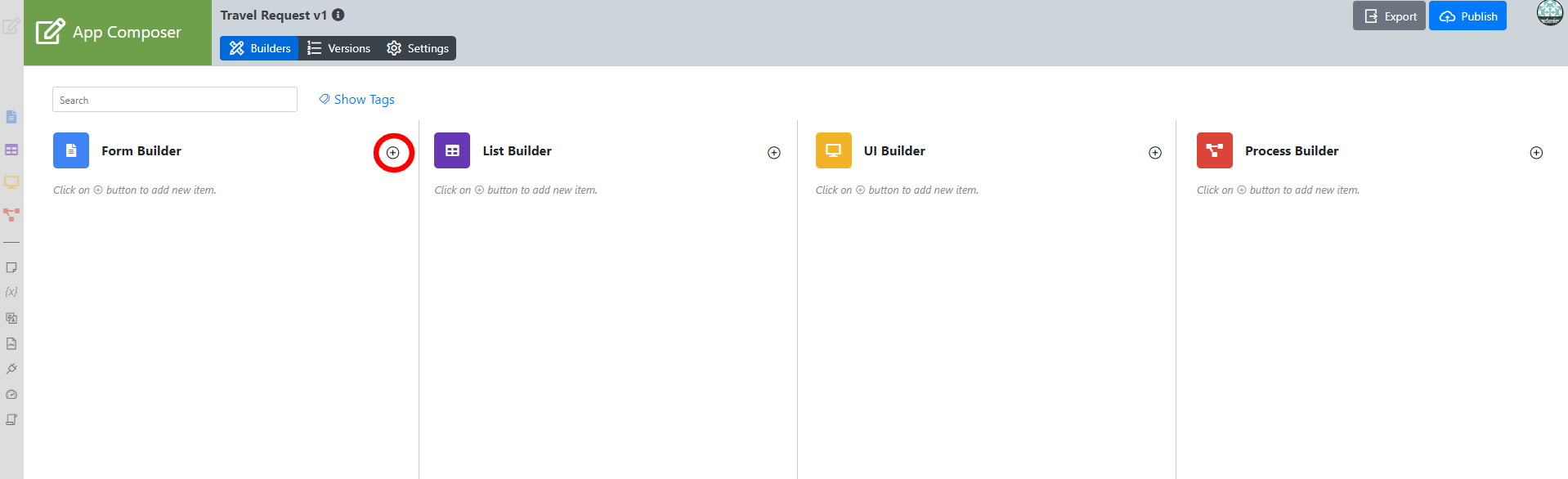
  1. In the Design App page, click on the + button along the top to create a form.
    License Error

    The license of the app Translations for Confluence (formerly Language Macros) has expired. Please renew the license.


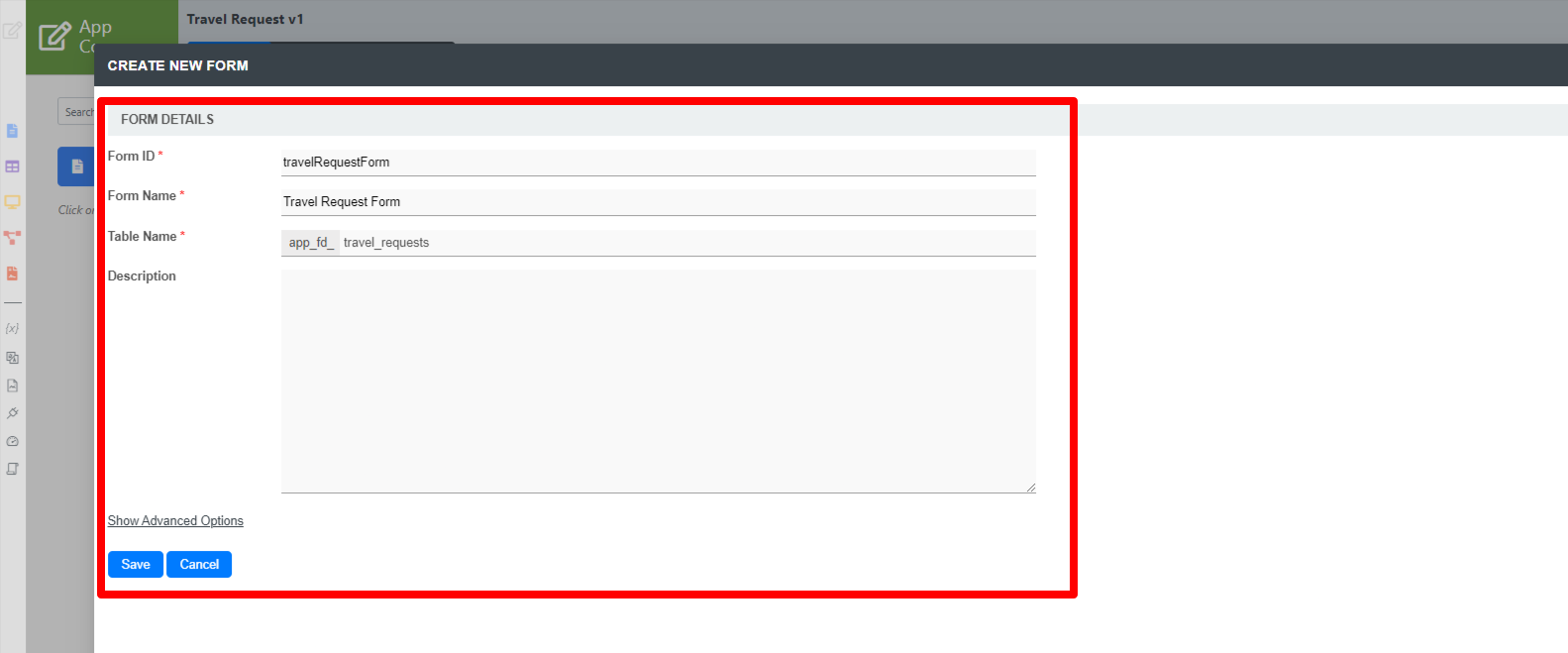
  2. Key in the details of the new form.

    License Error

    The license of the app Translations for Confluence (formerly Language Macros) has expired. Please renew the license.


    NameDescription
    Form ID

    Unique ID to represent this entity.

    License Error

    The license of the app Translations for Confluence (formerly Language Macros) has expired. Please renew the license.

    Naming convention

    A standard naming convention is highly recommended to be used across the development of your App to maintain consistency and ease maintenance works.

    Camel case naming convention is recommended for this field.

    Example:  travelRequestForm


    License Error

    The license of the app Translations for Confluence (formerly Language Macros) has expired. Please renew the license.

    Reserved IDs

    Do not use the following reserved IDs as ID of Form, Section and Field. "appId, appVersion, version, userviewId, menuId, key, embed".

    License Error

    The license of the app Translations for Confluence (formerly Language Macros) has expired. Please renew the license.

    Form Name

    Name to represent this entity.

    License Error

    The license of the app Translations for Confluence (formerly Language Macros) has expired. Please renew the license.

    Example

    Travel Request Form

    Table Name

    The database table name to store the form data.

    License Error

    The license of the app Translations for Confluence (formerly Language Macros) has expired. Please renew the license.

    Naming convention

    As the table name is related to the database, we highly recommend the use of database naming conventions, e.g.  travel_requests


    License Error

    The license of the app Translations for Confluence (formerly Language Macros) has expired. Please renew the license.

    Note that different forms can share data by pointing to the same table name.

    License Error

    The license of the app Translations for Confluence (formerly Language Macros) has expired. Please renew the license.

    Description

    Entity description.

    License Error

    The license of the app Translations for Confluence (formerly Language Macros) has expired. Please renew the license.

    Duplicate form settings and elements from

    With the above information filled up, one can choose to clone the design from existing Form entity.

    License Error

    The license of the app Translations for Confluence (formerly Language Macros) has expired. Please renew the license.


  3. Click on Save to save the form and launch the Form Builder in a new window. If your browser blocks the popup, click on the form name to launch it.

    License Error

    The license of the app Translations for Confluence (formerly Language Macros) has expired. Please renew the license.

Design the form

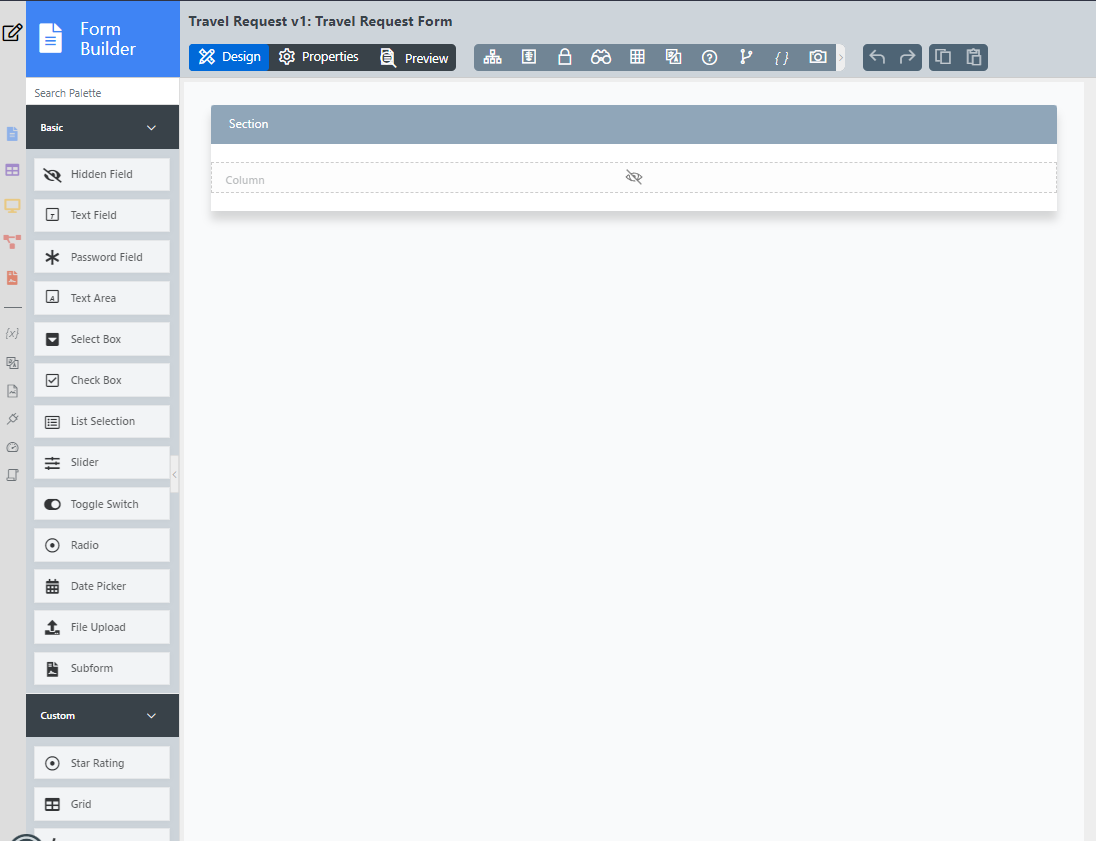
  1. The first step in the Form Builder is the Design Form page. On the left is the palette containing available form elements. In the middle is the canvas containing one or more sections, and each section may contain one or more columns.
    License Error

    The license of the app Translations for Confluence (formerly Language Macros) has expired. Please renew the license.


  2. When you mouseover a section header (or any form element), buttons appear giving you options.

    License Error

    The license of the app Translations for Confluence (formerly Language Macros) has expired. Please renew the license.


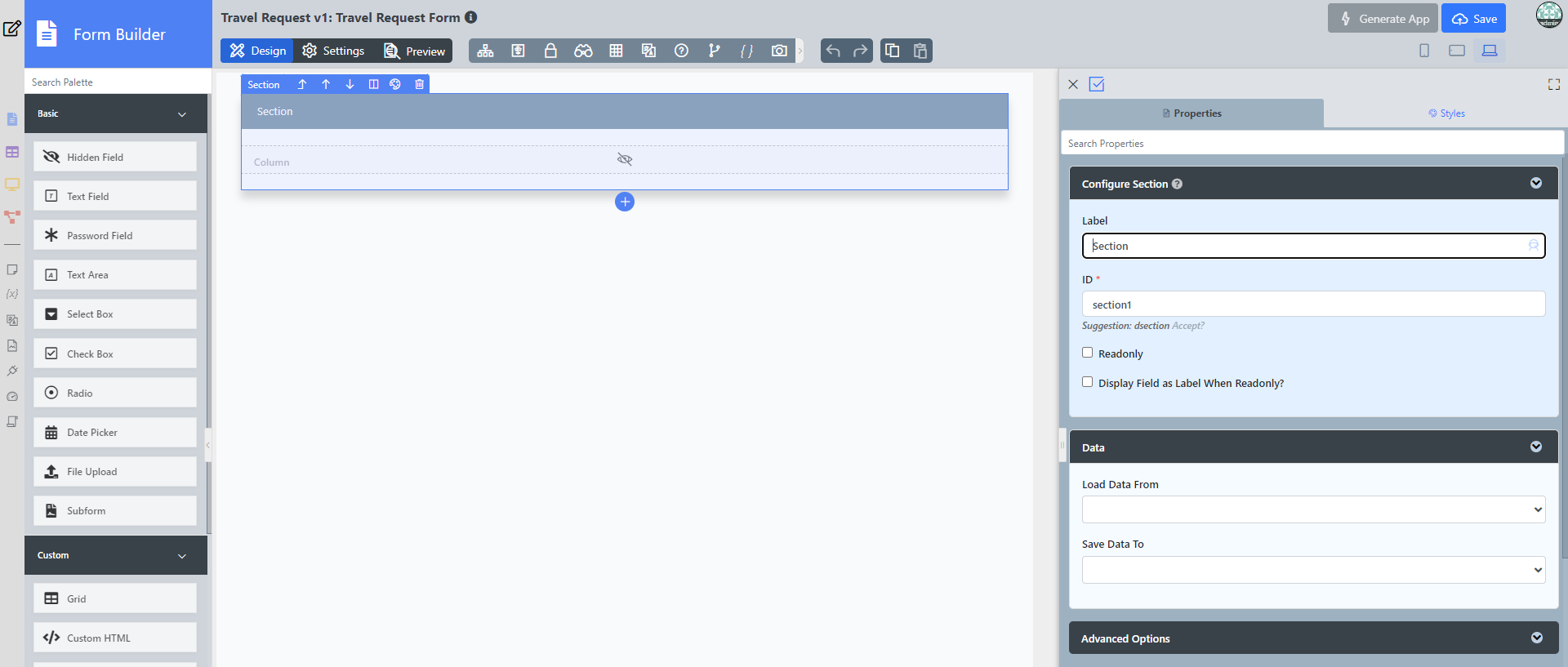
  3. Click on Edit Section. This opens a Property Editor showing properties that you can modify. Each form element has different properties that can be configured.
    License Error

    The license of the app Translations for Confluence (formerly Language Macros) has expired. Please renew the license.


  4. Click on the OK at the bottom to save the property changes.

    License Error

    The license of the app Translations for Confluence (formerly Language Macros) has expired. Please renew the license.


  5. You can add sections using Add Section, and move sections around by dragging.

    License Error

    The license of the app Translations for Confluence (formerly Language Macros) has expired. Please renew the license.


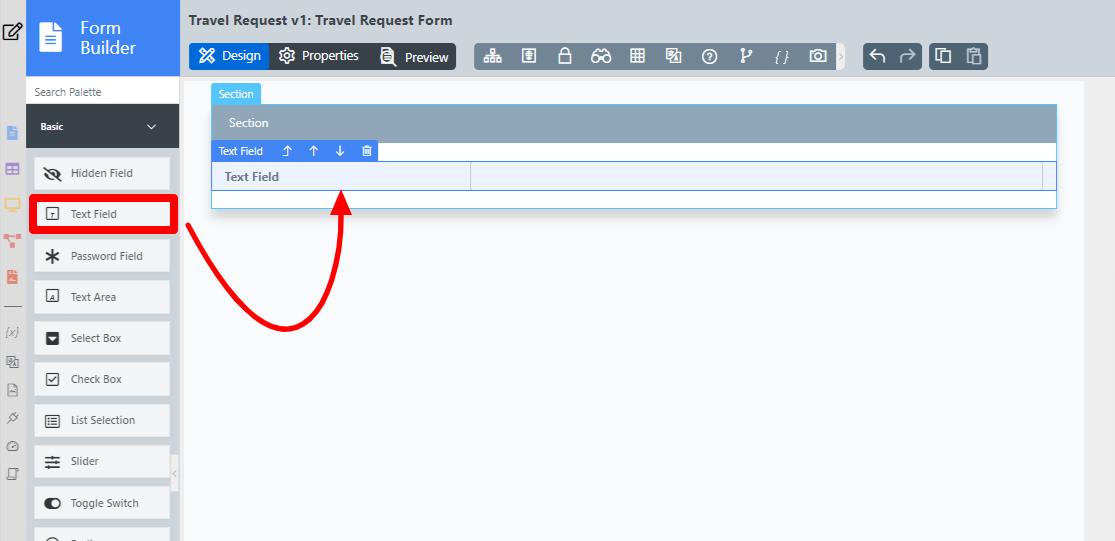
  6. Drag form elements from the palette into any section.

    License Error

    The license of the app Translations for Confluence (formerly Language Macros) has expired. Please renew the license.

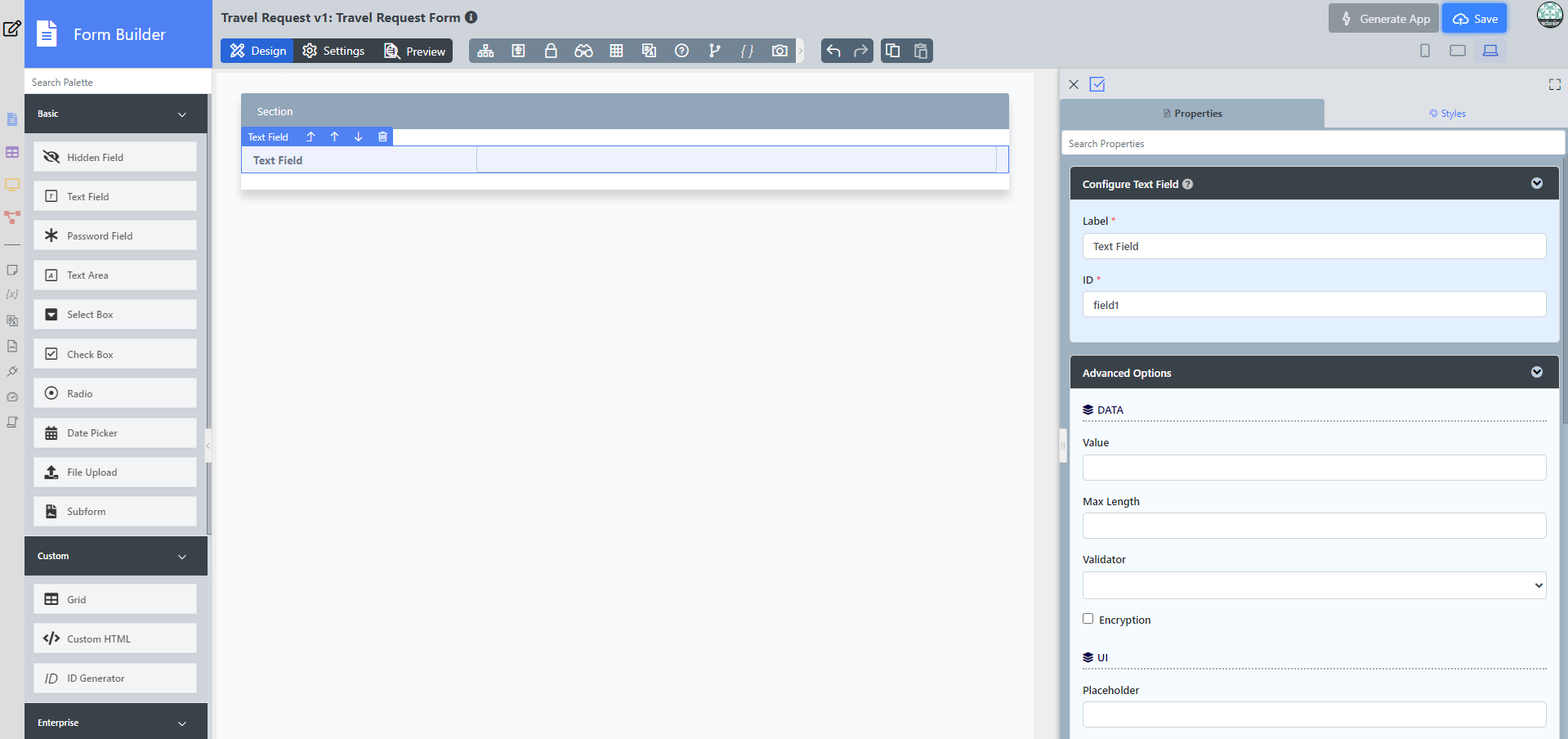
  7. Click on any form element to see the Property options, and to view the configured details.
    License Error

    The license of the app Translations for Confluence (formerly Language Macros) has expired. Please renew the license.


  8. At any time, you may preview the form by clicking on the large Preview button at the top.

    License Error

    The license of the app Translations for Confluence (formerly Language Macros) has expired. Please renew the license.


  9. Once you have finished designing the form, click on the large Save button at the top and you will receive confirmation that the form is saved. You may then continue to design the form, or close the Form Builder window.

    License Error

    The license of the app Translations for Confluence (formerly Language Macros) has expired. Please renew the license.


  • No labels