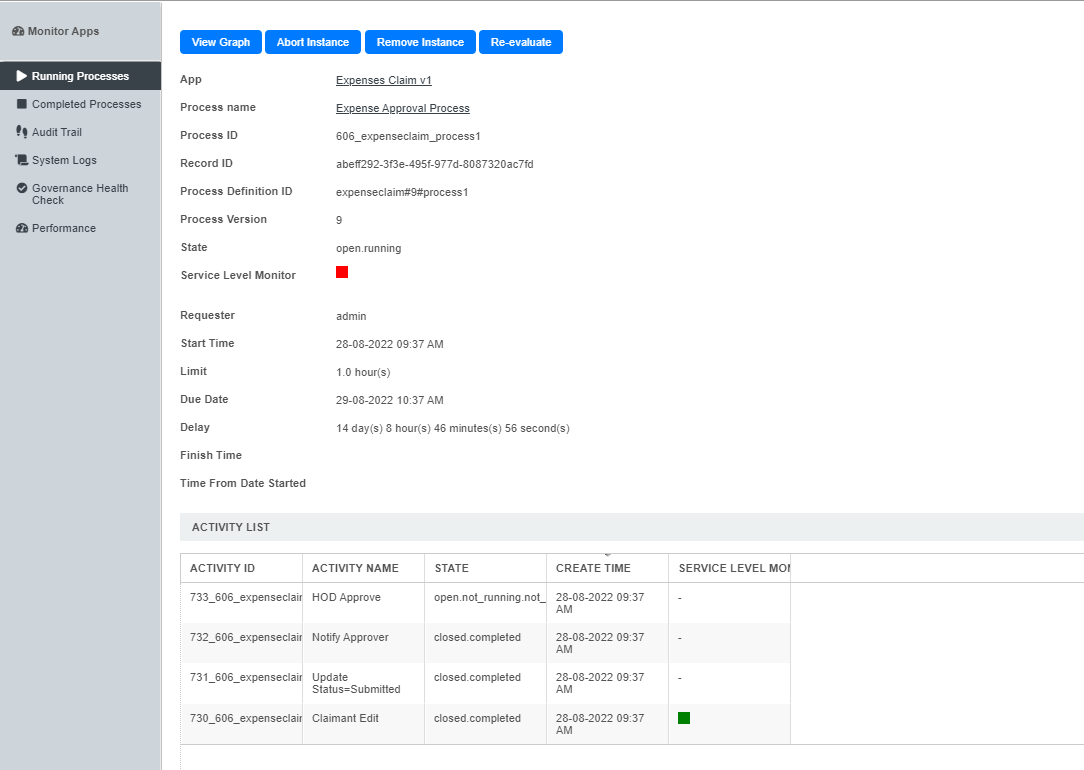
Figure 1: Viewing a Running Process Instance
In this view, one can see the state, statistical data and the activity list of a particular process instance. In the activity list, one can click on a specific item to view the activity instance's information. (See Running Activity Instance.)
Actions that the administrator can perform on the process instance:
- View Graph
Displays the workflow diagram, where the current activities are highlighted in yellow - Abort Instance
Terminates the process instance, leaving the process data intact - Remove Instance
Permanently deletes the process instance; process data will be removed as well - Re-evaluate
In cases where participant mappings are changed before the process is completed, this action will allow pending assignments to be reassigned to the newly-mapped participants.