- In the App Composer, click on Show Tags (Figure 1) and click on the + sign to add color tags and add labels to the color tags (Figure 2).
- You can use the search filter with the prefix # to search for the relevant tag (Figure 3). Or, you can search filter by color name. (Figure 4)

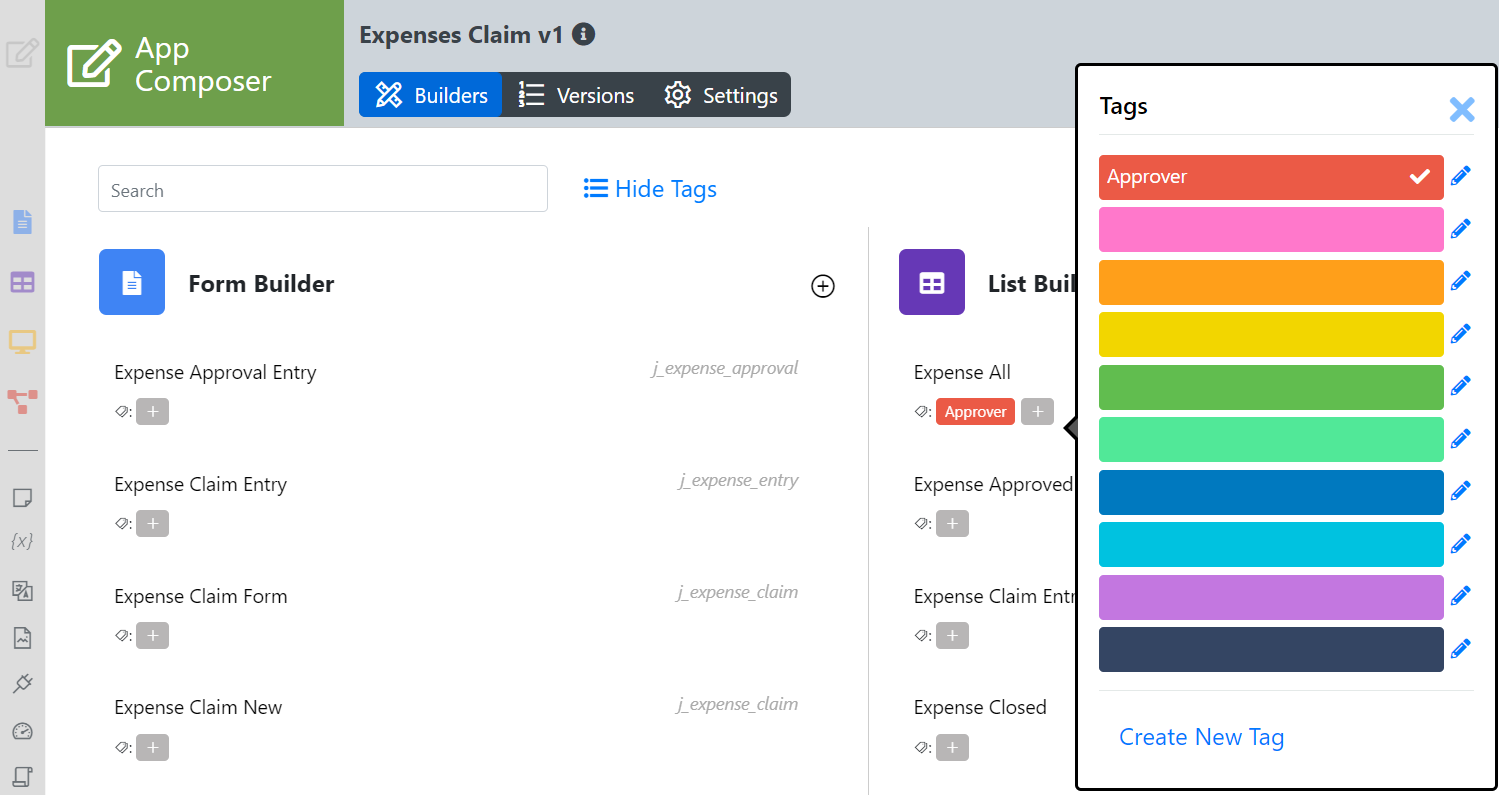
Figure 2: Tags can be added to forms, lists, UI, and Process
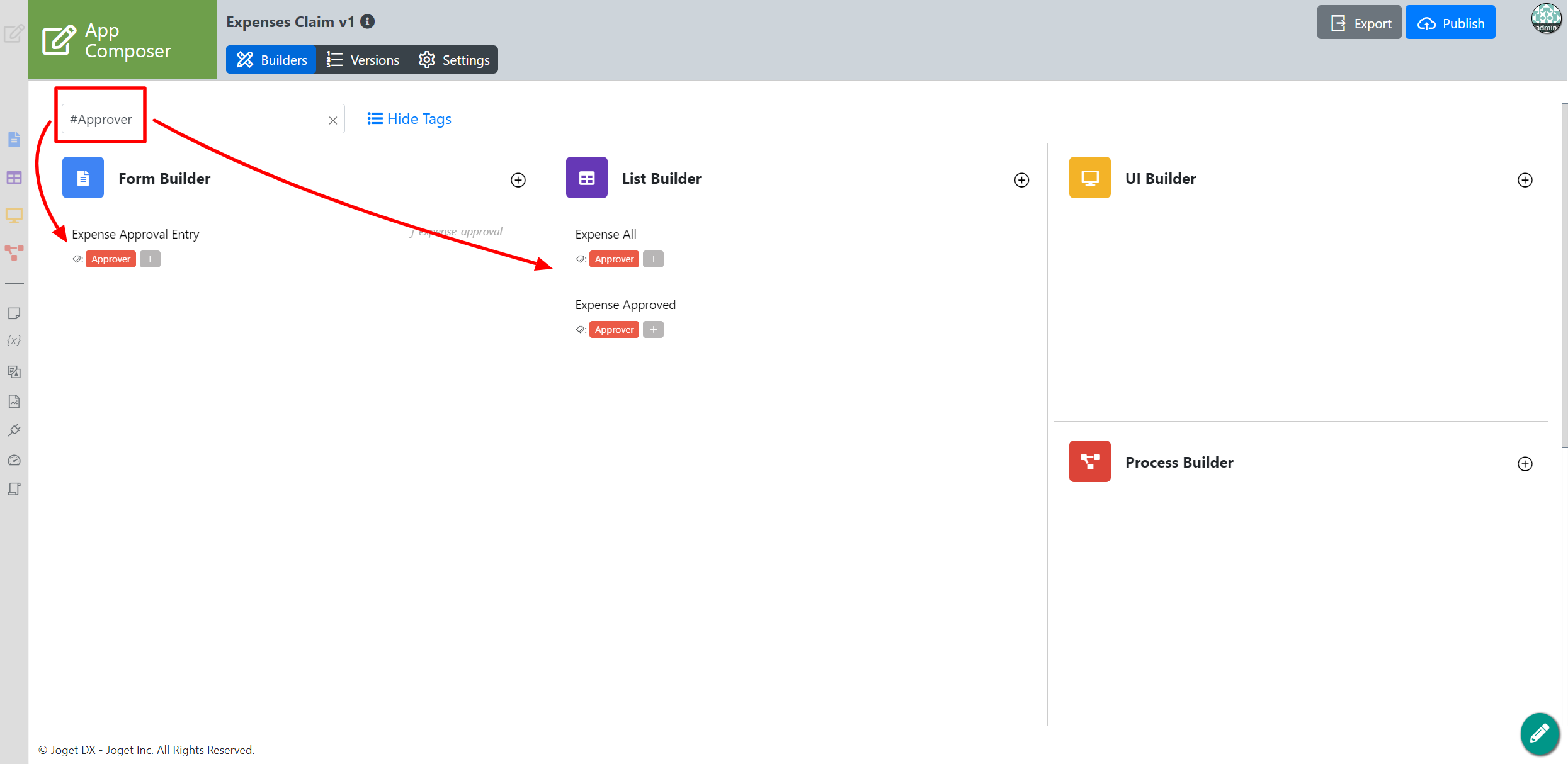
Figure 3: Search tags by adding # in the search filter
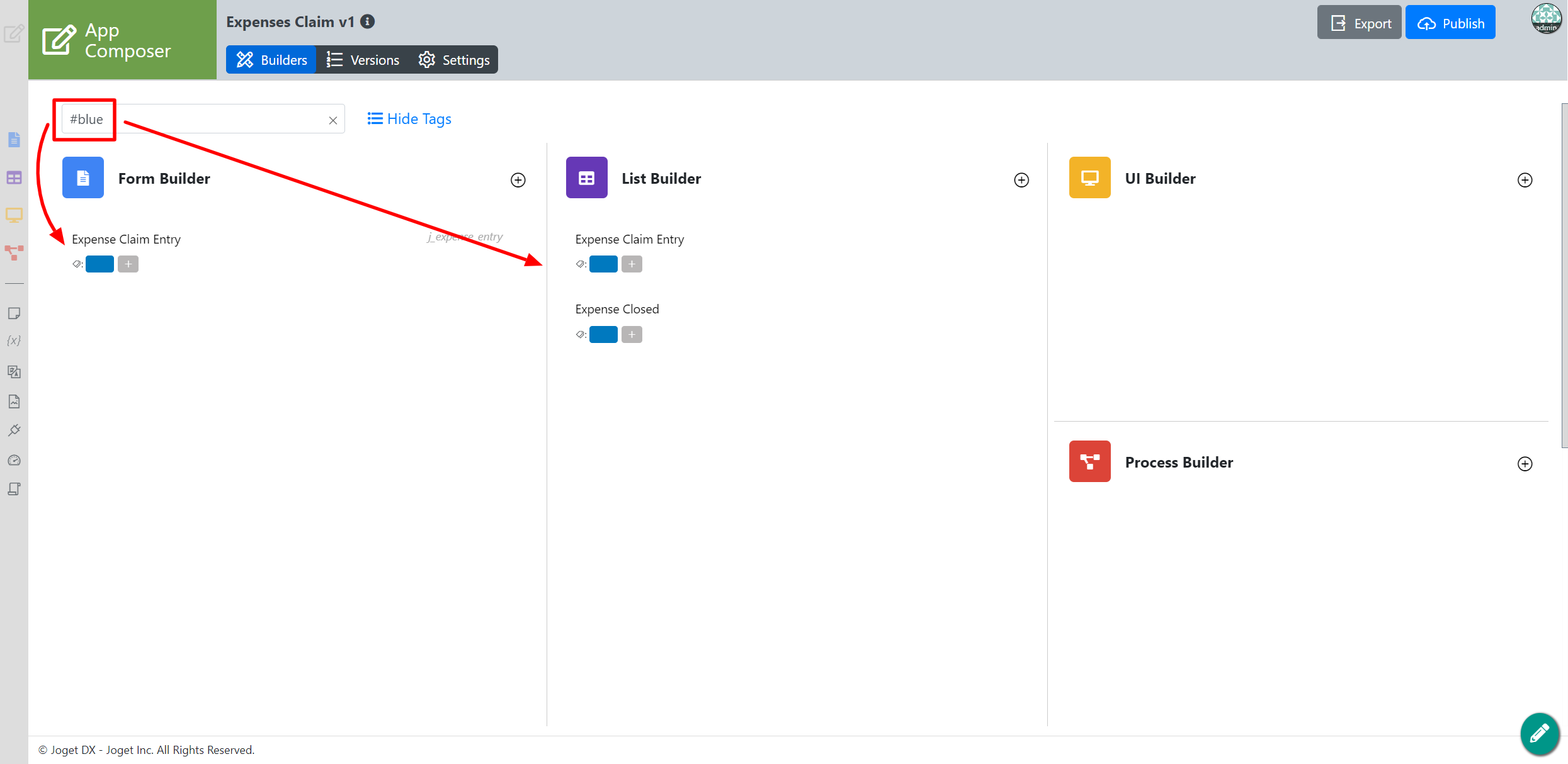
Figure 4: Search by color instead.