1
0
-1
2 answers
- 210
In my case i use:
as URL in:
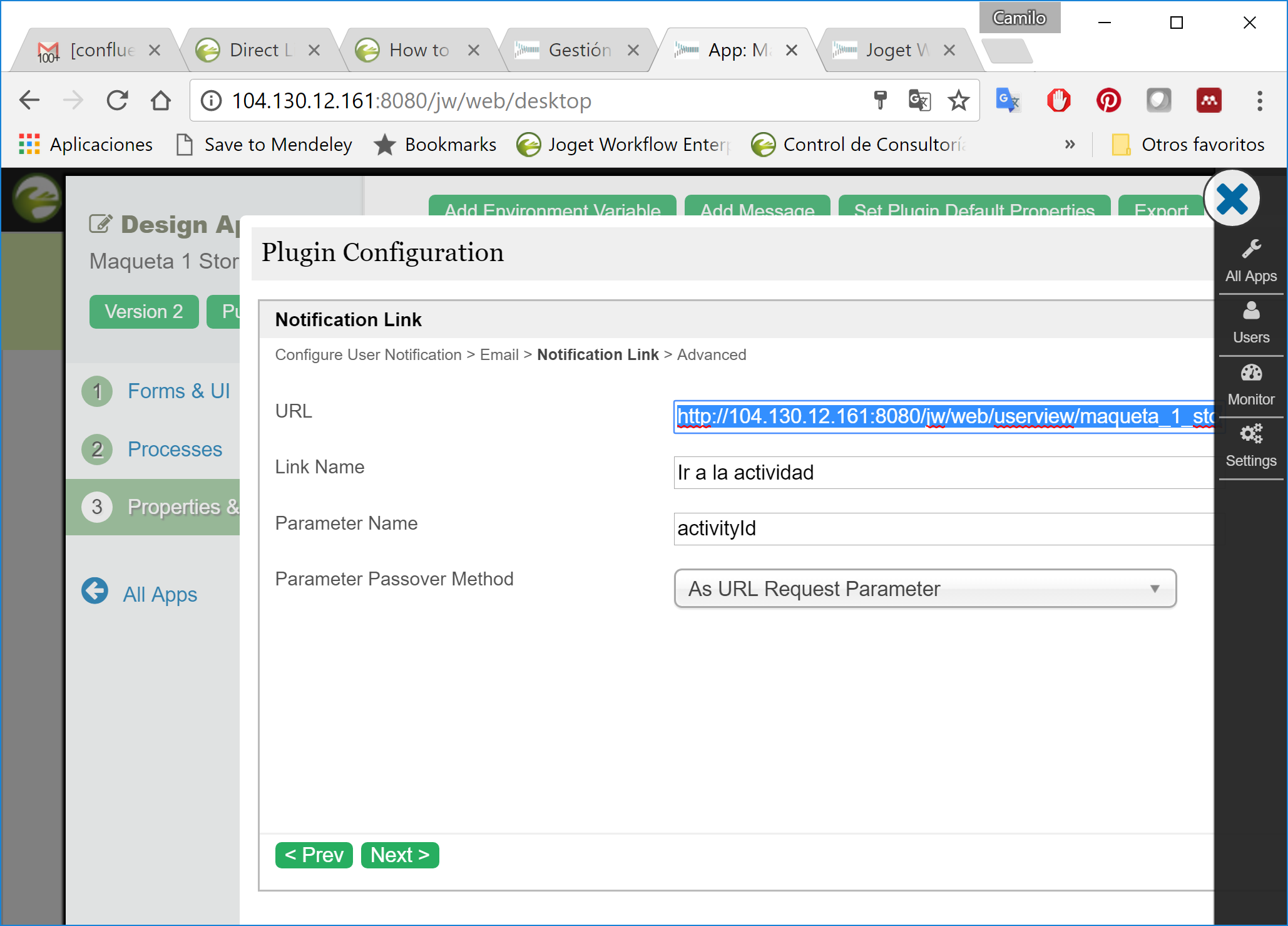
- dheren
Hi Camilo,
Thanks for the response.
I'm trying to achieve what you're showing me but without using the User Notification Tool.
Preferably, I'd like to do this using the Email Notification Tool so I can easily customize the content of the email for each assignment.
Dheren
- Camilo A. García
Exactly, concatenate a link like the one I use to the workflow variable and it should work. The link, of course, depends on the system you have in use.
- dheren
I've tried that using something like: http://104.130.12.161:8080/jw/web/userview/maqueta_1_stork/view2/_/9D9DBC96AB99401AA8A27ADD7DCA763C?_mode=assignment&activityId=#assignment.activityId#
Unfortunately,the #assignment.activityId# in the link gives me the activity ID of the email tool instead of the activity ID of the following activity/form.
- Anders
Hi, if the email tool is before the following activity/form, that form assignment does not exist yet? So an alternative is to let the activity start first, then have an asynchronous deadline that flows to an email tool. You might need to find some way to retrieve the assignment ID of the created activity to pass to the email tool though.
Add your comment... - 10-1
Try this
- Download https://marketplace.joget.org/jw/web/userview/mp/mpp/_/vad?id=beanshell_hash_variable-v1
- In your app's notification plugin. Configure the message content to call this hash variable. Put something like #beanshell.notification[activity={assignment.activityDefId?url}]?html#
- Create a new environment variable called "notification".
In in, put this coding
if (activity[0].equalsIgnoreCase("approveActivity")) {
       return "This is customized message for Approval";
} elseif(........){
//add on accordingly
}else {
       return "This is default message";
}
This way, you get different message for every single activity in the user notification plugin.
Add your comment...
Hi,
Would be possible for me to directly link to the next activity in a process using the email tool?
I've tried using the #assignment.activityId# hash variable and appending it to my inbox URL but it only returns the activity id of the email tool in use.
I know I can do something similar with the User Notification tool but it restrict my ability to customize the content and recipients of the emails.
Is there any way of doing this using hash variables or otherwise?
Thanks,
Dheren