1
0
-1
2 answers
- 321
Exporting HTML to PDF has strict rules on closing every HTML tags, for example as follows:
<img src="https://www.joget.com/uploads/1/1/0/7/110741335/joget-logo-rgb.png" />
Do try the demonstration app below with images in the PDF header and footer:
APP_download_pdf_datalist_action_image_header_footer.jwa
https://stackoverflow.com/questions/14860492/how-to-close-img-tag-properly
- genti
Both ways below of closing image tag does not show the image on pdf:
<img src="https://www.joget.com/uploads/1/1/0/7/110741335/joget-logo-rgb.png" />
<img src="https://www.joget.com/uploads/1/1/0/7/110741335/joget-logo-rgb.png" ></img>
- genti
Actually the image you provided is shown on pdf but my image does not, even if I paste the url on browser the image is shown, so the url is correct. Probably localhost on img tag might have issues.
Add your comment... - 10-1
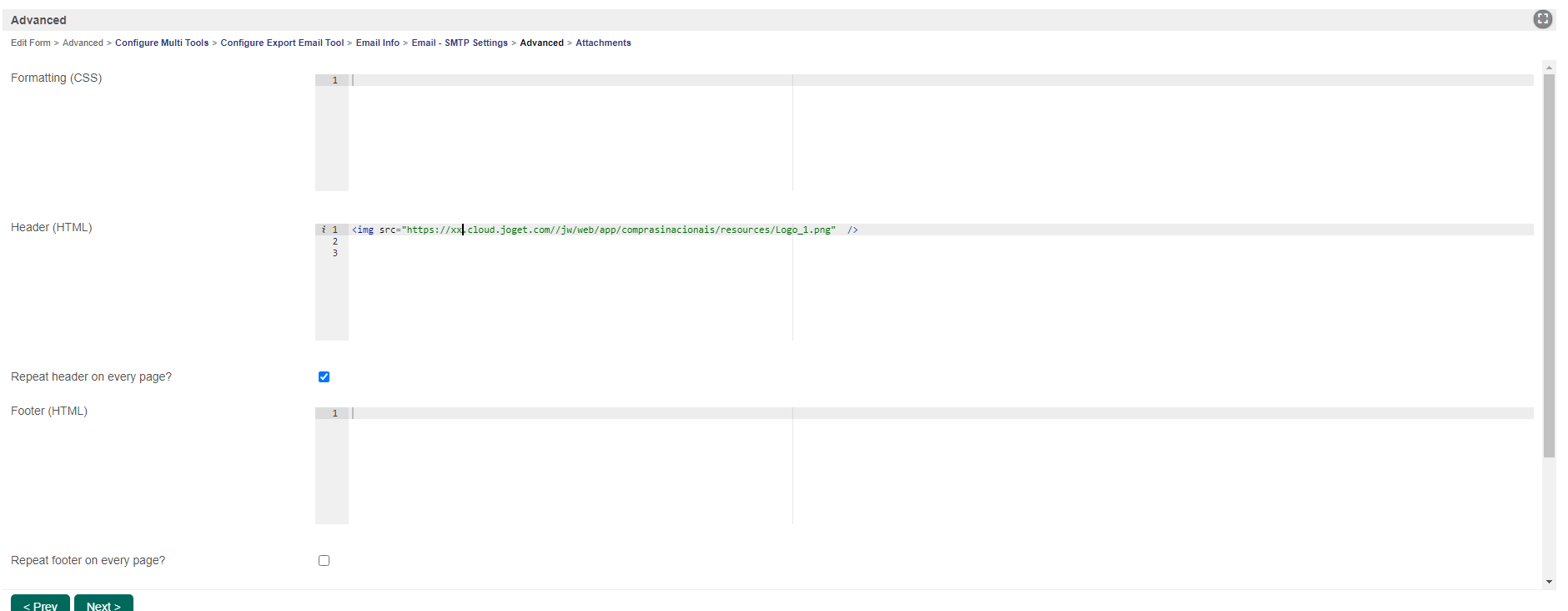
Matthew King Thank you for this great input, but i'm using this as a extract form to pdf and sent it to email.
When i receive the pdf on the email, my image stay bellow the form.

I use only this code in the Export Email Tool. How can put this correctly?
Best regards
Add your comment...

Hi,
I am trying to put an image in the pdf generated by Download PDF Datalist Action Plugin.
I am writing following html code in header(html) properties of the plugin, but is showing nothing :