Introduction
Multi Tools provides the ability to run multiple process tool plugins in a single tool bubble of a process design, with the option of multi-threading support.
This greatly reduces the effort and time needed to achieve a multiple tools parallel execution process design.
Multi Tools Properties
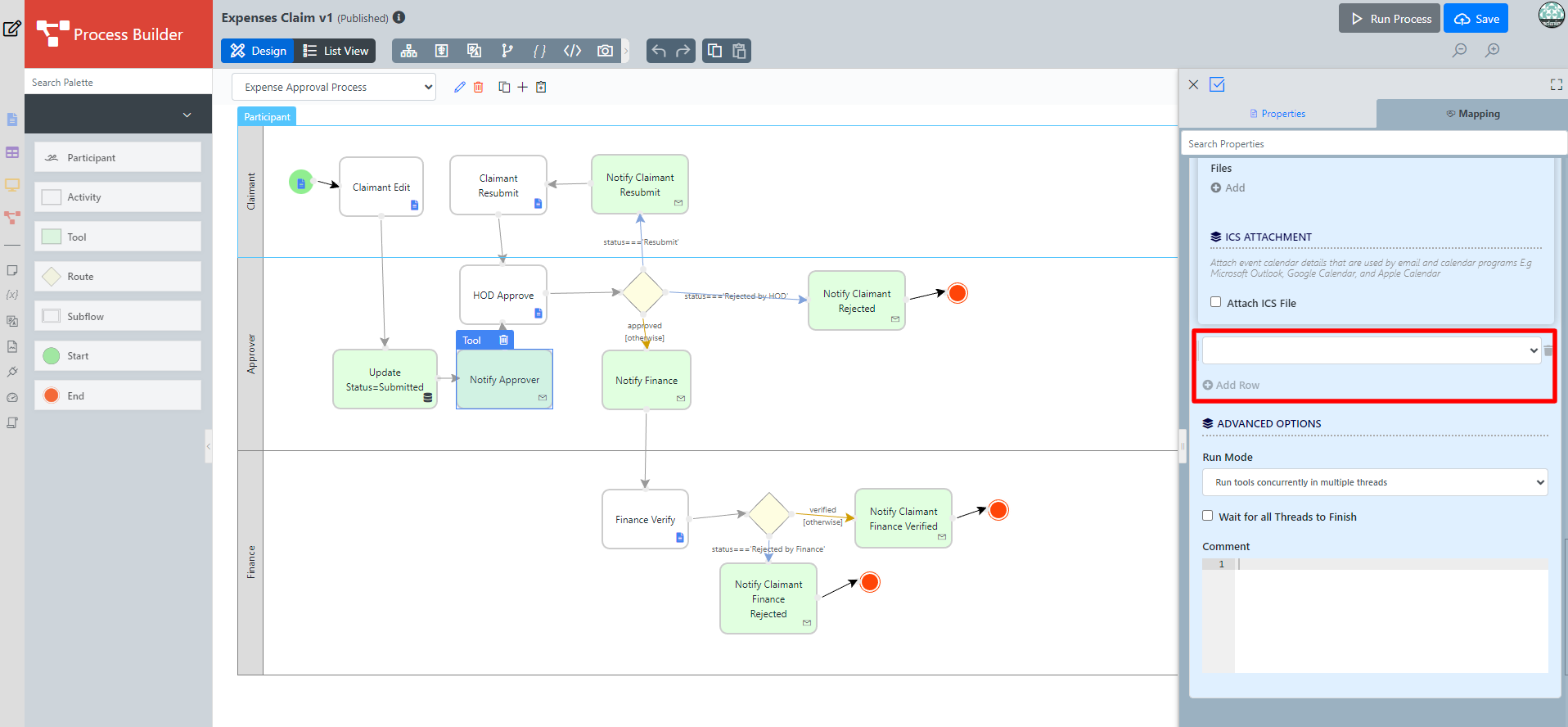
Figure 1: Multi Tools Properties
| Name | Description |
|---|---|
| Add Row | Add a row to allow more plugin to be selected. |
Tip
You can also add row by hovering your mouse cursor near the trash bin icon to reveal a ⊕ button. Then, click the ⊕ button to add row.
Tips
Recommended to use the Integrated Multi-tool to reduce the need to constantly modify the process design, which forces a process record migration to a new version. When designing a process flow, add just one tool box to one activity box, even though the design requires 5 tool boxes. The 5 tools go into the single process Multi-Tool configuration. Another advantage is you can run the tools in multithread for some performance gain.
Within the same Multi-tool, Hash Variable#WorkflowAssignmentHashVariable cannot be modified and re-used.
When the Multi-tool starts, all the plugins configuration and hash variables are parsed and initialized at the start of the Multi-tool. Joget converted the hash to the actual value at the start of the Multi-tool and the workflow variable value updated is not registered for the second Multi-tool/Process Tool Plugin.
Related Documentation
Hash Variable#WorkflowAssignmentHashVariable
One can find the documentation of Multi-tool from the training slides entitled "6-Using your first Process Tool " which can be obtained from our Joget Academy at https://academy.joget.org/course/jogetdx8trainingslides