Introduction
Nested List Formatter allows you to nest another List on all rows of the configured column.
This formatter allows end users to access useful child/related Lists, without having to click through every row for more information.
Nested List Formatter Properties
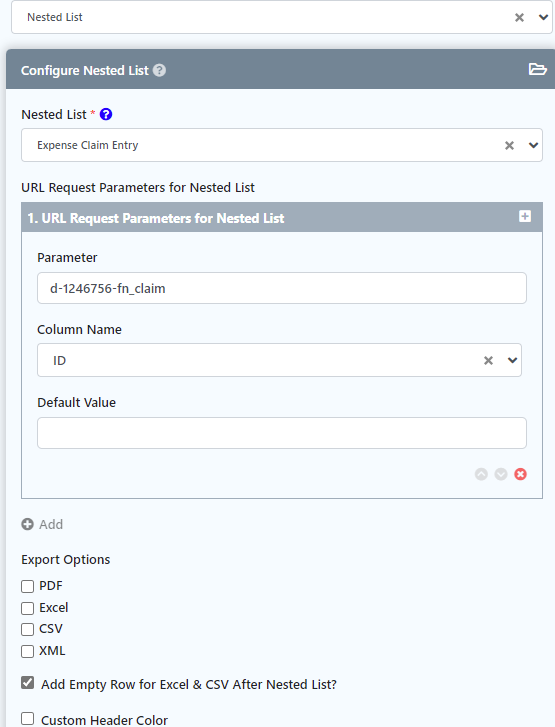
Figure 1: Nested List Formatter Properties
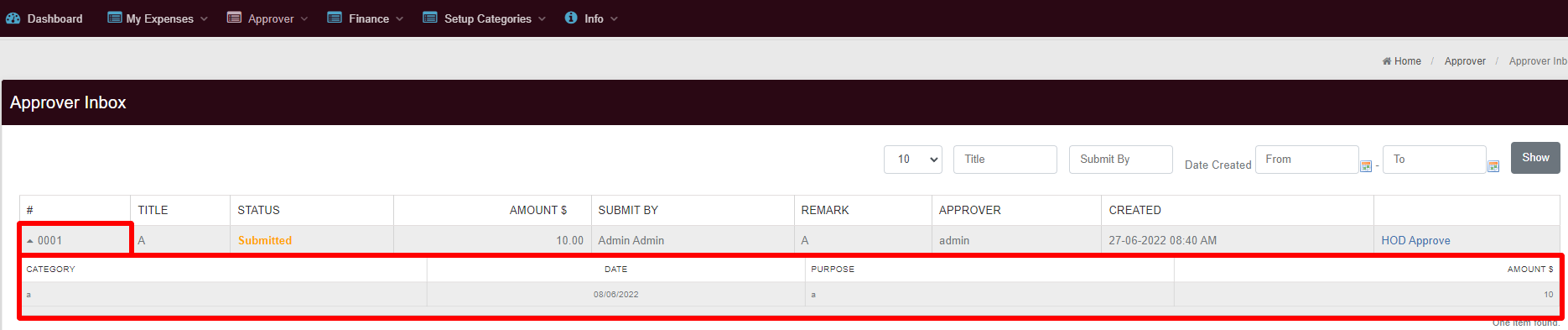
Figure 2: Sample Nested List in runtime
Expenses Claims app - Approver Inbox
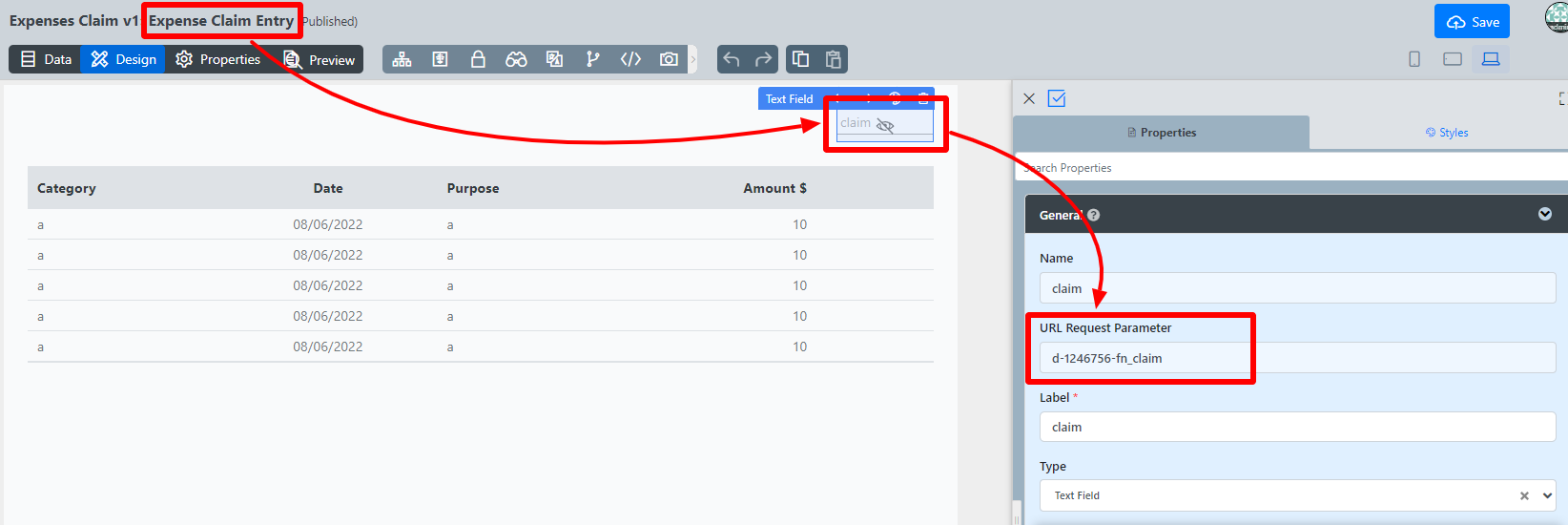
Figure 3: Related List filter's URL request parameter
| Name | Description | ||||||||
|---|---|---|---|---|---|---|---|---|---|
| Nested List | List to nest for all rows of configured column. | ||||||||
| URL Request Parameters for Nested List | This field allows you to filter the nested List based on row data from the selected parent column.
| ||||||||
| Export Options | Check to enable any of these file formats to be exported to.
| ||||||||
| Add Empty Row for Excel & CSV After Nested List? | Check this to add an empty row for exported Excel and CSV file, after the nested List. | ||||||||
| Custom Header Color | Check this to customize the nested List's header color. | ||||||||
| Header Background Color | Enter a hex color code. Alternatively, click to pop up the color picker palette. | ||||||||
| Header Font Color | Enter a hex color code. Alternatively, click to pop up the color picker palette. |
Related Links
Download Demo App
APP_expenseclaim-1-20180209185048.jwa